
Crop PDF Online Free
💡 How to Crop: Drag and resize the translucent blue box over the canvas area below to select your crop region.
Processing PDF...
Running locally in JavaScript

Crop PDF Online Free
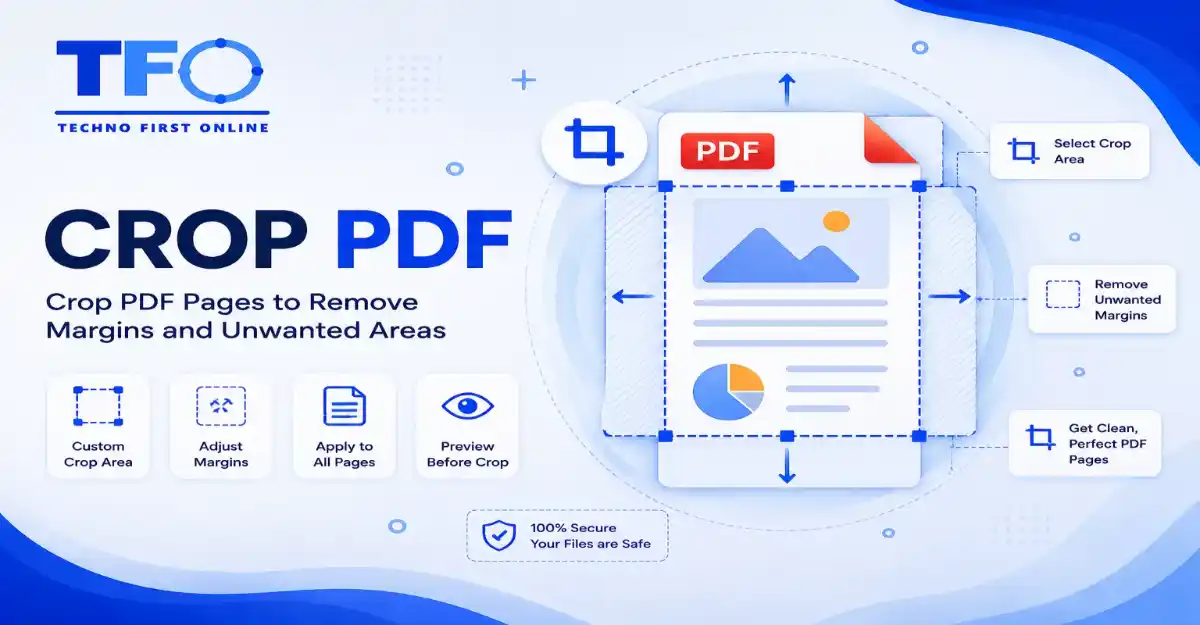
Crop PDF Document Pages
Cropping PDF pages is an effective way to remove unwanted margins, blank spaces, headers, footers, or unnecessary content from your documents. Whether you’re preparing reports, invoices, presentations, forms, or scanned documents, cropping helps create a cleaner and more professional appearance while improving readability.
With the TechnoFirstOnline Crop PDF tool, you can quickly adjust page boundaries and remove excess areas directly from your web browser. No software installation, account registration, or technical expertise is required. Simply upload your PDF, select the area you want to keep, and download the cropped document within seconds.
Our online PDF cropping tool works seamlessly on Windows, Mac, Linux, Android, and iPhone devices. It helps optimize document layouts, improve printing results, and make PDFs easier to view on mobile screens, all while preserving the original quality of your file.
Why Should You Crop PDF File Structures Regularly?
Trimming down the visual dimensions of an unoptimized document provides multiple practical and structural advantages across daily operations. It transforms raw layout files into perfectly sized, presentation-ready digital materials.
Optimizing Shipping and Invoicing Labels: E-commerce operators handling multi-order packing slips frequently need to strip away excessive border margins to fit standard thermal barcode printing configurations.
Improving Mobile Screen Readability: Wide structural borders force mobile tablet readers to display text in tiny, compressed formats. Trimming margins increases the actual text scaling factor automatically.
Standardizing Scattered Layout Designs: When merging separate documents into an integrated file system, using a custom cropper helps match mixed dimensions into a clean, uniform page dimension.
Saving Device Local Print Media: Eliminating large empty whitespace borders prevents printing equipment from cycling through unneeded paper real estate or wasting ink matrices on blank borders.
High-Performance Features of Our Online PDF Crop Tool
Our software environment is engineered from the ground up to offer complete structural flexibilities, premium visual grids, and advanced calculation safety codes.
1. 100% Free with Comprehensive Operational Fluidity
Unlike traditional desktop programs that inject hidden watermarks or demand card details to process large files, our cloud system lets you crop pdf free without artificial barriers. You have unlimited page processing capabilities right at your fingertips.
2. Live Interactive Canvas Visual Grids
As soon as your target asset drops inside our canvas, the application builds a highly intuitive thumbnail mapping interface. You can manually drag the active bounding sliders to target specific layout dimensions, ensuring absolute accuracy.
3. Smart Global or Selective Range Trimming Controls
Our system layout is built to handle diverse editing preferences. You can configure custom crop dimensions and apply them globally across every sheet in the document simultaneously, or choose to focus precisely on independent pages.
4. Enterprise-Grade Cloud Workspace Security
We strictly enforce an absolute privacy baseline to shield your confidential financial charts, inventory slips, and personal academic records. All background communication uses encrypted data streams, and automated scripts wipe all processed server documents within the hour.
How to Crop PDF Online Free (Step-by-Step Manual Guide)
Refining your document’s dimensions takes less than a minute using our web platform. Follow these easy steps:
Select Document: Click the primary file explorer button or drag your source asset directly onto Technofirstonline.
Adjust Bounding Boxes: Use your mouse or touchscreen to move the active cropping border parameters across our visual thumbnail dashboard layout.
Define Targeting Range: Choose whether to enforce these custom dimensions across the entire document or modify sheets individually.
Execute Trimming Actions: Click the main “Crop PDF” button to trigger the internal cloud rendering script.
Save Clean Output: Hit the download execution control element to fetch your newly optimized document instantly.
Advanced PDF Cropping for Specialized Documents
Our Crop PDF tool is useful for a wide range of document types, including invoices, reports, forms, scanned files, presentations, and shipping documents. By removing unnecessary margins and unwanted sections, you can focus attention on the most important content while creating a cleaner and more professional layout.
Whether you need to prepare documents for printing, improve readability on mobile devices, or share only specific portions of a page, the tool provides a quick and efficient way to customize your PDF pages without affecting the quality of the original document.
Desktop Software Suites vs. Technofirstonline Online Workspace
While many advanced power users try to modify layout boundaries manually using default local preview applications, a direct comparison reveals clear technical limitations:
| Formatting Capability Elements | Native Desktop Application Plugins | Technofirstonline Cloud Tool |
| Operational Interface Setup | Complex coordinate number inputs | Drag-and-drop bounding box sliders |
| Processing and Rendering Speed | High manual cropping saves | Fast automatic cloud execution |
| Hyperlink Security Safety | High risk of breaking embedded text links | Retains 100% active internal/external links |
| Mobile System Accessibility | Extremely difficult to execute on mobile | Fully responsive layout for all mobile phones |
| File Structural Weight | Often bloats overall data density | Naturally compresses unnecessary padding bloat |
Preserve Document Quality While Cropping PDF Pages
Cropping a PDF should improve the document’s appearance without affecting its quality or usability. Our Crop PDF tool is designed to remove unwanted margins and unnecessary areas while preserving the original text, images, formatting, and page structure.
Whether you’re preparing documents for printing, sharing files online, or optimizing PDFs for mobile viewing, the cropped document remains clear, professional, and easy to read. The tool helps create a cleaner layout while maintaining compatibility across popular PDF readers, browsers, and devices.
With fast processing and accurate page boundary adjustments, you can crop PDF pages confidently without worrying about content loss or formatting issues.
Frequently Asked Questions
You can use the Technofirstonline PDF Cropper to upload your document, adjust the interactive bounding box handles to trim out unneeded whitespace margins, and save your cropped file instantly without any subscription charges.
Yes, data security is a core foundation of our platform layout design. All file transfers are protected by secure end-to-end SSL data encryption layers. Our systems run an automated cloud sweep script to permanently delete all processed files within an hour of use.
Absolutely. Our advanced dashboard interface gives you full layout control. You can choose to apply a custom crop dimension globally to every single page, or select specific pages to modify independently.
No. Our advanced engine changes the underlying margin matrix vectors without applying any destructive visual compression algorithms to your texts or images. Your downloaded document will retain its original high-resolution sharpness and text selectability perfectly.
Yes, our platform features a fully responsive, mobile-first framework design. You can easily manage boundaries, pull layout corners, and crop your files using standard mobile browsers on any Android or iOS device without installing an app.
According to Adobe PDF documentation, cropping PDF pages helps users remove unwanted margins, improve document appearance, optimize printing layouts, and focus on important content. PDF cropping is commonly used for scanned documents, reports, forms, and educational materials. Visit: Adobe PDF Cropping Guide
Crop PDF Online Free – Crop PDF Document Pages #1
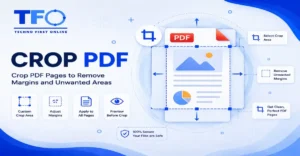
Crop PDF online free using Technofirstonline PDF Cropper. Easily crop PDF document pages, trim canvas margins, split labels, and adjust custom dimensions
Price Currency: $
Operating System: All
Application Category: Utilities Application