
IMAGE COMPRESSOR ONLINE
Resize and compress images instantly. Secure & Private.
Choose or Drop Image
Supports JPG, PNG, WEBP, JPEG & More


Image Compressor Online Free – Reduce Image Size in KB
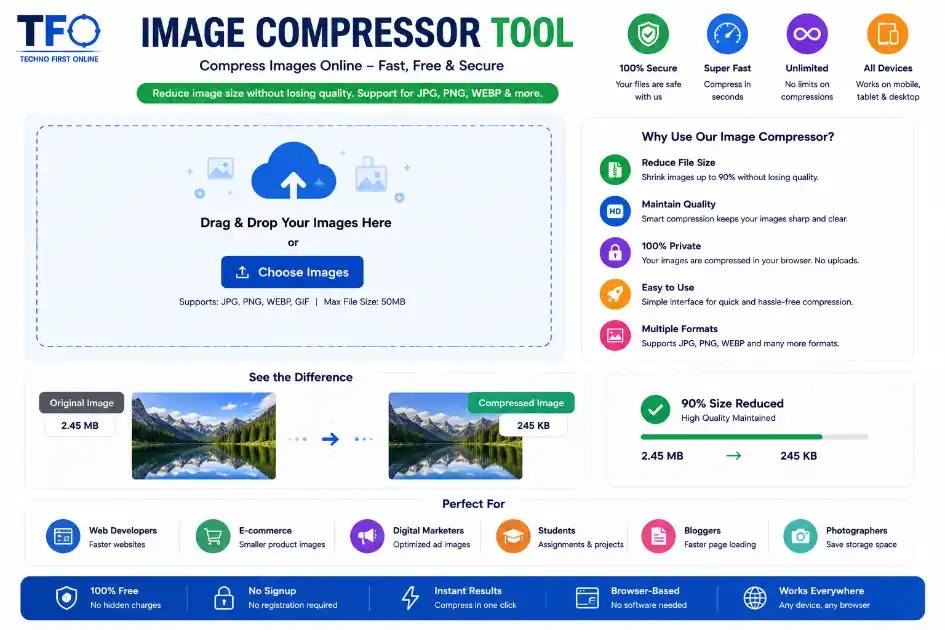
Image Compressor Online
Large image files can slow down websites, consume unnecessary storage space, and make sharing photos difficult. Whether you are uploading pictures to social media, optimizing website performance, or reducing photo size for forms and applications, an efficient image compressor can save both time and storage.
TechnoFirstOnline Image Compressor Tool helps users reduce image size mb to kb instantly without installing any software. It is fully browser-based, secure, and works on desktop as well as mobile devices and tabs.
With this free online image compressor, you can compress JPG, PNG, JPEG, and WEBP files while maintaining image quality.
Why Use an Image Compressor?
Images with large file sizes affect loading speed and overall user experience. Compressing images makes websites faster and easier to use.
Here are some major benefits of using an image compressor online:
- Faster website loading speed
- Better SEO performance
- Reduced storage usage
- Easy image sharing
- Faster uploads on social media
- Optimized images for blogs and websites
- Lower bandwidth consumption
Whether you are a blogger, designer, student, developer, or content creator, reducing image size can increase website speed and significantly improve workflow efficiency.
Features of TechnoFirstOnline Image Compressor Tool
Our online photo compressor is designed with simplicity and performance in mind.
1. Compress Images Without Losing Quality
The tool intelligently reduces image size while preserving visual clarity.
2. Supports Multiple Formats
You can compress:
- JPG
- JPEG
- PNG
- WEBP
- BMP
3. Resize Width & Height
Users can manually adjust image width and height before compression.
4. 100% Browser-Based
Your images never upload to any server. Everything happens directly inside your browser.
5. Mobile Friendly
The tool works smoothly on Android, iPhone, tablets, and desktops.
6. Fast Compression Speed
Compress images within seconds using optimized browser processing.
7. Before & After Preview
Users can compare original and compressed image sizes instantly.
How to Compress an Image Online
Using the TechnoFirstOnline Image Compressor is extremely simple.
Step 1: Upload Your Image
Choose an image from your device or drag and drop it into the upload area.
Step 2: Adjust Settings
Customize:
- Width
- Height
- Compression quality
- Output format
Step 3: Compress the Image
Click on the “Resize & Compress” button.
Step 4: Download the Image
After compression, download the optimized image instantly.
Reduce Image Size in KB Easily
Many users need to reduce image size in KB for online forms, government applications, or website uploads.
This image compressor helps reduce image size efficiently without affecting the overall look of the image.
You can:
- Compress image to 50KB
- Compress image to 100KB
- Reduce JPEG size
- Optimize JPG files for websites
- Resize images for faster sharing
Best JPG Image Compressor Online free
JPG and JPEG images are widely used because they provide excellent image quality with manageable file sizes.
Our JPG image compressor helps reduce the size of large photos while keeping them visually appealing.
This feature is useful for:
- Website owners
- Bloggers
- E-commerce stores
- Social media creators
- Digital marketers
- Students uploading assignments
Need a fast, reliable JPEG compressor? This tool gets it done quickly and keeps your files safe.
Compress PNG Images Without Quality Loss
PNG images are usually larger because they support transparency and better graphics quality.
Using our picture compressor, you can optimize PNG images for:
- Logos
- Website graphics
- Icons
- UI elements
- Transparent backgrounds
The tool helps reduce PNG file size while maintaining image clarity.
Why Website Owners Need Image Compression
Website speed plays a major role in user experience and SEO rankings.
Large image files slow down your page load times, which can negatively impact search engine performance.
Compressed images help:
- Improve Core Web Vitals
- Increase page speed
- Reduce bounce rate
- Improve user engagement
- Boost mobile performance
If you write a blog, online store, or portfolio website, image optimization is important for SEO.
Secure and Private Image Compression
Privacy is important when working with personal or professional images.
Unlike many online tools, TechnoFirstOnline processes images directly in your browser.
This means:
- No server upload
- No image storage
- Better privacy
- Faster performance
Your files remain completely secure during compression.
Mobile-Friendly Image Compressor
Most users now edit and upload photos directly from smartphones.
Our image compressor tool is fully responsive and optimized for mobile devices.
Whether you use:
- Android
- iPhone
- Tablet
- Laptop
The tool works smoothly on every screen size.
Difference Between Image Resizing and Compression
Many users confuse image resizing with compression.
Image Compression
Compression reduces the file size while maintaining the same dimensions.
Image Resizing
Resizing changes the image dimensions such as width and height.
Our tool supports both features together, making it a complete image optimization solution for best Image SEO.
Who Can Use This Tool?
This online image compressor is useful for:
- Bloggers
- YouTubers
- Graphic designers
- Students
- Web developers
- Digital marketers
- Social media managers
- E-commerce sellers
Anyone who wants smaller image files can benefit from this tool.
Advantages of Browser-Based Compression
Browser-based image compression is becoming increasingly popular because it offers several advantages.
No Installation Required
You do not need to download any software.
Faster Processing
Compression happens instantly in your browser.
Better Security
Images remain on your device.
Cross-Platform Support
Works on Windows, macOS, Android, and iOS.
Why Choose TechnoFirstOnline Image Compressor?
There are many image compression tools available online, but TechnoFirstOnline provides a balance of simplicity, speed, and privacy.
Key reasons to choose this tool:
- Clean user interface
- Fast compression engine
- No watermark
- Free to use
- Supports multiple image formats
- Mobile responsive design
- Secure browser-based processing
- Easy download option
Why we are best
If you are looking for a fast, secure, and easy-to-use image compressor online, TechnoFirstOnline offers an excellent solution.
You can reduce image size in KB, compress JPG photos, resize images, and optimize pictures for websites or social media within seconds.
The tool is designed for both beginners and professionals who want quick image optimization without compromising quality.
Try the TechnoFirstOnline Image Compressor Tool today and optimize your images effortlessly.



Frequently Asked Questions
Yes, the TechnoFirstOnline Image Compressor Tool is completely free to use.
Yes, the tool reduces image size while maintaining good image quality.
The tool supports JPG, JPEG, PNG, WEBP, and BMP image formats.
Yes, you can reduce image size in KB by adjusting compression quality and dimensions.
Yes, the compression process happens directly in your browser, and images are not uploaded to any server.
Yes, the tool is fully responsive and works smoothly on Android and iPhone devices.
According to Google PageSpeed Insights, optimized and compressed images help improve website loading speed, Core Web Vitals, and overall SEO performance.
Image Compressor Online Free – Reduce Image Size in KB #1
Compress JPG, PNG, JPEG & WEBP images online for free. Reduce image size in KB without losing quality using TechnoFirstOnline Image Compressor Tool.
Price Currency: $
Operating System: All
Application Category: Utilities Application