
Rotate PDF Pages
Rotate any page of your PDF by 90°, 180°, or 270° — with live preview, right in your browser
🔄
Drop your PDF here
or click to browse
Max 200MB • PDF only
📕
—
—
Rotation
Apply To
📄 Pages — Click to select, use buttons to rotate
0 pagesProcessing...

Rotate PDF Pages Online Free
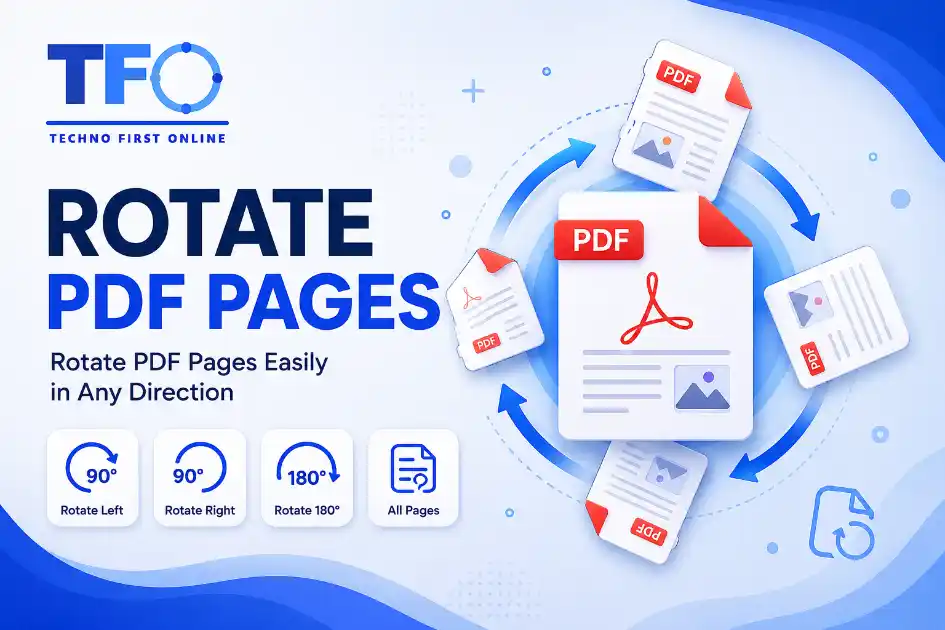
Quick Answer: To rotate PDF pages online free, visit [technofirstonline.com/rotate-pdf-pages](https://technofirstonline.com/rotate-pdf-pages), upload your document file, click the intuitive direction icons on the page thumbnails to change their orientation, press the “Rotate PDF” action button, and download your permanently fixed document immediately.
Rotate PDF Document
Using the Technofirstonline PDF Rotator application module, you can seamlessly change the orientation of individual or bulk pages directly in your native web browser workspace. There is zero need to go through bloated desktop setup processes or deal with mandatory account creations. It offers a fluid, instant, and secure approach to handling orientation issues on any device.
Why Do Your PDF Document Pages End Up Misaligned?
Misaligned documents happen quite frequently due to the various ways physical paper assets are converted into digital files. Identifying these structural issues highlights why a browser-based fix tool is so practical.
Improper Multi-Page Sheet Scanning: High-speed office scanning hardware sheets are often loaded horizontally or placed upside down by accident. This forces the resulting digital output file to render completely skewed pages.
Smartphone Camera Capture Angles: Users capturing physical receipts, book chapters, or academic notes with mobile scanning apps often shift between portrait and landscape modes, leaving pages completely mixed up.
Complex Graphical Layout Combinations: Spreadsheets, wide accounting tables, and architectural blue-print charts require wide landscape views, whereas accompanying text sections utilize native vertical setups.
Improper Cross-Platform File Merging: Combining different slide decks or documents from separate devices can mess up the default page alignments across the final file.
High-Performance Features of Our PDF Rotator Engine
Our utility platform is custom-engineered to deliver secure document adjustments, lightning-fast cloud executions, and complete cross-platform alignment features.
1. Completely Free Architecture with Zero Limitations
Unlike traditional desktop utility platforms that lock modifications behind payment screens, our tool lets you rotate pages in a pdf without charging subscription fees. You will never encounter hidden watermarks, page limitations, or processing restrictions.
2. Live Graphical Orientation Previews
As soon as you drag and drop your document inside our application canvas, the system maps your data structure into an interactive grid layout. Each thumbnail shows exactly how the page looks, allowing you to flip the right sheets precisely.
3. Precision Individual or Global 360-Degree Adjustments
Whether you just need to flip a single upside-down page or rotate every sheet in a document by 90 degrees, our tool handles both without breaking a sweat. You can click individual orientation buttons to fine-tune the layout one page at a time.
4. Advanced Cloud Security Protocol
We understand that your documents contain confidential data, official corporate contracts, or personal student archives. Our platform protects user uploads using end-to-end data encryption loops, and an automated cloud sweep permanently deletes all assets within an hour of use.
How to Rotate PDF Pages Online for Free (Step-by-Step)
Fixing your document’s layout is incredibly straightforward and takes just a few clicks. Follow these easy steps:
Select Asset: Drag your file or click the primary upload element to add your document to Technofirstonline.
Inspect Layout Previews: Wait a brief second as our cloud architecture processes your file and builds the interactive thumbnail grid.
Adjust Document Directions: Click the visual rotate icons on the specific pages that require alignment until they look exactly right.
Execute Modifications: Press the primary “Rotate PDF” button to permanently update your document’s orientation settings.
Download New Document: Save the perfectly aligned, presentation-ready file directly onto your laptop, phone, or computer.
Advanced Editing Made Simple: Rotate Entire Page Ranges
Simple viewing apps like web browsers allow you to rotate your view temporarily while reading, but they cannot actually save those changes to the file structure. Our engine handles these distinct structural scenarios flawlessly:
How to Permanently Rotate Page of PDF
When you adjust your file using our web platform, the processing engine modifies the actual file parameters. This means that whether your clients open the new document inside an email preview, an external tablet reader, or printing hardware, the pages will stay perfectly aligned.
Clean Cross-Platform System Integration
Whether you are trying to turn pdf pages online using a mobile smartphone or adjusting large blueprint pages on a workstation computer, our tool runs perfectly across all browsers. It runs much faster than alternative methods, like using heavy graphic design suites, which often break layout text formatting.
Built-in Preview vs. Technofirstonline’s Approach
Many modern users rely on default operating system tools like Mac Preview or Windows browser options to modify page directions. While these options are readily available, they have severe technical drawbacks compared to a dedicated cloud solution:
| Alignment Capability | Native Local System Applications | Technofirstonline Online Tool |
| Execution Speed | Slow, manual page-by-page saves | Fast, automatic cloud rotation |
| File Compression Fit | Often bloats the total file weight | Keeps your file highly optimized and lightweight |
| Hyperlink Security | Risk of breaking embedded URLs | Keeps all embedded hyperlinks fully intact |
| Bulk Layout Control | Difficult to manage across huge files | Simple global rotation control in one click |
| Cross-Platform Fit | Limited by specific operating systems | Works perfectly on Android, iOS, Windows, and Mac |
People Also Read
No posts found in this category.

decrypt md5 hash

password salting explained

php password hash guide

What Is a Password Hash Generator

SHA-1 vs SHA-256 vs SHA-512 comparison

what is bcrypt beginners guide

md5 vs sha256 vs bcrypt

Is MD5 Still Secure Hash Collisions Explained

How Generate Hash Online

MD5 Hash Generator Online guide

WiFi QR Code Generator

LastPass vs Norton vs Bitwarden

Password Manager Pros & Cons

16 Character Password Generator

What Makes a Password Strong

Different Password for Every Website

Common Password Mistakes

Random Password Generator vs Manual Passwords

Strong Password Examples

How to Create a Strong Password
Other Useful Tools










Frequently Asked Questions
You can use the Technofirstonline PDF Rotator to upload your file, click the rotation icons on the visual page thumbnails to adjust their directions, and save the updated document instantly without any subscription fees.
Yes, file safety is a core priority of our platform. All data transfers are protected by secure end-to-end encryption layers. Our servers automatically clear and permanently purge all uploaded documents within an hour to keep your details completely private.
Absolutely. Our grid workspace gives you total layout control. You can choose to rotate just a single inverted page or adjust several scattered pages individually without changing the orientation of the rest of the document.
No. Our utility updates the internal orientation metadata tags without running any destructive visual compression algorithms. Your downloaded document will retain its original high-resolution vector text properties and image qualities perfectly.
Yes, our tool features a fully responsive layout framework. You can easily adjust and save your document setups on any smartphone or tablet using standard mobile browsers without needing external app installations.
According to the global document standards governed by the official ISO Standard for PDF Architectures, the page orientation parameter is controlled by an internal directory node known as the /Rotate tag. Primitive editing applications try to re-render the entire visual layer to turn a page, which degrades image resolutions and pixelates vector text properties.
Rotate PDF Pages Online Free – Rotate PDF Document #1
Rotate PDF pages online free using Technofirstonline PDF Rotator Tool. Permanently rotate specific PDF pages, turn PDF layouts, and flip documents instantly
Price Currency: $
Operating System: All
Application Category: Utilities Application