Smart IT tools
16 Character Password Generator

A 16 Character Password Generator is a tool that creates random and highly secure passwords containing exactly 16 characters. These passwords typically include uppercase letters, lowercase letters, numbers, and special symbols, making them significantly harder to crack than shorter passwords. Security experts recommend 16-character passwords because they provide strong protection against brute-force attacks and credential theft.
Why Length Matters More Than You Think
Most people think that a password with a numbers and a capital letter is strong enough. It is not. Computers can do things now so the old rules for passwords are not good anymore. The important thing for a password now is how long it is. This is why security people, browser companies and government agencies say we should use a 16 character password generator.
In this guide we will tell you why 16 characters is the standard, for password security. We will explain how people can figure out your password and how you can make a 16-character password in seconds. You can do this with a tool that you can use in your browser. You do not need to install any software.
What Is a 16 Character Password Generator?
A 16 character password generator is a tool that automatically creates a random string of 16 characters, typically combining uppercase letters, lowercase letters, numbers, and special symbols. Because the output is random and long, it becomes extremely difficult for hacking software to guess or crack through brute-force methods. A Strong password is Secure Digital Life.
Unlike passwords you create yourself — which often include patterns based on names, birthdays, Common dates, Name or common words — a generated password has no logical structure for an attacker to exploit. This randomness, combined with sufficient length, is what makes strong password genrator tools so effective.
Why Did Password Length Become So Important?
For years, the standard advice was to use 8-character passwords with a mix of cases, numbers, and symbols. That guidance made sense in an era when computers were slower and attackers had limited resources. Today, in digital world the situation has changed dramatically.
Modern graphics cards and cloud computing services can run billions of password-guessing attempts per second in the world.
An 8-character password, even a fairly complex one, can now be cracked in a matter of hours using widely available hardware. Every additional character you add to a password doesn’t just add a little more security — it multiplies the time required to crack it exponentially.
This is the core idea behind the well-known security principle: length beats complexity. A 16 Character Password Generator make a longer password made of completely random characters is dramatically harder to crack than a shorter one, even if the shorter one looks “complicated” to a human eye.
The Math Behind Password Strength
To understand why 16 characters specifically has become the recommended standard, it helps to look at how password combinations scale.
If a password uses a character set of 95 possible symbols (uppercase, lowercase, numbers, and special characters), then:
- An 8-character password has about 95^8 possible combinations — roughly 6.6 quadrillion.
- A 12-character password jumps to 95^12 — an astronomically larger number.
- A 16-character password reaches 95^16 combinations — a number so large that, even with today’s fastest cracking hardware, brute-forcing it would take longer than most attackers are willing to invest.
This is why cybersecurity researchers consistently point to 16 characters as a practical sweet spot. It’s long enough to make brute-force attacks impractical, while still being manageable to generate, store, and use with a password manager.
Where You’ll See “16 Character” Requirements Today
If you’ve recently signed up for a banking app, a corporate email account, or a cloud storage service, there’s a good chance you noticed a password requirement asking for “at least 16 characters” rather than the old “at least 8.” This shift is happening across the digital industry for a few clear reasons:
Financial institutions have increased password requirements because account takeover fraud has become more sophisticated, and longer passwords directly reduce that risk.
Enterprise IT departments now frequently mandate 16-character minimums as part of internal security policy, especially for systems handling sensitive data.
Major tech platforms have started nudging users toward longer passwords through their account security recommendations, even when it isn’t strictly required at sign-up.
Cybersecurity agencies in multiple countries have published updated guidance recommending longer passphrases or random strings instead of short, “complex-looking” passwords.
If you’ve been putting off updating your older, shorter passwords, this is a good signal that now is the time.
How a 16 Character Password Generator Actually Works
A good password generator tool follows a simple but important process behind the scenes:
- It uses your device’s secure random number generator (built into modern browsers) to produce truly random values — not predictable patterns.
- It pulls characters from a defined pool: uppercase letters, lowercase letters, digits, and symbols.
- It assembles these characters into a 16-character string, often allowing you to customize which character types to include or exclude.
- The entire process happens locally in your browser, meaning the password is never transmitted to a server or stored anywhere.
This last point matters more than people realize. A trustworthy password generator should never need to “send” your password anywhere to create it. If a tool requires a server round-trip to generate something this simple, that’s an unnecessary security risk.
Common Mistakes People Make With Long Passwords
Even when people understand that longer is better, a few habits can undermine the benefit of a 16-character password:
Using predictable patterns within the length. Adding extra characters to a weak base password (like turning “password” into “password12345678”) technically makes it 16 characters, but it’s still easy to guess because it follows an obvious pattern.
Reusing the same long password everywhere. Length protects against brute-force guessing, but it does nothing to protect you if that exact password leaks in a data breach on one site and gets reused elsewhere. Every important account should have its own unique password.
Writing it down somewhere insecure. A genuinely random 16-character password is hard to memorize — which is by design. The solution isn’t to write it on a sticky note; it’s to use a password manager that securely stores it for you.
Skipping symbols and numbers. Some generators allow you to create letter-only passwords for “ease of typing.” While this is more convenient, it reduces the character pool size and weakens the password compared to one using the full range of available characters.
How to Generate a Strong 16-Character Password (Step-by-Step)
Generating a secure password doesn’t need to be complicated. Here’s the simplest way to do it using a browser-based generator:
- Open free online password generator tool.
- Set the length slider or input field to 16 characters.
- Enable all character types — uppercase, lowercase, numbers, and symbols — for maximum strength.
- Click “Generate” to create a new random password.
- Copy the password directly into the account signup or password-change field.
- Save it immediately in a password manager rather than relying on memory.
Because the generation happens directly in your browser, there’s no waiting, no app to download, and no data being sent anywhere — the password appears instantly and is ready to use.
Who Should Be Using 16-Character Passwords?
While everyone benefits from longer passwords, certain situations make it especially important:
Banking and financial accounts — where a breach has direct financial consequences.
Primary email accounts — since email is often the recovery method for every other account you own, making it one of the highest-value targets for attackers.
Work and business accounts — where a compromised password can affect not just you, but an entire organization.
Cloud storage and backup services — which often contain years of personal documents, photos, and sensitive files.
Any account you’ve reused a password on before — if you know you’ve recycled a password across multiple sites, that’s the first one to replace with a fresh, randomly generated 16-character version.
Length vs. Memorability: Finding the Right Balance
One reasonable concern people raise is: “If my password is 16 random characters, how am I supposed to remember it?” The honest answer is — you’re not meant to memorize it. Modern password security best practice has moved away from the idea that you should remember every password you use.
Instead, the recommended approach is:
- Use a unique, randomly generated 16-character password for every important account.
- Store these passwords in a reputable password manager, which itself is protected by one strong master password (this one you do memorize).
- Use a passphrase-style approach only for your master password, since that’s the one password you genuinely need to recall from memory.
This system gives you both maximum security (long, random, unique passwords everywhere) and practical usability (you only need to remember one password yourself).
16-Character Passwords and Data Breaches: The Bigger Picture
The reason we need to think about password length is that it is a deal now. We hear about companies getting hacked all the time and when that happens, millions of email and password combinations are exposed. These combinations do not just get thrown away. They get put into lists that bad people use to try and get into other websites.
This is why having a password and a unique password is so important. If you have a password that’s sixteen characters long and totally random it is really hard for someone to guess it.. It is also important to use a different sixteen character password for every website you use. That way if one of the websites you use gets hacked the bad people will not be able to use your password to get into your accounts.
In 16 Character Password Generator – Password length and uniqueness are key to keeping your accounts safe. The bad people are counting on you to use the password for everything so if you can break that habit you will be a lot safer. Using a password, for every site is one of the best things you can do to keep your accounts secure and password length is a big part of that.
Browser-Based Generators vs Downloadable Software
When searching for a password generator, you’ll come across two broad categories: downloadable desktop applications and browser-based web tools. Understanding the difference matters for both security and convenience.
Downloadable software often requires installation permissions on your device, periodic updates, and in some cases, account creation. While reputable password manager applications do this safely, lesser-known free tools downloaded from random websites can introduce real risk — you’re trusting an unknown executable file with the literal keys to your digital life.
A browser-based generator, by contrast, runs entirely within your web browser using standard JavaScript. There’s nothing to install, nothing to update, and most importantly, a well-built tool generates the password locally on your device without ever transmitting it over the internet. This client-side approach is both safer and significantly more convenient for quick, one-off password generation — which is exactly the use case most people have when signing up for a new account.
A Quick Comparison: 8 vs 12 vs 16 Characters
To put the difference in real terms, security researchers often illustrate password strength using estimated crack times on modern hardware. While exact numbers vary depending on the tools and hardware attackers use, the general pattern holds consistently across studies:
An 8-character password using a mix of upper, lower, numbers, and symbols can often be cracked within hours to a few days using consumer-grade GPU hardware.
A 12-character password pushes that estimated crack time into the range of decades, assuming similar hardware and attack methods.
A 16-character password extends the estimated crack time so far into the future — centuries by most calculations — that it becomes effectively meaningless to even attempt a brute-force attack with current technology.
This dramatic jump between password lengths is the entire reason security guidance has shifted so firmly toward longer passwords rather than continuing to emphasize complexity alone. Four extra characters might seem like a minor change, but mathematically, it represents an enormous leap in protection.
What to Do If You’re Managing Multiple Accounts
For most people today, “a few passwords” has turned into dozens — banking, email, shopping, social media, work tools, streaming services, and more. Manually creating a unique 16-character password for each one isn’t realistic without help, which is exactly the gap that password generator tools and password managers are designed to fill.
A practical workflow looks like this: whenever you create a new account or update an old one, open a password generator, set it to 16 characters with all character types enabled, generate a new password, and save it directly into your password manager under that account’s entry. and you can select more characters in password like 18 characters , 20 characters, password and Much more. Over time, as you replace older or reused passwords, your overall account security improves significantly — even if you only update one or two accounts per week.
This incremental approach is far more sustainable than trying to overhaul every password you own in a single afternoon, and it still gets you to a fully secure in digital life’s password setup within a reasonable timeframe.

TechnoFirstOnline provides powerful free online tools, expert tutorials, and smart digital resources to simplify everyday tasks. Explore SEO, image, AI, PDF, and productivity tools designed for everyone.
Other Useful Tools






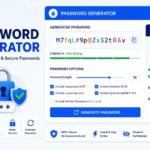
Password Generator
Open
People Also Read

NTLM Hsah vs MD5 vs SHA
decrypt md5 hash
password salting explained
php password hash guide
What Is a Password Hash Generator
SHA-1 vs SHA-256 vs SHA-512 comparison
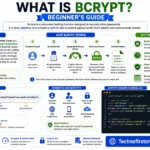
what is bcrypt beginners guide
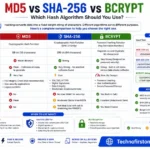
md5 vs sha256 vs bcrypt
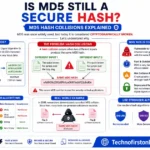
Is MD5 Still Secure Hash Collisions Explained

How Generate Hash Online
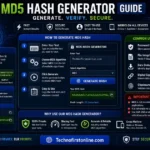
MD5 Hash Generator Online guide

WiFi QR Code Generator
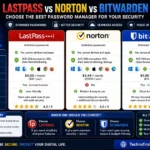
LastPass vs Norton vs Bitwarden
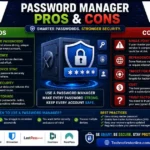
Password Manager Pros & Cons

What Makes a Password Strong
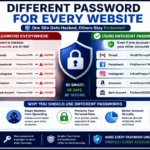
Different Password for Every Website
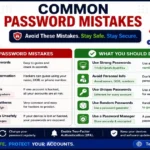
Common Password Mistakes
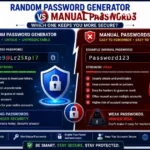
Random Password Generator vs Manual Passwords
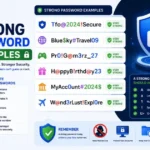
Strong Password Examples
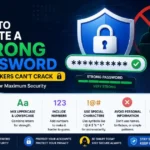
How to Create a Strong Password
The Cybersecurity & Infrastructure Security Agency (CISA) recommends using long, unique passwords for every account because password length dramatically increases resistance against brute-force attacks. The UK National Cyber Security Centre (NCSC) also advises users to generate random passwords and store them securely using password managers. These recommendations align with modern cybersecurity best practices that favor longer passwords over shorter, more predictable credentials.
Frequently Asked Questions
Yes. A 16-character password is considered highly secure when it contains a mix of uppercase letters, lowercase letters, numbers, and special symbols. It offers significantly more protection than shorter passwords.
The exact time depends on the password’s complexity and the attack method used. However, a randomly generated 16-character password is generally considered extremely difficult to crack using current technology.
Yes. A 16-character password provides exponentially more possible combinations than a 12-character password, making brute-force attacks much less practical.
Yes. Including symbols increases the number of possible password combinations and improves overall security.
Yes. A browser-based 16 Character Password Generator can create secure passwords instantly without requiring software installation or account registration.
Yes. Financial institutions often recommend longer passwords because they provide stronger protection against unauthorized access and account takeover attempts.
Yes. Using unique passwords for every account prevents attackers from accessing multiple accounts if one password becomes compromised.
Yes. Most password managers can generate, store, and autofill 16-character passwords securely across devices.
Both can be secure when implemented correctly. A random 16-character password offers excellent protection, while a long passphrase can be easier for users to remember.
Longer passwords dramatically increase the number of possible combinations, making them more resistant to brute-force attacks and automated password-cracking tools.