Smart IT tools
LastPass vs Norton vs Bitwarden
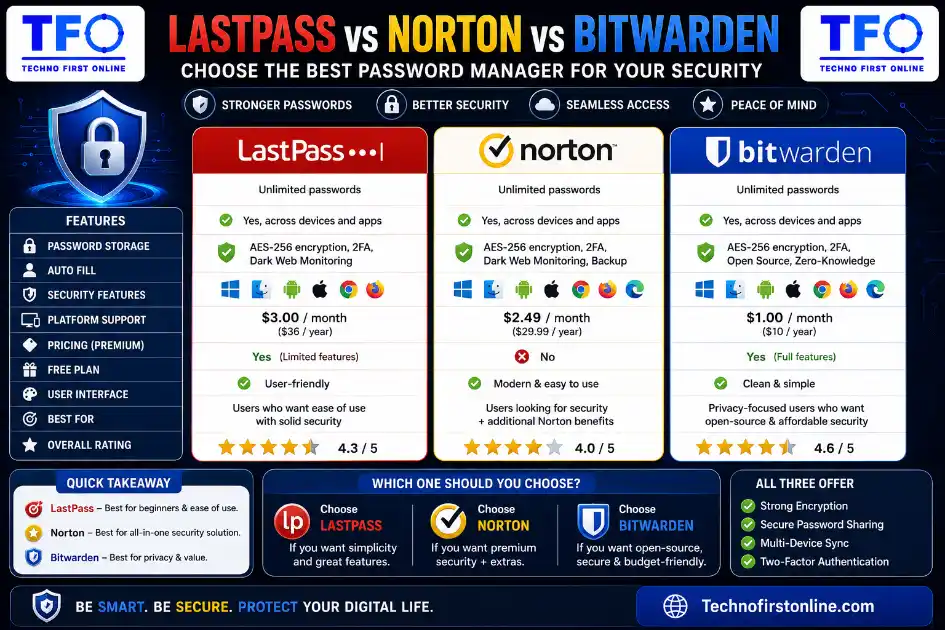
Bitwarden is generally the best choice for users seeking affordability, transparency, and strong security. Norton Password Manager is ideal for users looking for a completely free solution, while LastPass remains a popular option for users already invested in its ecosystem. The best choice depends on your budget, security preferences, and feature requirements.
Which Password Manager Should You Choose?
whenever you Choosing a password manager can feel more complicated than it should be. in google Search for “best password manager” and you’ll find dozens of options, each claiming to be the most secure, the most convenient, or the best value. Three names come up again and again in these conversations: LastPass, Norton Password Manager, and Bitwarden.
Each of these password or security tools approaches password management differently — in terms of pricing, security architecture, ease of use, and overall philosophy. In this guide, we’ll break down how these three compare across the categories that actually matter, so you can make an informed decision based on your specific needs rather than just brand recognition.
A Quick Overview of Each Option
LastPass has been one of the most recognized names in password management for years, known historically for its generous free tier and broad platform support. It’s worth noting upfront that LastPass experienced a significant security incident in 2022, during which attackers gained access to encrypted vault data. The company has since rebuilt much of its security infrastructure, but it’s a factor many users still weigh when comparing their options today.
Norton Password Manager comes from Norton, a long-established name in consumer cybersecurity. Unlike many competitors, it remains completely free with no premium tier — every feature it offers is available without payment, which makes it an appealing entry point for casual users.
Bitwarden is an open-source password manager that has built its reputation on transparency and affordability. Because its source code is publicly available, independent security researchers can review and verify its encryption methods, which appeals strongly to more security-conscious or technically inclined users.
Security Architecture: How Each One Protects Your Data
All three password managers use end-to-end encryption combined with a zero-knowledge architecture, meaning that in theory, none of these companies can read your stored passwords even if they wanted to — your data is encrypted and decrypted locally using your master password, which never leaves your device in readable form.
The meaningful difference lies in track record and transparency. Bitwarden’s open-source nature means its encryption implementation has been independently scrutinized by the broader security community, which builds a strong layer of trust beyond the company’s own claims. Norton relies on established 256-bit AES encryption paired with its zero-knowledge policy, offering solid baseline protection. LastPass uses comparable encryption standards as well, but its 2022 breach is a relevant data point — while the encrypted vault contents themselves required a master password to decrypt, the incident showed that infrastructure-level security still matters as much as the encryption algorithm itself.
If your master password was already strong and unique at the time of that breach, your vault was very unlikely to have been compromised, since cracking strong encryption directly is currently impractical. However, the incident understandably affected user trust, and it’s a relevant consideration if a clean security history matters to you.
Pricing: Free vs Paid Tiers
Pricing is where these three tools diverge the most clearly.
Norton Password Manager is entirely free, with no paid tier at all. Every feature it offers — generation, storage, autofill, cross-device syncing — comes at no cost. This makes it one of the simplest, lowest-friction options if you’re not interested in evaluating multiple pricing plans.
Bitwarden offers a genuinely capable free plan that includes unlimited password storage and unlimited device syncing, which is unusually generous for a free tier. Its premium plan adds features like encrypted file storage and additional two-factor authentication options, and is priced as one of the more affordable paid options in the market, though its pricing has increased over the past year as part of a broader shift across the industry.
LastPass has moved away from the highly generous free tier it was once known for. Most of its more useful features today sit behind a paid subscription, putting it in a similar pricing range to other premium-focused competitors.
If budget is your primary concern, Norton’s fully free model or Bitwarden’s free tier are both strong starting points. If you want more advanced features and don’t mind paying a modest annual fee, Bitwarden’s premium plan remains one of the better value options in this category.
Features Comparison
Password Generation
All three include a built-in password generator, but with some differences worth noting. Norton’s generator allows you to customize password length from as short as 4 characters up to 64, along with toggling letters, numbers, mixed case, and punctuation — though it requires a few extra clicks to access compared to some competitors. Bitwarden’s generator includes the option to create memorable passphrases in addition to fully random character strings, which is a nice touch for accounts where you might occasionally need to type a password manually. LastPass also includes a comparable password generator with adjustable length and character settings.
Cross-Device Syncing
This is an area where Norton and Bitwarden both stand out. Both offer unlimited cross-device syncing even on their free tiers, which is relatively rare — many competitors limit free users to a single device or a small device cap. LastPass’s syncing capabilities are solid as well, though they now typically require a paid plan to unlock fully.
Secure Password Sharing
This is a meaningful gap for Norton. Unlike Bitwarden and LastPass, Norton Password Manager does not currently offer a secure, encrypted way to share login credentials with another person. If you need to share a password with a family member or coworker through Norton, your only option is copying it in plain text, which is far less secure. Both Bitwarden and LastPass support encrypted credential sharing, making them better suited for households or teams that frequently need to share access to shared accounts.
Import and Migration
If you’re switching from another password manager, import compatibility matters. Norton supports importing from browser-based password managers along with a handful of competitors, but notably does not support direct imports from every popular tool. Bitwarden’s import process has historically been considered less smooth than some competitors, often requiring users to follow more detailed manual steps. LastPass generally offers broad import support, making the switch slightly easier if you’re migrating from multiple older accounts.
Browser and Platform Support
All three tools offer browser extensions for the major browsers — Chrome, Firefox, Edge, and Safari — along with mobile apps for iOS and Android. Bitwarden goes a step further by also supporting less mainstream browsers like Brave, Vivaldi, and Tor Browser, which appeals to users with more specific privacy-focused setups.
Ease of Use
For most casual users, Norton Password Manager offers the most straightforward, no-decisions-required experience — there’s no plan to choose, no upsell prompts, and the interface is designed for simplicity over advanced functionality. This makes it a sensible pick for someone who just wants their passwords stored securely without thinking too much about configuration.
Bitwarden, while extremely capable, has a reputation for being slightly less beginner-friendly. Its interface leans more functional than polished, which some technically minded users appreciate but others find takes a bit longer to get comfortable with.
LastPass sits somewhere in between — generally considered approachable for newcomers, though its post-breach changes and increasing reliance on paid features have shifted the overall experience somewhat compared to its earlier reputation.
Who Should Choose Which Option?
Choose Norton Password Manager if: you want a completely free, no-frills solution and don’t need secure sharing or advanced team features. It’s particularly appealing if you already use Norton’s other security products.
Choose Bitwarden if: you want the strongest combination of affordability, transparency, and advanced features. Its open-source nature and generous free tier make it a frequent recommendation among security-focused communities, and its premium plan remains reasonably priced for what it includes.
Consider LastPass if: you’re already invested in its ecosystem or specifically need a feature it offers that fits your workflow, but go in with awareness of its breach history and the fact that many of its previously free features now require payment.
A Note on Using a Password Generator Alongside Any Manager
Regardless of which password manager you eventually choose — or even if you’re not ready to commit to one yet — the core security benefit all three are built around is the same: replacing weak, reused passwords with strong, randomly generated ones. If you want to start improving your password security today without installing anything, a free browser-based password generator gives you that same fundamental protection instantly, with nothing to set up and nothing leaving your device.
This can be a useful first step before committing to a full password manager, or simply a lightweight habit for generating strong passwords on the spot whenever you sign up for something new.

TechnoFirstOnline provides powerful free online tools, expert tutorials, and smart digital resources to simplify everyday tasks. Explore SEO, image, AI, PDF, and productivity tools designed for everyone.
Other Useful Tools





Password Generator
Open
People Also Read
NTLM Hsah vs MD5 vs SHA
decrypt md5 hash
password salting explained
php password hash guide
What Is a Password Hash Generator
SHA-1 vs SHA-256 vs SHA-512 comparison
what is bcrypt beginners guide
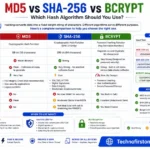
md5 vs sha256 vs bcrypt
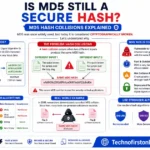
Is MD5 Still Secure Hash Collisions Explained
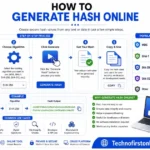
How Generate Hash Online
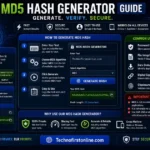
MD5 Hash Generator Online guide

WiFi QR Code Generator
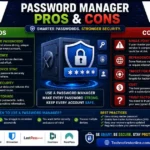
Password Manager Pros & Cons

16 Character Password Generator

What Makes a Password Strong
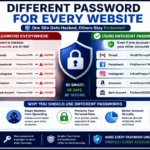
Different Password for Every Website
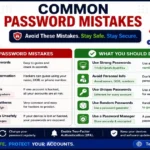
Common Password Mistakes
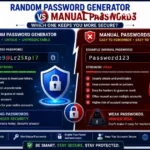
Random Password Generator vs Manual Passwords
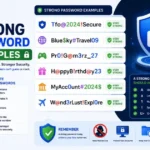
Strong Password Examples
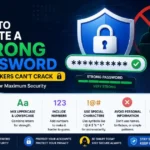
How to Create a Strong Password
Comparison Table
| Feature | LastPass | Norton Password Manager | Bitwarden |
|---|---|---|---|
| Free Plan | Limited | Yes | Yes |
| Open Source | No | No | Yes |
| Password Sharing | Yes | No | Yes |
| Cross-Device Sync | Paid | Free | Free |
| Premium Plan | Yes | No | Yes |
| Best For | Existing Users | Free Users | Security-Focused Users |
No matter which password manager you choose, strong passwords remain the foundation of account security. If you need to create secure passwords instantly, our Free Password Generator can generate strong, random passwords directly in your browser without storing any personal data.
When comparing password managers such as LastPass, Norton Password Manager, and Bitwarden, it is important to follow guidance from trusted cybersecurity organizations. The Cybersecurity & Infrastructure Security Agency (CISA) recommends using unique passwords for every account, while the UK National Cyber Security Centre (NCSC) advises users to consider password managers as an effective way to generate, store, and manage secure credentials. These recommendations support the use of strong password management practices regardless of which password manager you choose.
Frequently Asked Questions
The best choice depends on your needs. Bitwarden is known for its open-source transparency and affordable pricing, Norton Password Manager is completely free, and LastPass offers a feature-rich experience with broad platform support.
Bitwarden is often preferred by security-conscious users because its source code is open for public review. However, both Bitwarden and LastPass use strong encryption and zero-knowledge security architectures.
Yes. Norton Password Manager is currently free to use and includes password storage, password generation, autofill, and cross-device synchronization without requiring a paid subscription.
In 2022, LastPass experienced a security incident that allowed attackers to access encrypted vault backups. While encrypted data remained protected by users’ master passwords, the incident impacted trust among some users.
Norton Password Manager is often considered beginner-friendly because it offers a simple interface and does not require users to choose between free and premium plans.
Yes. Most Password Managers include built-in password generators that can create strong, random passwords using letters, numbers, and special characters.
Yes. Bitwarden’s premium plan offers additional features such as encrypted file storage, advanced two-factor authentication options, and security reports at a relatively affordable price.
Many Password Managers already include a password generator. However, a standalone Password Generator can be useful for quickly creating secure passwords without installing additional software.
Bitwarden and LastPass both offer secure password-sharing features that can be useful for families managing shared accounts and credentials.
No system is completely immune to attacks. However, reputable Password Managers use strong encryption and zero-knowledge security models to significantly reduce the risk of unauthorized access.