Smart IT tools
What Makes a Password Strong?
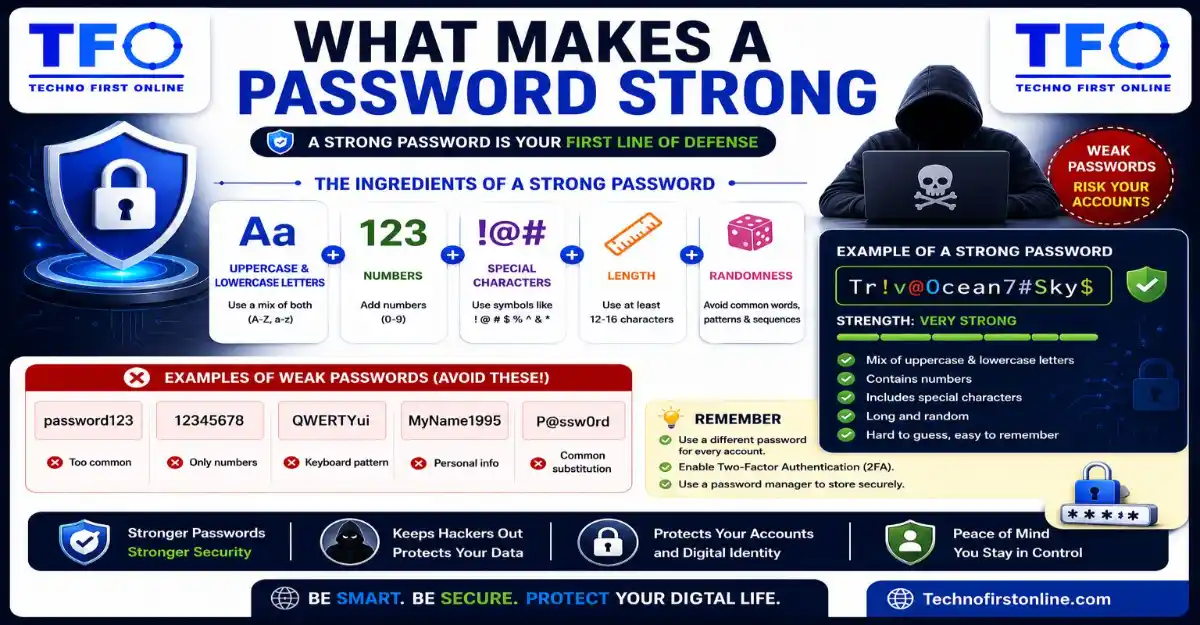
A strong password is long, unique, random, and difficult to guess. Cybersecurity experts recommend using at least 12–16 characters that include uppercase letters, lowercase letters, numbers, and special symbols. Strong passwords should avoid personal information, common words, and predictable patterns. Using a Password Generator is one of the easiest ways to create secure passwords that protect online accounts from hacking attempts and data breaches.
A Complete Beginner’s Guide to Password Security
Every day, millions of people log into email accounts, social media platforms, banking apps, shopping websites, and business portals without giving much thought to the password they use. Most users only start thinking about password security after something goes wrong—a hacked Facebook account, unauthorized bank transaction, locked email account, or stolen personal information.
The truth is that a password is often the first and most important barrier protecting your digital life. Yet many people still use weak passwords that can be guessed, stolen, or cracked within minutes.
This raises an important question:
What actually makes a password strong?
Is it the length? The special characters? The numbers? Or something else entirely?
In this complete beginner’s guide, you’ll learn what makes a password strong, how hackers attack weak passwords, common mistakes users make, and practical steps you can take to improve your online security.
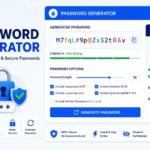
Creating a truly secure password manually can be more difficult than most people realize. Many users unintentionally create predictable patterns, use familiar words, or repeat old passwords across multiple accounts. Instead of relying on guesswork, you can use our Password Generator Tool to instantly create strong, random, and unique passwords that follow modern cybersecurity best practices. This helps reduce the risk of password-related attacks while saving time and effort.
Why Password Strength Matters More Than Ever
The average internet user has dozens of online accounts.
These may include:
- Email accounts
- Social media profiles
- Online banking
- Shopping websites
- Cloud storage
- Government services
- Streaming platforms
- Work accounts
Each account contains valuable information.
Cybercriminals know this.
Modern hackers don’t spend hours manually guessing passwords. Instead, they use automated software capable of testing thousands—or even millions—of password combinations every second.
This means weak passwords often fail much faster than people realize.
Understanding Password Strength
A strong password is not simply a password that looks complicated.
A password is considered strong when it is difficult for attackers to:
- Guess
- Predict
- Crack
- Reuse
- Exploit
Strong passwords force attackers to spend significantly more time and computing resources trying to gain access.
The stronger the password, the lower the chance of unauthorized access.
The Five Characteristics of a Strong Password
Cybersecurity professionals generally agree that strong passwords share five important characteristics.
1. Length
Password length is one of the most important security factors.
Many users focus on symbols and numbers while ignoring length.
Consider these examples:
Weak:
Tiger1!Stronger:
TigerRiverCloudMountain7!Even though both contain symbols and numbers, the second password is significantly harder to crack because it is much longer.
Recommended Password Length
Most security experts recommend:
- Minimum: 12 characters
- Better: 16 characters
- Excellent: 20+ characters
Longer passwords create exponentially more possible combinations.
2. Complexity
Strong passwords use a mixture of character types.
Examples include:
Uppercase Letters
A B C D ELowercase Letters
a b c d eNumbers
1 2 3 4 5Symbols
! @ # $ % ^ & *Combining multiple character types makes passwords more resistant to guessing attacks.
3. Randomness
This is where many users struggle.
Humans naturally create patterns.
Examples include:
Password123Welcome2026India@123These passwords appear complex but are actually predictable.
Strong passwords avoid obvious patterns and contain random combinations.
4. Uniqueness
A password can be strong and still create security problems if it is reused.
For example:
K#8mT@4xP!7vR2This is a strong password.
However, if you use it on:
- Gmail
- Amazon
- Banking apps
then a breach on one website can expose all accounts.
Strong passwords should always be unique.
5. Unpredictability
Hackers often use information found online.
Examples include:
- Birthdays
- Pet names
- Children’s names
- Favorite sports teams
- Phone numbers
The less predictable your password is, the stronger it becomes.
Why Most People Create Weak Passwords
Most weak passwords are not created intentionally.
They happen because people prioritize convenience over security.
Users often choose passwords that are:
- Easy to remember
- Familiar
- Personal
- Simple to type
Unfortunately, these same qualities make passwords easier for attackers to guess.
Common Examples of Weak Passwords
The following passwords continue to appear in breach reports every year:
123456passwordqwertyadmin123welcome123Hackers test these passwords first because they are so common.
The Hidden Problem With Personal Passwords
Many users create passwords based on personal information.
Examples include:
Rahul1998Delhi@2026Tommy123While these passwords may seem unique, attackers can often discover this information through:
- Social media profiles
- Public records
- Online posts
- Data leaks
Personal information should never form the basis of a password.
How Hackers Attack Weak Passwords
Understanding attack methods helps explain why password strength matters.
Brute Force Attacks
In a brute-force attack, software automatically tests password combinations until the correct one is found.
Short passwords are particularly vulnerable.
Dictionary Attacks
Hackers use massive databases containing:
- Common words
- Popular passwords
- Names
- Frequently used phrases
Passwords based on dictionary words are easier to crack.
Credential Stuffing
When passwords are exposed during a breach, attackers use them on other websites.
This is especially effective against users who reuse passwords.
Social Engineering
Hackers gather information about victims and use it to guess passwords.
This is why personal information should never be included.
Password Strength vs Password Complexity
Many users confuse complexity with strength.
Consider these examples:
Password A:
Password@1Password B:
GreenRiverCloudMountainTiger7!Password A contains symbols and numbers.
Password B is longer and harder to predict.
Even though Password A appears more complex, Password B is generally stronger because length significantly improves security.
What Is a Passphrase?
A passphrase is a longer sequence of unrelated words.
Example:
RiverCloudTigerMountainCoffee2026!Benefits include:
- Easier to remember
- Longer length
- Better security
Many cybersecurity professionals now recommend passphrases over short passwords.
Signs Your Password Is Weak
Ask yourself:
- Is it shorter than 12 characters?
- Does it contain your name?
- Does it include your birthday?
- Do you use it on multiple websites?
- Is it based on a common word?
If the answer is yes to any of these, your password may need improvement.
How a Password Generator Improves Security
Many users struggle to create strong passwords manually.
This is where a Password Generator becomes useful.
Benefits include:
True Randomness
Generated passwords avoid predictable patterns.
Better Complexity
Automatically includes:
- Letters
- Numbers
- Symbols
Faster Creation
Generate secure passwords instantly.
Unique Passwords
Create different passwords for every account.
Examples of Strong Passwords
Examples generated by a Strong Password Generator:
M#7qT@4vP!8xR2L@9mK#2xN!5vQ7Y!4tR@8pW#6mL2Q#5xV@7kP!3mN8These passwords contain sufficient randomness and complexity.
Password Security Habits That Matter
Creating a strong password is only part of the solution.
You should also:
Enable Multi-Factor Authentication
Adds an additional security layer.
Update Compromised Passwords
Change passwords immediately after breaches.
Avoid Sharing Passwords
Never send passwords through unsecured channels.
Use Unique Passwords
Every account should have its own password.
Review Older Accounts
Delete or secure forgotten accounts.
The Future of Password Security
Technology continues to evolve.
Many services now support:
- Passkeys
- Biometrics
- Multi-factor authentication
However, passwords remain widely used and are likely to remain important for years to come.
Understanding password strength will continue to be a valuable cybersecurity skill.
If you’re unsure whether your current passwords are strong enough, it’s a good idea to generate a fresh and secure password for important accounts such as email, banking, and social media. Our free Strong Password Generator allows you to create highly secure passwords with customizable length, numbers, symbols, and uppercase or lowercase letters. Using a unique password for every account is one of the simplest ways to improve your online security.

TechnoFirstOnline provides powerful free online tools, expert tutorials, and smart digital resources to simplify everyday tasks. Explore SEO, image, AI, PDF, and productivity tools designed for everyone.
Other Useful Tools




Password Generator
Open
People Also Read
NTLM Hsah vs MD5 vs SHA
decrypt md5 hash
password salting explained
php password hash guide
What Is a Password Hash Generator
SHA-1 vs SHA-256 vs SHA-512 comparison
what is bcrypt beginners guide
md5 vs sha256 vs bcrypt
Is MD5 Still Secure Hash Collisions Explained
How Generate Hash Online
MD5 Hash Generator Online guide
WiFi QR Code Generator
LastPass vs Norton vs Bitwarden
Password Manager Pros & Cons

16 Character Password Generator
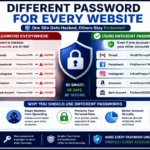
Different Password for Every Website
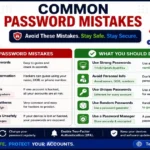
Common Password Mistakes
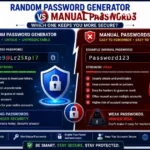
Random Password Generator vs Manual Passwords
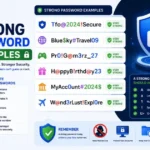
Strong Password Examples
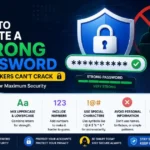
How to Create a Strong Password
According to the Cybersecurity & Infrastructure Security Agency (CISA), strong passwords should be long, unique, and random rather than based on personal information or common words. The UK National Cyber Security Centre (NCSC) also recommends using password managers and unique passwords for every account to reduce the risk of cyberattacks, credential stuffing, and account compromise. Following these industry-recognized security practices can significantly improve your online safety.
Frequently Asked Questions
The 8-4 rule is a traditional password guideline that recommends creating passwords with at least 8 characters and including 4 different character types: uppercase letters, lowercase letters, numbers, and special symbols. However, modern cybersecurity experts now recommend using passwords with 12–16 or more characters for stronger protection.
A strong password is typically:
- Long (12–16+ characters)
- Unique
- Random
- Difficult to guess
- Contains uppercase letters
- Contains lowercase letters
- Includes numbers and special characters
These characteristics help reduce the risk of brute-force attacks and password guessing.
Yes. A 30-character password is considered extremely strong when it contains a mix of letters, numbers, and symbols. Longer passwords provide significantly more possible combinations, making them much harder to crack than shorter passwords.
No password is completely unhackable. However, a long, unique, and randomly generated password combined with multi-factor authentication (MFA) can make unauthorized access extremely difficult.
Password length is generally considered one of the most important factors in password security. A long password often provides more protection than a short password with many special characters.
In many cases, yes. A passphrase made of multiple unrelated words can be easier to remember and harder for attackers to crack than a short traditional password.
You can evaluate a password based on its length, uniqueness, randomness, and complexity. Strong passwords should not contain personal information, common words, or predictable patterns.
Unique passwords ensure that if one account is compromised, attackers cannot use the same credentials to access your other accounts.
Yes. A Password Generator can create highly random and secure passwords that are difficult to predict and meet modern security standards.
No. While strong passwords are important, combining them with multi-factor authentication, safe browsing habits, and regular security updates provides much better protection.