Add Watermark to PDF Online Free
Adding a watermark to your PDF is one of the easiest ways to protect important documents, establish ownership, and enhance your professional branding. Whether you’re sharing business reports, contracts, invoices, eBooks, research papers, or creative portfolios, a watermark helps prevent unauthorized use and clearly identifies the document’s source.
Using the Technofirstonline PDF Watermark Adder module, you can seamlessly protect any watermark pdf file directly inside your standard web browser container. There is absolutely no system requirement to go through complex desktop software installations, plug-in configurations, or continuous registration tracking forms. It provides an immediate, streamlined, and secure way to protect your business documents on any device.
Our online tool works on Windows, Mac, Linux, Android, and iPhone devices, making PDF watermarking fast, secure, and accessible from anywhere. It’s an ideal solution for professionals, students, businesses, and content creators who need a simple way to safeguard their digital files.
Why Should You Apply Watermark to PDF Assets?
Placing a distinct security layer on your public files provides a variety of administrative advantages, turning raw, unprotected content arrays into legally safe corporate resources.
Hardening Intellectual Property: If you are a designer sharing a project deck or a photographer sending low-resolution previews, an embedded stamp stops clients from utilizing your material before clearing final invoice processing.
Indicating Document Status States: Clearly identifying whether a financial record sheet is a final submission or an early conceptual revision keeps internal operations clean and well-organized.
Establishing Corporate Branding: Every time a client reads your shared analytical summaries, seeing a subtle company logo stamp reinforces your brand identity.
Preventing Legal Document Forgery: Official business contracts, educational degree certificates, and sensitive balance sheets are frequently stamped to prevent counterfeit duplication.
The Practical Benefits to Add Watermark to PDF Free
Many business operators rely on heavy offline platforms or expensive enterprise licensing suites simply to protect their internal operations. Our tool provides a streamlined, accessible alternative for everyone.
Comprehensive Operational Flexibility
Our tool allows you to watermark pdf for free without putting a cap on your daily document counts or adding forced platform watermarks on top of your files. You get professional editing options without dealing with hidden paywall blocks or registration setups.
Smart Dual-Mode Protection Processing
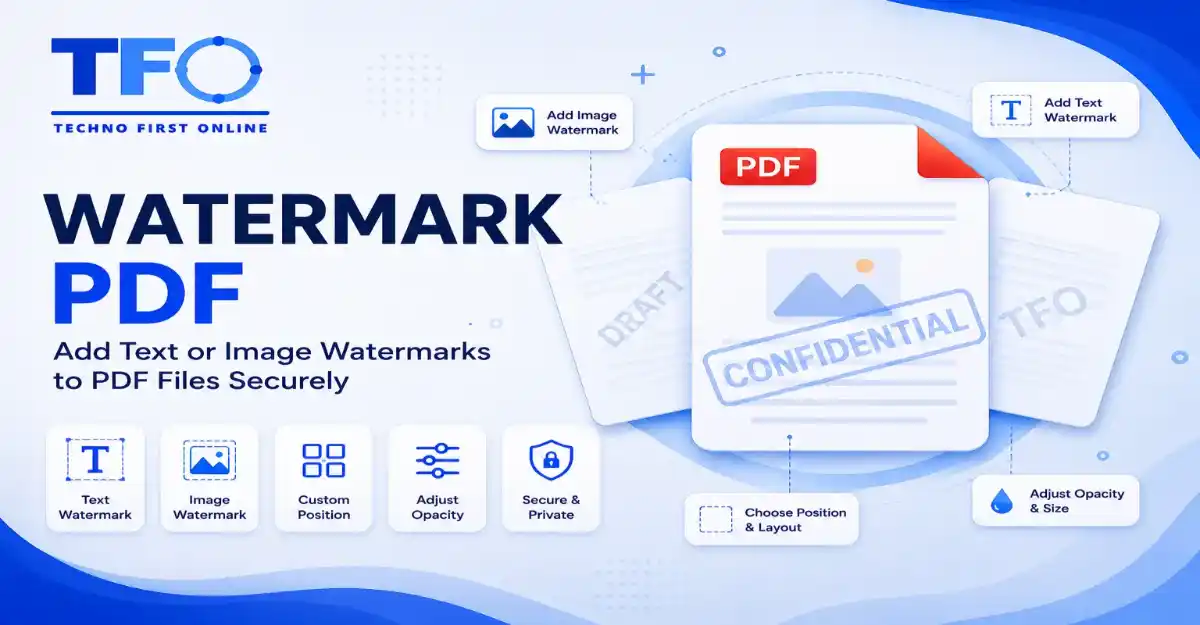
Our platform gives you the freedom to choose your type of stamp layer. You can type in an alphanumeric text layout or upload a crisp image asset (like a PNG corporate brand logo) to embed a permanent structural stamp onto your document background.
Full Visual Layout and Opacity Controls
A poorly configured stamp can ruin a document by blocking primary text layers or looking messy. Our web interface provides smooth rotation sliders, coordinate positioning grids, and deep alpha transparency opacity parameters so your stamp sits perfectly in the background.
How to Put a Watermark on a PDF Online (Step-by-Step)
Securing your file layout using our web dashboard requires no prior technical experience or styling background. Follow these simple steps:
Select Document: Drag your source document or click the central upload component to place your file on Technofirstonline.
Define Stamp Parameter Type: Choose between entering a custom text string or uploading an independent corporate image logo file.
Configure Visual Parameters: Adjust your preferred placement coordinates (centered, tiled, or corner alignment), rotation angles, and background transparency percentages.
Execute Security Overlay: Click the prominent “Add Watermark” button to let our cloud script overlay your custom design.
Save Secure Asset: Tap the download control to save the protected document directly back onto your local device storage workspace.
How to Add Watermark to PDF Without Acrobat Applications
For years, corporate teams were forced to purchase expensive monthly enterprise subscriptions for Adobe Acrobat Pro just to put a watermark on a pdf layout permanently. This required downloading heavy software applications that slowed down low-end computers and mobile setups.
Our platform breaks this software dependency completely. Because the processing loop runs on cloud servers, you can safely apply watermark to pdf files from any device without downloading a single app. This keeps your operating space clean and lightweight.
Customize Watermarks for Different Business Needs
Different professional situations require distinct messaging layouts to match standard corporate guidelines. Our tool accommodates these common scenarios easily:
How to Add Draft Watermark to PDF Files
Before a legal agreement or corporate financial balance sheet is officially approved, it undergoes multiple internal revision loops. To prevent team members from confusing test data with official records, you can use our system to quickly stamp a bold, semi-transparent “DRAFT” label across the document grid background.
How to Add Confidential Watermark to PDF Records
When handling private internal audits, medical record files, or employee salary spreadsheets, keeping your documentation classified is critical. Using our interface, you can add a subtle diagonal “CONFIDENTIAL” watermark sheet across every page, making it much harder for anyone to leak or misuse your private business documents.
Local Desktop Solutions vs. Technofirstonline Infrastructure
While many users attempt to apply watermark layers using default local software tricks, a direct structural comparison highlights severe technical limitations:
| Security Stamping Attributes | Standard Local Desktop Software Tricks | Technofirstonline Online Utility |
| Setup Operations Speed | Slow manual asset placements | Fast automatic cloud execution |
| Output File Size Integrity | Often bloats the document data weight | Keeps your file highly optimized and lightweight |
| Hyperlink Security | High risk of breaking embedded URLs | Keeps all embedded hyperlinks fully intact |
| Cross-Platform Access | Severely limited by local OS versions | Works perfectly on Android, iOS, Windows, and Mac |
| Layer Transparency Safety | Prone to visual rendering bugs | Flawless, professional transparency processing |
High-Quality Watermark Processing for Professional PDFs
Adding a watermark should not compromise the quality of your document. Our PDF watermark tool is designed to preserve the original formatting, text clarity, images, and layout while seamlessly applying your chosen watermark.
Whether you add a text watermark such as “Confidential” or an image-based company logo, the resulting PDF remains clear, professional, and easy to read. Your document stays searchable, retains its original structure, and can be viewed consistently across different devices and platforms. This ensures that your protected PDF maintains both its visual quality and usability after watermarking.