Smart IT tools
10 Common Password Mistakes That Put Your Accounts at Risk
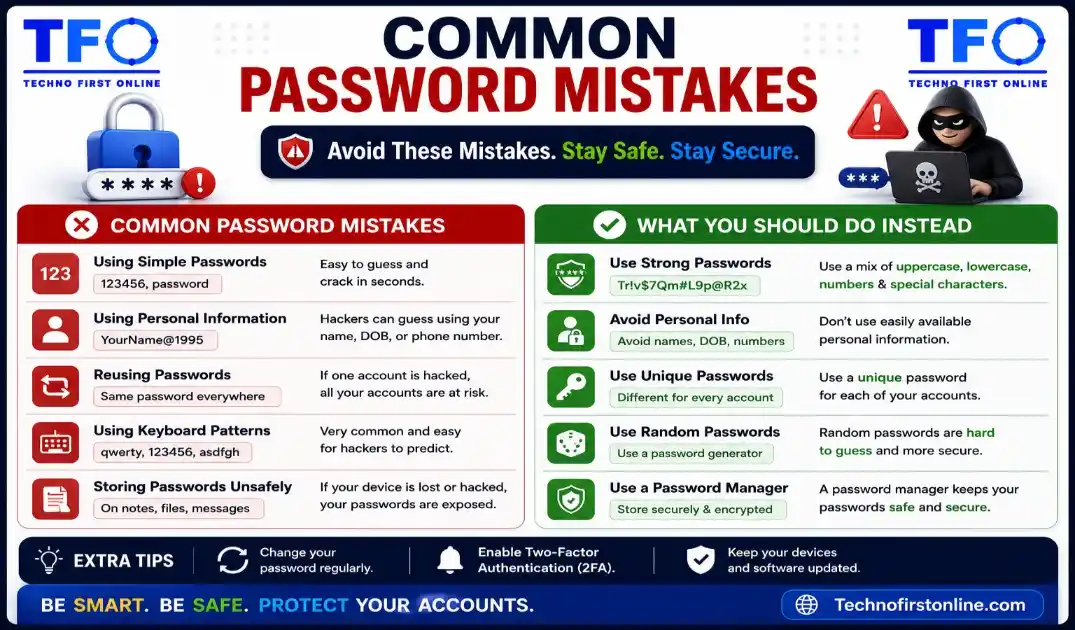
The most common password mistakes include using the same password across multiple accounts, creating short passwords, using personal information such as names or birthdays, avoiding special characters, and ignoring multi-factor authentication (MFA). These mistakes can make accounts vulnerable to hacking, credential stuffing, and brute-force attacks. Using a Password Generator and creating unique passwords for every account significantly improves online security.
Password Mistakes That is Risky
Most people believe they understand password security. After all, almost everyone uses passwords every day. However, the reality is very different. Cybersecurity reports consistently show that the majority of account breaches happen not because hackers are exceptionally skilled, but because users make avoidable password mistakes.
Many people assume their accounts are not valuable enough to be targeted. Others believe that a simple password combined with good luck is enough protection. Unfortunately, cybercriminals rely on these assumptions.
The truth is that weak password habits can expose your email, banking information, social media profiles, cloud storage, business accounts, and personal data to attackers.
In this guide, we’ll explore the most common password mistakes people make and how you can avoid them to improve your online security.
Why Password Mistakes Are Dangerous
A password is like the key to your digital life.
Think about everything connected to your email account:
- Banking alerts
- Social media recovery
- Online shopping accounts
- Business communications
- Cloud storage
- Personal documents
If someone gains access to your primary email account, they may be able to reset passwords for multiple services.
This is why even small password mistakes can have serious consequences.
Mistake #1: Using the Same Password Everywhere
This is one of the most common and dangerous password habits.
Many users create one password and use it across:
- Gmail
- Amazon
- Netflix
- Banking apps
It seems convenient, but it creates a major security risk.
Imagine a small website suffers a data breach.
Your password becomes exposed.
Attackers then try the same password on your:
- Social media
- Banking accounts
This attack is known as credential stuffing and it succeeds surprisingly often.
Better Approach
Use a different password for every account.
A Password Generator can help create unique passwords quickly.
Mistake #2: Using Personal Information
Many passwords contain information that can be discovered easily.
Examples:
rahul1998delhi123amitsharmamypass2000Hackers often search social media profiles before attempting to guess passwords.
Information such as:
- Birthdays
- Pet names
- Family names
- Phone numbers
- Locations
can often be found online.
Better Approach
Never include personal information in passwords.
Mistake #3: Creating Short Passwords
Years ago, an 8-character password was considered acceptable.
Today’s computing power is far more advanced.
Short passwords provide fewer possible combinations and are easier to crack.
Examples:
abc123india1pass123Modern attackers use automated tools capable of testing enormous numbers of combinations.
Better Approach
Aim for passwords containing at least 12–16 characters.
Longer passwords dramatically increase security.
Mistake #4: Avoiding Special Characters
Many users create passwords using only letters and numbers.
Examples:
summer2026welcome1234Without symbols, passwords become easier to predict.
Better Approach
Include characters such as:
! @ # $ % ^ & *These increase complexity and make brute-force attacks more difficult.
Mistake #5: Using Predictable Patterns
Humans love patterns.
Unfortunately, hackers know this.
Common examples include:
123456789qwerty123abcd1234password1Attackers always test these combinations first.
Better Approach
Avoid sequences and predictable keyboard patterns.
Mistake #6: Never Changing Compromised Passwords
Many users continue using passwords even after hearing about major data breaches.
This creates unnecessary risk.
If a website announces:
- Unauthorized access
- Database leak
- Security incident
your credentials may already be exposed.
Better Approach
Change passwords immediately after a known breach.
Mistake #7: Sharing Passwords Through Messaging Apps
Many people share passwords via:
- SMS
- Social media messages
This can expose credentials if accounts become compromised.
Even trusted contacts may accidentally reveal information.
Better Approach
Use secure sharing methods whenever possible.
Avoid sending important passwords through unsecured channels.
Mistake #8: Storing Passwords in Plain Text Files
Some users keep passwords in:
passwords.txtor
login-details.docxon their computer.
If malware infects the device, attackers can access these files immediately.
Better Approach
Use secure password management solutions.
Mistake #9: Ignoring Multi-Factor Authentication
Many websites now offer:
- SMS verification
- Authentication apps
- Security keys
Yet users often ignore these features.
A password alone may not stop determined attackers.
Better Approach
Enable Multi-Factor Authentication (MFA) wherever available.
It adds an additional security layer.
Mistake #10: Believing “It Won’t Happen to Me”
This is perhaps the most dangerous mistake.
Many users assume:
- Their account is unimportant.
- Hackers won’t target them.
- Their data has no value.
In reality, attackers often target large groups automatically.
They don’t necessarily care who you are.
They care whether your account can be accessed.
Better Approach
Treat every account as important.
Security should be proactive, not reactive.
The Hidden Cost of Weak Password Habits
Password mistakes can lead to:
Financial Loss
Unauthorized transactions.
Identity Theft
Criminals impersonating victims online.
Account Recovery Challenges
Losing access to critical services.
Reputation Damage
Especially for professionals and business owners.
Business Disruption
Compromised employee accounts can affect entire organizations.
How Password Generators Help Prevent These Mistakes
One reason password mistakes occur is because people struggle to create secure passwords manually.
A Password Generator solves many common issues.
Benefits include:
✔ Random password creation
✔ Unique passwords for every account
✔ Strong character combinations
✔ Faster password generation
✔ Reduced reliance on predictable patterns
✔ Better overall security
Instead of guessing what might be secure, users can generate passwords instantly.
Signs That Your Password May Be Weak
Ask yourself:
- Is it based on your name?
- Does it include your birthday?
- Is it shorter than 12 characters?
- Do you use it on multiple websites?
- Does it contain a common word?
If you answered yes to any of these questions, your password may need improvement.
Password Security Checklist
Before creating a password, verify that it:
✅ Contains 12–16+ characters
✅ Uses uppercase letters
✅ Uses lowercase letters
✅ Includes numbers
✅ Includes symbols
✅ Contains no personal information
✅ Is unique
✅ Is not reused elsewhere
What Cybersecurity Experts Recommend
Most cybersecurity professionals agree on several key principles:
- Use long passwords.
- Create unique passwords for every account.
- Enable MFA.
- Avoid personal information.
- Use a Password Generator when possible.
- Update compromised passwords immediately.
Following these recommendations significantly reduces online risk.
Building Better Password Habits
Good password security isn’t about creating the perfect password once.
It’s about developing consistent habits.
Examples include:
- Reviewing account security regularly.
- Replacing weak passwords.
- Using password managers.
- Enabling MFA.
- Monitoring breach notifications.
Small improvements can make a big difference over time.

TechnoFirstOnline provides powerful free online tools, expert tutorials, and smart digital resources to simplify everyday tasks. Explore SEO, image, AI, PDF, and productivity tools designed for everyone.
Other Useful Tools





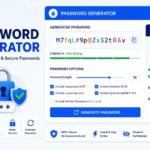
Password Generator
Open
People Also Read
NTLM Hsah vs MD5 vs SHA
decrypt md5 hash
password salting explained
php password hash guide
What Is a Password Hash Generator
SHA-1 vs SHA-256 vs SHA-512 comparison
what is bcrypt beginners guide
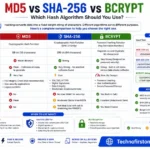
md5 vs sha256 vs bcrypt
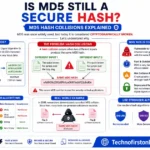
Is MD5 Still Secure Hash Collisions Explained
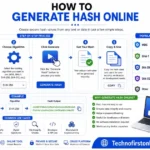
How Generate Hash Online
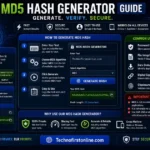
MD5 Hash Generator Online guide

WiFi QR Code Generator
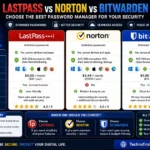
LastPass vs Norton vs Bitwarden
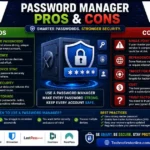
Password Manager Pros & Cons

16 Character Password Generator

What Makes a Password Strong
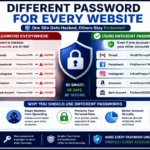
Different Password for Every Website
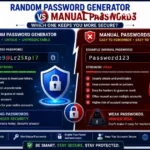
Random Password Generator vs Manual Passwords
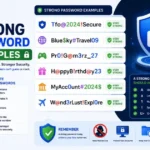
Strong Password Examples
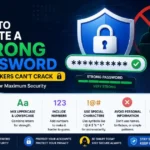
How to Create a Strong Password
According to the Cybersecurity & Infrastructure Security Agency (CISA), users should create long, unique passwords for every account and avoid reusing passwords across multiple websites. The Federal Trade Commission (FTC) also recommends enabling multi-factor authentication and using password managers to reduce the risk of cyberattacks, account takeovers, and identity theft.
Frequently Asked Questions
Common password mistakes include using weak passwords, reusing passwords across multiple accounts, using personal information, creating short passwords, and ignoring multi-factor authentication.
Password reuse is dangerous because if one account is compromised in a data breach, attackers can use the same credentials to access your other accounts.
No. Personal information such as names, birthdays, phone numbers, and locations can often be found online and used by attackers to guess passwords.
Security experts generally recommend using passwords that are at least 12 to 16 characters long and contain a mix of letters, numbers, and symbols.
Credential stuffing is a cyberattack where hackers use stolen usernames and passwords from one website to attempt access to other websites and online services.
Yes. A Password Generator creates random and unique passwords that are significantly harder to guess than manually created passwords.
MFA provides an additional layer of protection by requiring a second verification step beyond your password before granting account access.
You should immediately change passwords if a website experiences a data breach, if you suspect unauthorized access, or if your credentials have been exposed.
Reputable password managers use encryption to securely store passwords and help users manage unique credentials across multiple accounts.
The best approach is to use a Password Generator to create a long, random, and unique password that includes uppercase letters, lowercase letters, numbers, and special characters.