
Split PDF File
Split your PDF into multiple files by page range, every N pages, or by selecting pages — free, fast, 100% in your browser.
Page Range
Every N Pages
Visual Page Select
No Upload Required
100% Private
📄
Drop your PDF here
or click to browse from your device
✅ PDF Only
📦 Max 200MB
🔒 100% Private
📕
—
—
— pages
PDF Document
⚡ Choose Split Mode
Format:
1-3 = pages 1 to 3 |
5 = page 5 only |
2-5, 8, 10-12 = multiple parts1 = each page as a separate file |
3 = every 3 pages as one file Loading thumbnails...
Processing...
✅ Split Complete!

Split PDF Online Free
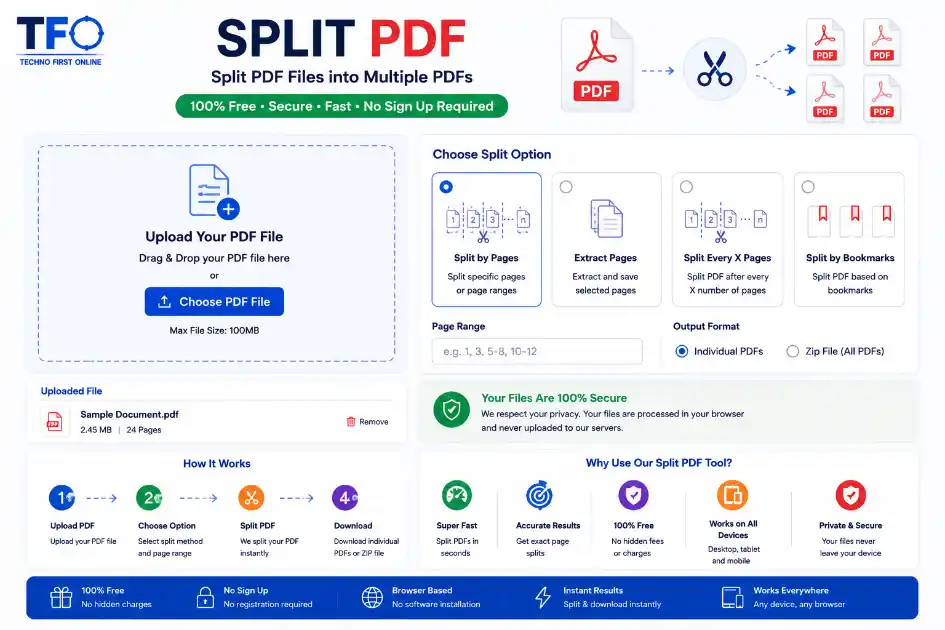
Quick Answer: Split PDF online free using the Technofirstonline PDF Splitter Tool. Easily extract pages from PDF, separate PDF pages, and divide large PDF files without software installation or signup.
Separate & Extract PDF Pages Easily
Managing PDF files has become a daily task for students, office workers, businesses, teachers, and freelancers. Sometimes a single PDF contains hundreds of pages, but you only need a few important pages. In such situations, a reliable Split PDF tool becomes extremely useful. With the Technofirstonline Split PDF tool, you can split PDF online free without installing any software. Whether you want to extract pages from PDF, separate PDF pages, or divide a large PDF document into multiple files, this browser-based tool helps you do everything quickly and securely.
What is a Split PDF Tool?
A Split PDF tool is an online utility that allows users to divide a PDF document into multiple smaller files. Instead of sharing or downloading the complete document, you can select specific pages and save only the pages you need.
For example:
- – Extract important pages from notes
- – Separate invoices from reports
- – Divide scanned PDF files
- – Split large PDF documents into smaller parts
- – Remove unwanted pages from a PDF
This process is also known as:
- – PDF separator
- – PDF divider
- – PDF cutter
- – PDF page extractor
- – PDF breaker
Although the names are different, the purpose is the same — making PDF management easier.
Why Use an Online PDF Splitter?
Many people still use heavy desktop software to split PDF files. However, online tools are now faster, easier, and more convenient.
Here are some major benefits of using an online PDF splitter:
No Software Installation
You do not need to download any application. Everything works directly in your browser.
Fast Processing
The tool quickly separates PDF pages within seconds.
Free to Use
You can split PDF online free without paying any subscription fee.
Mobile Friendly
The tool works smoothly on mobile phones, tablets, laptops, and desktop devices.
Easy Interface
Even beginners can use the tool without technical knowledge.
Secure Processing
Your files remain private and secure while processing.
How to Split PDF Online Free
Using the Technofirstonline PDF Splitter is extremely simple.
Step 1: Upload Your PDF – split-pdf-tool
Click on the upload button and select the PDF file from your device.
Step 2: Select Pages
Choose the pages you want to separate or extract.
Step 3: Split the PDF
Click the split button to process the file.
Step 4: Download the File
Download your newly created PDF instantly.
The process takes only a few seconds, even for large files.
Extract Pages from PDF Easily
Sometimes you only need specific pages from a PDF document. Instead of editing the entire file, you can simply extract pages from PDF online.
For example:
- – Extract chapters from eBooks
- – Save important office documents
- – Separate assignment pages
- – Remove unnecessary pages
- – Share only selected information
The PDF page extractor feature saves time and reduces file size.
Split Large PDF Files Without Software
Large PDF files are difficult to upload, email, or share. Many websites also have file size limitations. By using a PDF divider, you can split large PDF files into smaller sections for easier sharing.
Benefits include:
- – Faster uploads
- – Easy email sharing
- – Better organization
- – Reduced storage issues
- – Improved document management
This feature is especially useful for businesses, students, and offices.
Separate PDF Pages Securely
Security is one of the biggest concerns when uploading documents online. The Technofirstonline Split PDF tool uses browser-based processing, which means your files are processed securely without unnecessary storage on servers.
This makes the tool ideal for:
- – Personal documents
- – Office reports
- – Business contracts
- – Educational PDFs
- – Confidential files
If you are looking for a secure PDF separator free tool, this option is perfect.
Best Uses of a PDF Splitter Tool
A PDF splitter can be used in many situations.
For Students
- – Separate notes chapter-wise
- – Extract assignment pages
- – Split study material
For Office Work
- – Divide reports
- – Separate invoices
- – Manage contracts
For Teachers
- – Share selected pages
- – Create smaller learning modules
- – Organize educational files
For Businesses
- – Split client documents
- – Separate bills and invoices
- – Manage digital paperwork
PDF Divider vs PDF Separator
Many users search for terms like PDF divider, PDF separator, or PDF cutter. These terms are mostly similar.
Here is a simple comparison:
PDF Divider:- Used to divide one PDF into multiple files.
PDF Separator:-Used to separate selected pages from a PDF.
PDF Cutter:-Used to cut unnecessary pages from a PDF document.
All these tools perform nearly the same function.
Why Technofirstonline Split PDF Tool is Better
There are many PDF tools available online, but most of them have limitations such as watermarks, signup requirements, or slow processing.
The Technofirstonline tool provides a smoother experience.
Key Features
- – Split PDF online free
- – No watermark
- – No registration required
- – Fast browser-based processing
- – Mobile responsive design
- – Easy-to-use interface
- – Secure file handling
– Supports large PDF files
These features make it one of the best free PDF splitter tools online.
Tips for Better PDF Management
Here are some useful tips while working with PDF files:
- – Keep file names organized
- – Remove unnecessary pages before sharing
- – Compress large PDFs if needed
- – Use browser-based tools for faster access
- – Store important documents securely
Combining tools like Merge PDF, Compress PDF, and Split PDF can improve productivity significantly.
Is It Safe to Split PDF Files Online?
Yes, using a trusted browser-based PDF splitter is generally safe.
The Technofirstonline Split PDF tool focuses on user privacy and secure file handling. Since processing happens online without complex software installation, users can split PDF pages easily and safely.
Final Thoughts
A good PDF splitter tool can save time, improve productivity, and simplify document management. Whether you want to split PDF online free, extract pages from PDF, or separate PDF pages quickly, the Technofirstonline tool provides a simple and effective solution.
The tool is fast, secure, mobile-friendly, and easy to use for everyone. From students to professionals, anyone can manage PDF documents effortlessly without downloading software. If you regularly work with PDF files, this free PDF splitter can become one of your most useful online tools.
People Also Read
No posts found in this category.
decrypt md5 hash
password salting explained
php password hash guide
What Is a Password Hash Generator

SHA-1 vs SHA-256 vs SHA-512 comparison
what is bcrypt beginners guide
md5 vs sha256 vs bcrypt
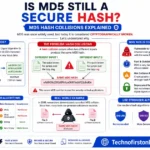
Is MD5 Still Secure Hash Collisions Explained
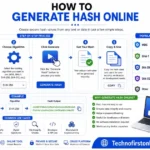
How Generate Hash Online
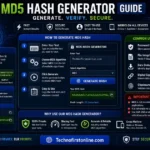
MD5 Hash Generator Online guide

WiFi QR Code Generator
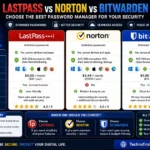
LastPass vs Norton vs Bitwarden
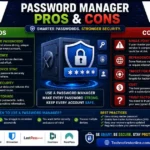
Password Manager Pros & Cons

16 Character Password Generator

What Makes a Password Strong
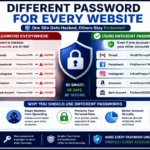
Different Password for Every Website
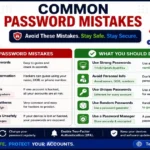
Common Password Mistakes
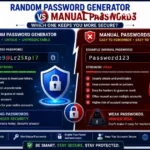
Random Password Generator vs Manual Passwords

Strong Password Examples
How to Create a Strong Password
Other Useful Tools






Frequently Asked Questions
You can use the Technofirstonline Split PDF tool to upload your file, select pages, and split the document instantly without software installation.
Yes, the tool allows you to extract pages from PDF directly in your browser without installing any application.
Yes, browser-based PDF splitter tools are generally safe and secure for normal document processing.
Yes, you can divide large PDF documents into smaller sections easily using the online PDF divider.
Yes, the tool is fully mobile responsive and works on smartphones, tablets, laptops, and desktop devices.
According to Adobe PDF documentation, PDF management tools help users organize, split, extract, and manage document pages more efficiently for business, educational, and personal use. Browser-based PDF splitter tools are widely preferred because they allow users to separate PDF pages quickly without installing heavy software. Visit: Adobe Split PDF Guide
Merge PDF Online Free – Combine PDF Files Instantly #1
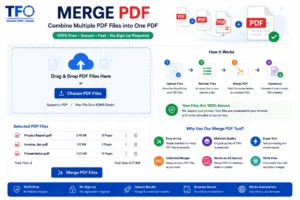
Merge PDF online free with TechnoFirstOnline. Combine multiple PDF files into one PDF instantly. Fast, secure, mobile-friendly PDF merger tool.
Price Currency: $
Operating System: All
Application Category: Application Utilities