
Delete Pages from PDF
Remove unwanted pages from your PDF — completely free, right in your browser, no upload needed
📄
Drop your PDF here
or click to select a file
Max 200MB • PDF only
📕
—
—
🗑️ Select Pages to Remove
0 marked
0 pages will be removed
— pages will remain
Processing...

Delete Pages from PDF
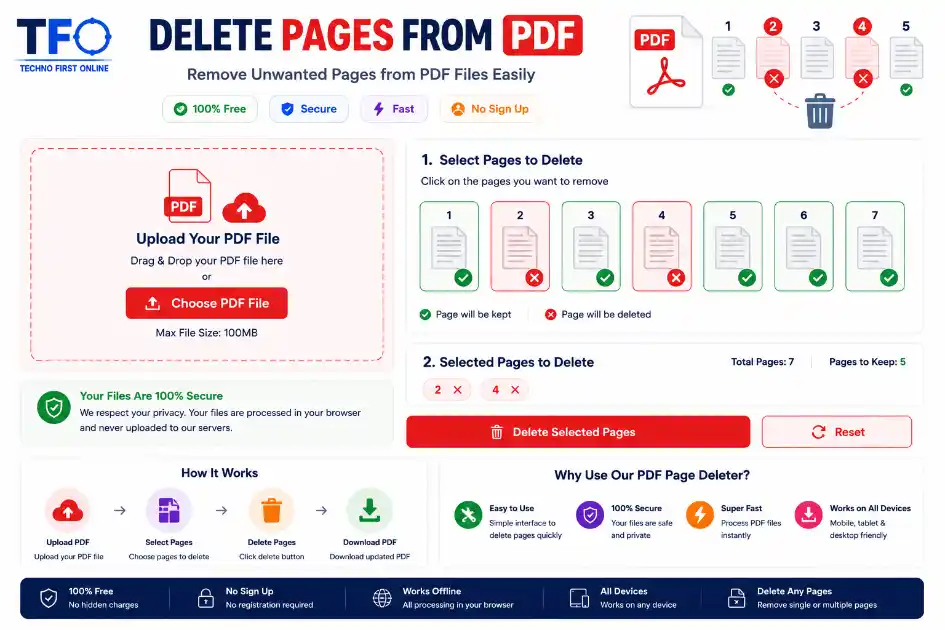
Quick Answer: To remove pages from a PDF online free, go to technofirstonline.com/delete-pages-from-pdf/, upload your document, select the specific page thumbnails you want to discard, click “Remove Pages”, and download your clean, optimized PDF file immediately.
Remove PDF Pages Easily
Managing digital documents efficiently has become a primary requirement for students, professional developers, online businesses, creators, and freelancers worldwide. Frequently, when working with large digital reports, scanned books, receipts, or official corporate records, you find yourself stuck with redundant, outdated, or completely blank sheets. Keeping these unnecessary pages can clutter your storage workspace, complicate email attachments, and compromise professional compliance.
With the Technofirstonline PDF Page Remover tool, you can seamlessly delete pages from pdf online free without downloading external software installations, extensions, or going through tedious registration signups. It is optimized to help you clean up, condense, and refine your digital documentation workflow in seconds.
Why You Need to Remove Pages from PDF Documents
There are multiple real-world scenarios where retaining every single sheet inside a document becomes impractical or unprofessional. Cleaning up your files keeps your digital workspaces highly organized and presentation-ready.
Trimming Corporate Reports: Financial files, quarterly balances, or legal contracts often include multiple blank sheets, placeholder text, or irrelevant appendices. Removing pages from pdf ensures your clients read exactly what matters.
Extracting Academic Material: College students and researchers often download massive e-books or study guides containing hundreds of sheets. Discarding the irrelevant chapters makes studying highly focused and keeps mobile storage lightweight.
Privacy and Personal Data Protection: When sharing a bank statements, identity proofs, or sensitive audit records, it is critical to delete sheets from pdf that expose private calculations, unrequired addresses, or internal structural keys.
Optimizing Email Attachments: Large files can get blocked by email providers due to strict attachment size limitations. Getting rid of heavy visual sheets or unnecessary sections compresses your total file size naturally.
Features of Technofirstonline PDF Page Remover Tool
Our online utility is custom-designed to prioritize fast processing speeds, modern responsive layout mechanics, and premium accessibility across all devices.
1. Completely Free and Unlimited Usage
Unlike expensive corporate desktop software like Adobe Acrobat Pro, our page remover pdf tool charges absolutely zero premium subscription fees. You do not need to register an account, link a credit card, or share personal contact information to access the software features.
2. Live Page Preview Thumbnail Grid
When you drag and drop your document into our dashboard, the web application generates a visual grid displaying a mini-thumbnail preview of every page. This ensures you can easily identify visual contents, titles, or page numbers, preventing you from accidentally erasing the wrong informational sheet.
3. Bulk Selection Mechanics for Fast Deletion
If you are dealing with a heavy multi-page document, selecting pages individually can become tedious. Our intuitive layout lets you toggle multiple target pages simultaneously, helping you cut out pages from pdf files in massive bulk actions smoothly.
4. Advanced Cloud Security Protocol
We understand that your documents contain private business reports, invoices, or personal university projects. Our system utilizes secure SSL data encryption transfers. Furthermore, to protect user privacy, our cloud server storage automatically sweeps and permanently deletes all uploaded files after processing is completed.
How to Delete Pages from PDF Online for Free (Step-by-Step)
Removing unrequired components using our web platform requires no prior technical experience. Follow these simple steps to trim your file:
Upload Your File: Click the primary upload element or drag your target document into the dashboard area on Technofirstonline.
Analyze Page Grid: Wait a brief moment as our secure cloud tool parses your document and renders the sequential page thumbnail grid layout.
Select Pages to Remove: Hover and click on the specific sheets you want to discard. A distinct highlight badge will indicate your selected pages.
Process Document: Click the “Remove Pages” action button to trigger the execution sequence. Our system will separate your file and rebuild it safely.
Download Clean PDF: Save your new compact document instantly to your local desktop, phone, or laptop device storage.
Advanced Target Scenarios: Blank Pages and Specific Layout Forms
Often, documents are compiled with hidden structural issues that require precise extraction solutions. Our tool handles these distinct situations flawlessly:
How to Delete Blank Page from PDF Easily
Automated scanning hardware or bulk text editors frequently inject empty white rows or accidental blank sheets into the final output. These can appear incredibly unprofessional during executive corporate pitches or university submissions. By looking at our visual interface, you can rapidly catch these gaps and use the delete blank page from pdf feature to clear out unneeded layout whitespace instantly.
Erase Individual or Specific Range Elements
Whether you are wondering how to remove one page from pdf or looking to erase specific ranges (like removing page number 2, 5, and 10), our interface accommodates custom requirements. It operates much faster than alternative methods like using browser print features, which often degrade visual resolutions or break embedded hyperlinks.
Comparing Manual System Methods vs. Online Utility Processing
Many users rely on default system software like Apple Preview on macOS or the Microsoft Edge browser print function on Windows to remove parts of a PDF. While these work for basic edits, they possess major drawbacks compared to dedicated online solutions:
| Feature / Benefit | Default System Methods (Preview / Edge) | Technofirstonline Online Tool |
| Processing Speed | Slow manual extraction steps | Fast automatic cloud execution |
| File Compression | Often increases total file size | Optimizes and reduces file weight |
| Interface Visuals | No clear thumbnail check matrix | Interactive layout grid with previews |
| Hyperlink Safety | Embedded active URLs can get broken | Keeps all internal hyperlinks fully intact |
| Cross-Platform Fit | Limited by specific operating systems | Works perfectly on Android, iOS, Windows, Mac |
The Core Technical Aspects of Portable Document Editing
Our advanced platform uses modern internal libraries that isolate and remove specific layout branches without re-encoding your target visual texts. This guarantees that your final downloaded file retains 100% of its original high-resolution vector text properties, image details, and active digital layout signatures.
People Also Read

decrypt md5 hash
password salting explained
php password hash guide
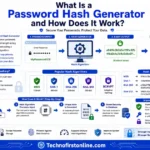
What Is a Password Hash Generator

SHA-1 vs SHA-256 vs SHA-512 comparison

what is bcrypt beginners guide

md5 vs sha256 vs bcrypt

Is MD5 Still Secure Hash Collisions Explained
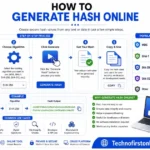
How Generate Hash Online
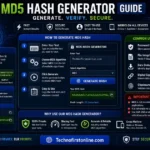
MD5 Hash Generator Online guide

WiFi QR Code Generator

LastPass vs Norton vs Bitwarden
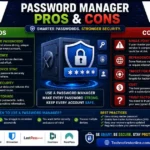
Password Manager Pros & Cons

16 Character Password Generator

What Makes a Password Strong

Different Password for Every Website
Common Password Mistakes
Random Password Generator vs Manual Passwords

Strong Password Examples

How to Create a Strong Password
No posts found in this category.
Other Useful Tools




Frequently Asked Questions
Yes, file safety is our top priority. All document transfers are fully secured with end-to-end encryption. Our cloud processing architecture automatically purges and completely clears all uploaded assets from our web servers within an hour of operation.
Absolutely. Our tool supports multi-selection actions. You can select multiple distinct layout components or sequential structural blocks across the dashboard matrix grid and discard them collectively in one single click.
No. Our utility modifies the background structural tree matrix without executing any destructive raster compression algorithms on your files. The textual vector layouts, resolutions, and embedded image properties remain completely identical to your original document.
Simply open your preferred mobile browser (such as Google Chrome or Safari), head over to our target URL page, upload your document, select the unrequired layouts visually on your screen, and tap download. No applications are needed.
Once the processing cycle completes and you download the file, the removed components cannot be recovered because we do not archive your copies. However, your original source document on your computer remains completely untouched, so you can upload it again to perform a fresh layout extraction.
According to the official document standards governed by the ISO Standard for PDF, a PDF file is structured as a complex tree of cross-referenced informational objects. When you modify structural objects using an unverified editor tool, it can scramble internal fonts, displace active tabular metadata, or blur structural pixel densities.
Delete Pages from PDF Online Free – Remove PDF Pages #1
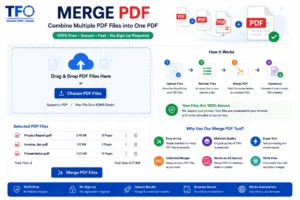
Delete pages from PDF online free using Technofirstonline PDF Page Remover Tool. Remove pages from PDF, delete blank pages instantly.
Price Currency: $
Operating System: All
Application Category: Utilities Application