Smart IT tools
How to Create a Strong Password That Hackers Can't Crack
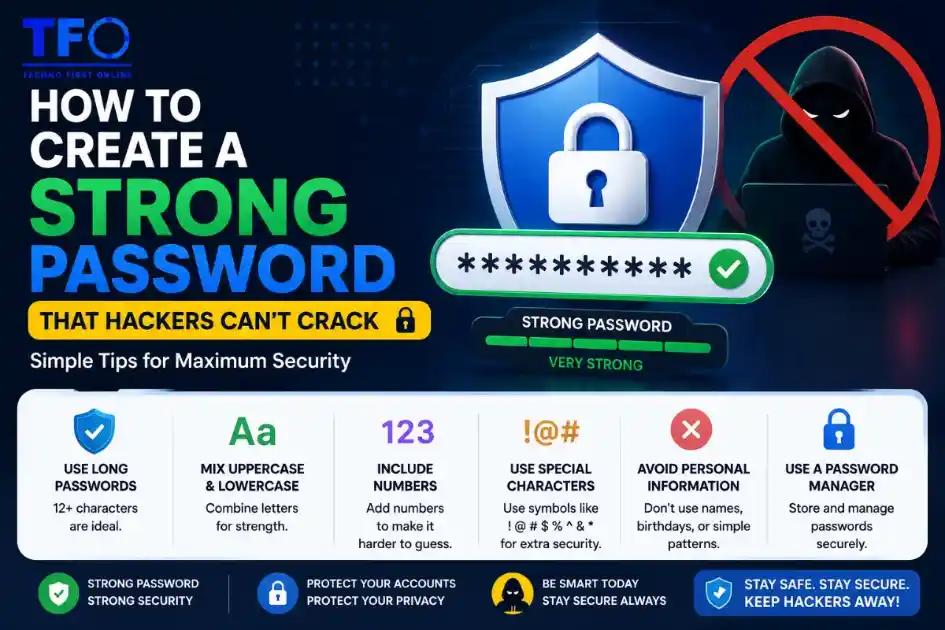
A strong password should be at least 12–16 characters long and include a combination of uppercase letters, lowercase letters, numbers, and special characters. Avoid using personal information, common words, or predictable patterns. For maximum security, use a Password Generator to create unique and random passwords for every account and enable two-factor authentication (2FA) whenever possible.
Password is your Security
In today’s digital world, your password is often the only thing standing between your personal information and cybercriminals. Whether you use email, social media, online banking, shopping websites, or business platforms, a weak password can leave your accounts vulnerable to hacking attempts.
Unfortunately, many people still use passwords such as “1234567,” “password1234,” or their names and birth dates. These passwords may be easy to remember, but they are also easy for hackers to crack.
The good news is that creating a strong password isn’t difficult when you understand the basic principles of password security. In this guide, you’ll learn how to create a strong password, common mistakes to avoid, and why using a Password Generator can dramatically improve your online security.
Why Password Security Matters
Every day, hackers attempt millions of cyberattacks against personal and business accounts worldwide. Many of these attacks succeed because users rely on weak or reused passwords.
When a hacker gains access to one account, they often try the same password on:
- Email accounts
- Social media profiles
- Banking websites
- Online stores
- Cloud storage platforms
- Business systems
This is why password security should be a top priority for every internet user.
A strong password acts as the first line of defense against unauthorized access and data theft.
What Is a Strong Password?
A strong password is a password that is difficult for both humans and automated systems to guess.
Strong passwords typically contain:
- Uppercase letters
- Lowercase letters
- Numbers
- Special characters
- Sufficient length
- Random combinations
For example:
Weak Password:
john123Strong Password:
K#8mP@2xL!9qW7The second password is significantly harder to crack because it includes multiple character types and does not contain predictable information.
Characteristics of a Strong Password
1. Use at Least 12-16 Characters
Password length is one of the most important factors in security.
Many cybersecurity experts recommend using passwords that are at least:
12 to 16 characters longLonger passwords create more possible combinations, making brute-force attacks much more difficult.
A 16-character password can be exponentially more secure than an 8-character password.
2. Include Uppercase and Lowercase Letters
Using both uppercase and lowercase letters increases password complexity.
Example:
SecurePasswordInstead of:
securepasswordThe added variation makes it more difficult for attackers to guess.
3. Add Numbers
Numbers increase the number of possible combinations.
Example:
Secure2026PasswordAvoid predictable patterns such as:
123456
111111
987654
These are among the first combinations hackers test.
4. Include Special Characters
Special characters make passwords significantly stronger.
Examples include:
! @ # $ (% ^ & * ( )Example password:
S@f3#P@ssdw0rd!The combination of letters, numbers, and symbols creates a much stronger password.
5. Make It Random
Randomness is essential for password security.
Avoid using:
- Names
- Birthdays
- Phone numbers
- Pet names
- Favorite sports teams
Hackers often use publicly available information when attempting to guess passwords.
Common Password Mistakes People Make
Even today, millions of users continue to make password mistakes that put their accounts at risk.
Using Personal Information
Examples:
Rahul1995
AmitDelhi123
Priya1234
These passwords are easy to guess.
Using Simple Number Patterns
Examples:
1234567
12345678
9876543210
These passwords are among the most hacked passwords every year.
Reusing Passwords
Suppose you use the same password for:
- Gmail
- Amazon
If one website experiences a data breach, all accounts become vulnerable.
Using Common Words
Examples:
password
welcome
admin
qwerty
Hackers use dictionaries containing millions of common passwords.
These passwords can often be cracked within seconds.
How Hackers Crack Passwords
Understanding how hackers operate helps you create stronger passwords.
Brute Force Attacks
In a brute-force attack, software automatically tries thousands or millions of password combinations.
Short passwords are especially vulnerable.
Dictionary Attacks
Hackers use databases containing:
- Common passwords
- Names
- Words
- Popular phrases
Passwords based on dictionary words are easier to crack.
Credential Stuffing
When a website experiences a data breach, hackers obtain leaked usernames and passwords.
They then try those same credentials on other websites.
This is why password reuse is dangerous.
Phishing Attacks
Hackers may trick users into entering passwords on fake websites.
Even the strongest password won’t help if you unknowingly give it away.
Always verify website authenticity before entering credentials.
Best Practices for Creating Strong Passwords
Use a Password Generator
One of the easiest ways to create secure passwords is by using a Password Generator Tool.
A Random Password Generator creates complex passwords automatically using:
- Letters
- Numbers
- Symbols
- Random combinations
Instead of trying to invent secure passwords yourself, a Strong Password Generator eliminates guesswork and improves security.
Create Unique Passwords
Every account should have its own password.
Examples:
Email:
Q#8mL@2xP!7vRBanking:
N$4tK@8zW!3pDSocial Media:
M!5xR@7qY#2sLUsing different passwords reduces risk significantly.
Enable Two-Factor Authentication (2FA)
Even if a password becomes compromised, 2FA provides an additional security layer.
Common methods include:
- SMS verification
- Authentication apps
- Security keys
This makes unauthorized access much more difficult.
Store Passwords Securely
Avoid:
❌ Writing passwords on paper
❌ Saving passwords in plain text files
❌ Sending passwords via email
Instead, consider using a reputable password manager.
Examples of Strong Passwords
Here are examples generated by a Secure Password Generator:
G#7pL!2xR@9vQM$4kZ@8tW!6nPT!5yR@3mQ#8xLJ@7vK!2pW#4sNThese passwords are highly resistant to guessing and brute-force attacks.
Why a Password Generator Is Better Than Creating Passwords Manually
Many people believe they can create secure passwords on their own.
However, studies show that humans often choose predictable patterns.
A Password Generator Online offers several advantages:
True Randomness
Generated passwords are more random than human-created passwords.
Better Complexity
A generator automatically combines:
- Uppercase letters
- Lowercase letters
- Numbers
- Symbols
Faster Creation
Generate strong passwords instantly.
Reduced Human Error
You don’t need to worry about accidentally choosing weak patterns.
How Often Should You Change Your Password?
There is no universal rule, but consider updating passwords when:
- A website experiences a data breach
- You suspect unauthorized access
- You share account credentials
- Security policies require updates
For highly sensitive accounts, periodic password updates are a good practice.
Strong Password Checklist
Before using any password, ask yourself:
✅ Is it at least 12-16 characters long?
✅ Does it contain uppercase letters?
✅ Does it contain lowercase letters?
✅ Does it contain numbers?
✅ Does it contain special characters?
✅ Is it unique?
✅ Does it avoid personal information?
If you answered yes to all questions, you likely have a strong password.
How Our Password Generator Can Help
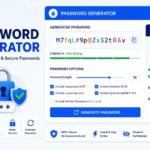
Our free Password Generator Online makes password creation simple and secure.
Features include:
✔ Custom password length
✔ Uppercase and lowercase letters
✔ Numbers and symbols
✔ One-click password generation
✔ Instant copy option
✔ Mobile-friendly design
✔ Browser-based security
✔ No registration required
Because the tool works directly in your browser, your generated passwords remain private and are never stored on external servers.

TechnoFirstOnline provides powerful free online tools, expert tutorials, and smart digital resources to simplify everyday tasks. Explore SEO, image, AI, PDF, and productivity tools designed for everyone.
Other Useful Tools





Password Generator
Open
People Also Read

NTLM Hsah vs MD5 vs SHA
decrypt md5 hash
password salting explained
php password hash guide
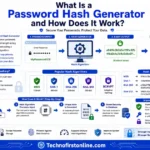
What Is a Password Hash Generator
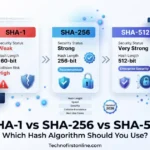
SHA-1 vs SHA-256 vs SHA-512 comparison
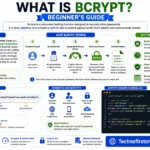
what is bcrypt beginners guide
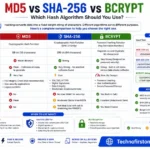
md5 vs sha256 vs bcrypt
Is MD5 Still Secure Hash Collisions Explained
How Generate Hash Online
MD5 Hash Generator Online guide
WiFi QR Code Generator
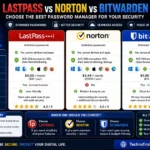
LastPass vs Norton vs Bitwarden
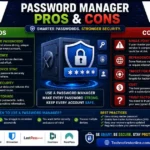
Password Manager Pros & Cons

16 Character Password Generator

What Makes a Password Strong
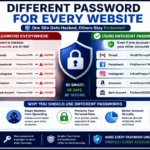
Different Password for Every Website
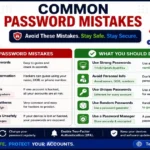
Common Password Mistakes
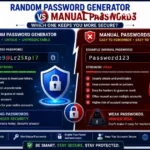
Random Password Generator vs Manual Passwords
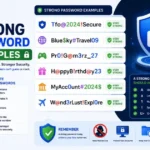
Strong Password Examples
According to the Cybersecurity & Infrastructure Security Agency (CISA), strong passwords should be long, unique, and difficult to guess. The Federal Trade Commission (FTC) also recommends using a password manager and enabling multi-factor authentication to improve online security. Following these best practices can significantly reduce the risk of account compromise, identity theft, and unauthorized access to sensitive information.
Frequently Asked Questions
A strong password is a password that is difficult to guess or crack. It typically contains a combination of uppercase letters, lowercase letters, numbers, and special characters, and is at least 12–16 characters long.
Cybersecurity experts recommend using a password with at least 12 characters. For better protection, a 16-character password is considered highly secure against brute-force attacks.
A Password Generator creates random and complex passwords that are much harder to crack than manually created passwords. It helps improve account security and reduces the risk of unauthorized access.
Yes. A Random Password Generator creates unpredictable combinations of letters, numbers, and symbols, making passwords significantly more secure than passwords based on personal information or common words.
Avoid using names, birthdays, phone numbers, common words, keyboard patterns, and easily guessable combinations such as “123456” or “password123”.
While no password is completely unbreakable, strong passwords with sufficient length and complexity are extremely difficult and time-consuming for hackers to crack using modern attack methods.
No. Using the same password across multiple accounts increases security risks. If one account is compromised, hackers may gain access to your other accounts as well.
A 16-character password provides significantly more possible combinations than shorter passwords, making it much more resistant to brute-force attacks and password-cracking tools.
No. Browser-based Secure Password Generators generate passwords locally on your device and do not save or transmit them to external servers.
Yes. Two-factor authentication adds an additional layer of security and helps protect your account even if your password is somehow compromised.