Smart IT tools
How to Create a Custom QR Code for Free:
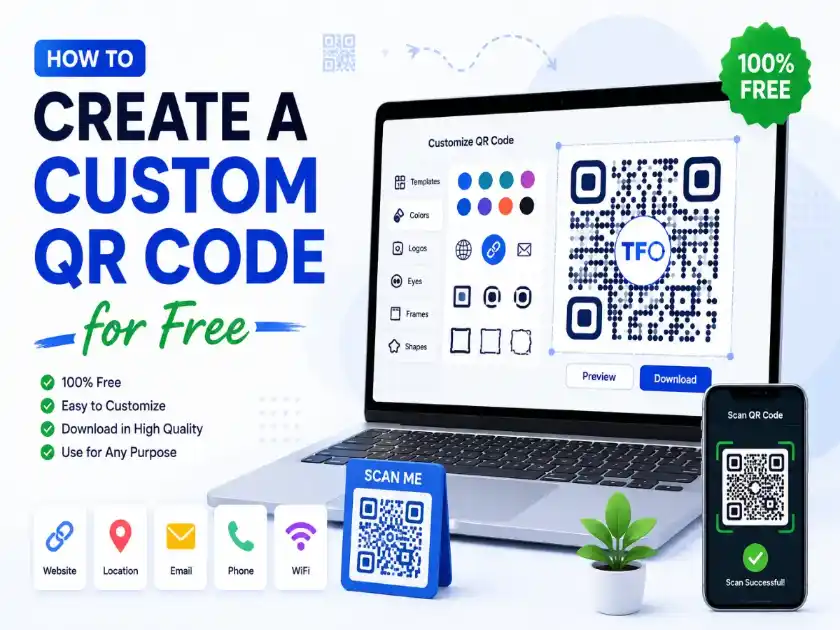
How do I create a custom QR code for free?
To create a custom QR code for free, enter your website URL or content into a QR code generator, customize the colors and design, add a logo if desired, test the QR code on multiple devices, and download it in high quality for print or digital use.
A Complete Guide for Businesses, Creators, and Marketers
QR codes have evolved far beyond the simple black-and-white squares that were once used only for product tracking. Today, they are powerful marketing, branding, and engagement tools. Businesses use them on packaging, restaurants place them on tables, event organizers print them on tickets, and creators add them to business cards and social media profiles.
However, a plain QR code often looks generic and attracts little attention. This is why many businesses now prefer a custom QR code that matches their brand identity. A customized QR code can include colors, logos, shapes, and design elements while still remaining easy to scan.
The good news is that you don’t need expensive software or graphic design skills to create one. With the right approach, you can create a professional-looking QR code without spending money.
In this guide, you’ll learn everything about creating, customizing, and optimizing QR codes while avoiding the common mistakes that make them difficult to scan.
What Is a Custom QR Code?
A custom QR code is a QR code that has been modified visually without changing its functionality.
Instead of using the standard black-and-white design, you can customize:
- Colors
- Frames
- Shapes
- Corners
- Backgrounds
- Logos
- Brand elements
The goal is to make the QR code visually appealing while maintaining its ability to be scanned by smartphones and QR readers.
A customized QR code helps businesses create a stronger brand presence and improve user engagement.
Why Businesses Use Custom QR Codes
Many brands have realized that design matters.
When people see a visually appealing QR code, they are more likely to interact with it.
Brand Recognition
A QR code containing your logo immediately reinforces your brand identity.
Better Engagement
People are more likely to scan a QR code that looks intentional rather than generic.
Professional Appearance
Custom QR codes create a polished and trustworthy impression.
Marketing Flexibility
You can place them on:
- Product packaging
- Flyers
- Posters
- Menus
- Websites
- Business cards
- Social media graphics
Improved User Experience
A branded QR code helps users understand where the scan will lead before they even interact with it.
When Should You Use a Custom QR Code?
Custom QR codes work best in situations where branding and user trust are important.
Business Cards
Instead of printing lengthy contact information, a QR code can instantly share:
- Phone number
- Email address
- Website
- LinkedIn profile
Restaurant Menus
Restaurants often use QR codes to display:
- Digital menus
- Promotions
- Reservation pages
Product Packaging
Brands use QR codes to provide:
- Product instructions
- Warranty registration
- User manuals
- Video demonstrations
Event Marketing
QR codes can direct attendees to:
- Registration forms
- Event schedules
- Maps
- Speaker information
Social Media Growth
Creators use QR codes to connect users directly to:
- YouTube
- TikTok
How QR Codes Actually Work
Understanding the basics helps you customize them safely.
A QR code stores data in small modules arranged in a square pattern.
When scanned, a smartphone decodes the pattern and performs an action such as:
- Opening a website
- Sending an email
- Displaying contact information
- Joining Wi-Fi
- Opening a payment link
The reason customization is possible is because QR codes contain built-in error correction. This allows a portion of the design to be altered without affecting readability.
Step-by-Step Guide to Creating a Custom QR Code
Step 1: Decide Your Purpose
Before generating a QR code, determine its destination.
Common options include:
- Website URL
- Landing page
- Product page
- Contact information
- Social media profile
- Event registration page
A clear goal leads to better results.
Step 2: Generate the QR Code
Use a reliable QR code generator to create the initial version.
Make sure the destination URL is correct before proceeding.
A single typo can make the code useless.
Step 3: Add Brand Colors
One of the easiest ways to customize a QR code is by changing its colors.
Good combinations include:
- Dark blue on white
- Dark green on white
- Black on light gray
- Brand colors with high contrast
Avoid:
- Light yellow
- Light pink
- Low-contrast combinations
The scanner must clearly distinguish the code from the background.
Step 4: Add Your Logo
Adding a logo is one of the most effective customization techniques.
Popular logo placements include:
- Center of the QR code
- Circular logo overlay
- Small brand icon
Keep the logo proportional.
If it becomes too large, scanning reliability decreases.
Step 5: Customize Shapes
Modern QR code tools allow you to change:
- Dot styles
- Corner styles
- Eye patterns
These changes make the QR code look unique without harming functionality.
Step 6: Add a Call-to-Action
Many businesses forget this step.
Instead of displaying a QR code alone, include text such as:
- Scan to Learn More
- Scan for Discount
- Scan for Menu
- Scan to Download
- Scan to Register
This significantly increases scan rates.
Step 7: Test Thoroughly
Always test on:
- Android devices
- iPhones
- Different camera apps
- Various lighting conditions
Never publish an untested QR code.
Common Mistakes to Avoid
Using Low Contrast Colors
A beautiful design is useless if users cannot scan it.
Maintain strong contrast between foreground and background.
Overloading with Graphics
Too many visual elements can interfere with scanning.
Keep customization balanced.
Using Tiny QR Codes
Small QR codes become difficult to scan from a distance.
Always consider viewing distance.
Stretching the Design
QR codes must remain square.
Never distort them horizontally or vertically.
Ignoring Mobile Testing
Most scans occur on mobile devices.
Testing is mandatory.
Dynamic vs Static QR Codes
Understanding the difference is important.
Static QR Codes
Once created, the destination cannot be changed.
Advantages:
- Free
- Permanent
- Simple
Dynamic QR Codes
The destination can be updated later.
Advantages:
- Editable
- Trackable
- Flexible
Businesses often prefer dynamic codes for marketing campaigns.
Best Design Practices
To maximize performance:
Maintain White Space
The empty border around the QR code is called the quiet zone.
Removing it can cause scanning issues.
Use Brand Colors Carefully
Brand consistency is important, but readability comes first.
Keep Logos Small
A logo should enhance the design, not dominate it.
Use High Resolution
Always export in high quality for print materials.
Custom QR Codes for Marketing Campaigns
Marketing teams increasingly rely on QR codes because they bridge offline and online experiences.
Examples include:
Retail Stores
Direct customers to:
- Product pages
- Reviews
- Loyalty programs
Real Estate
Link property listings to:
- Virtual tours
- Contact forms
- Photo galleries
Education
Share:
- Study materials
- Course registration pages
- Event information
How Custom QR Codes Improve Brand Identity
Branding is about consistency.
A custom QR code helps businesses reinforce:
- Colors
- Logos
- Design language
- Customer trust
Instead of looking like a random technical element, the QR code becomes part of the overall brand experience.
Measuring QR Code Success
Creating a QR code is only the beginning.
You should also track performance.
Monitor:
- Scan volume
- Conversion rates
- Landing page engagement
- User behavior
This data helps optimize future campaigns.
Security Considerations
QR codes are convenient, but users should feel safe scanning them.
To improve trust:
- Use branded URLs
- Avoid suspicious redirects
- Clearly explain the destination
- Include your logo
Trust significantly impacts scan rates.
Future of QR Codes
QR code adoption continues to grow across industries.
Emerging trends include:
- Contactless payments
- Smart packaging
- Digital business cards
- Interactive advertising
- Augmented reality experiences
Businesses that embrace customized QR codes today will be better positioned to benefit from these innovations.
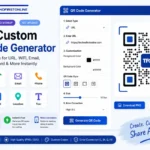
If you want to create a professional and branded QR code, you can use our free custom QR code generator here:
https://technofirstonline.com/free-custom-qr-code-generator/
With the right design, testing, and branding strategy, a QR code can become one of the most powerful tools in your digital marketing toolkit.

TechnoFirstOnline provides powerful free online tools, expert tutorials, and smart digital resources to simplify everyday tasks. Explore SEO, image, AI, PDF, and productivity tools designed for everyone.
Other Useful Tools





People Also Read

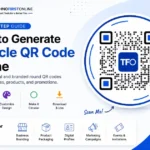
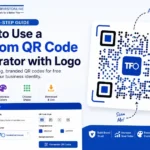
According to DENSO WAVE, the original developer of QR Code technology, QR Codes use built-in error correction that allows certain design modifications while maintaining scanability. This capability enables businesses to add logos, brand colors, and custom styling without compromising functionality when implemented correctly.
Frequently Asked Questions
Yes. Many modern QR code generators allow customization of colors, logos, and styles without requiring advanced design skills.
Yes, provided that proper contrast, sizing, and error correction guidelines are followed.
Yes. Adding a logo is one of the most common forms of QR code customization.
Dark foreground colors on light backgrounds generally provide the best scanning performance.
Absolutely. Businesses use QR codes for promotions, lead generation, product information, menus, and customer engagement.
Yes. QR codes remain one of the simplest and most effective methods for connecting offline audiences with digital content.