
My IP Address
Find your public IPv4 and IPv6 address instantly
IPv4
Your IPv4 Address
Detecting...
IPv6
Your IPv6 Address
Detecting...
Connection Details
City
Loading...
Region
Loading...
Country
Loading...
ISP / Organization
Loading...
Timezone
Loading...
Postal Code
Loading...
This tool runs entirely in your browser and queries public IP lookup APIs directly.
No data is stored on our servers."Location is approximate and based on ISP data — may not reflect your exact city, especially on mobile networks."




What Is My IP Address?
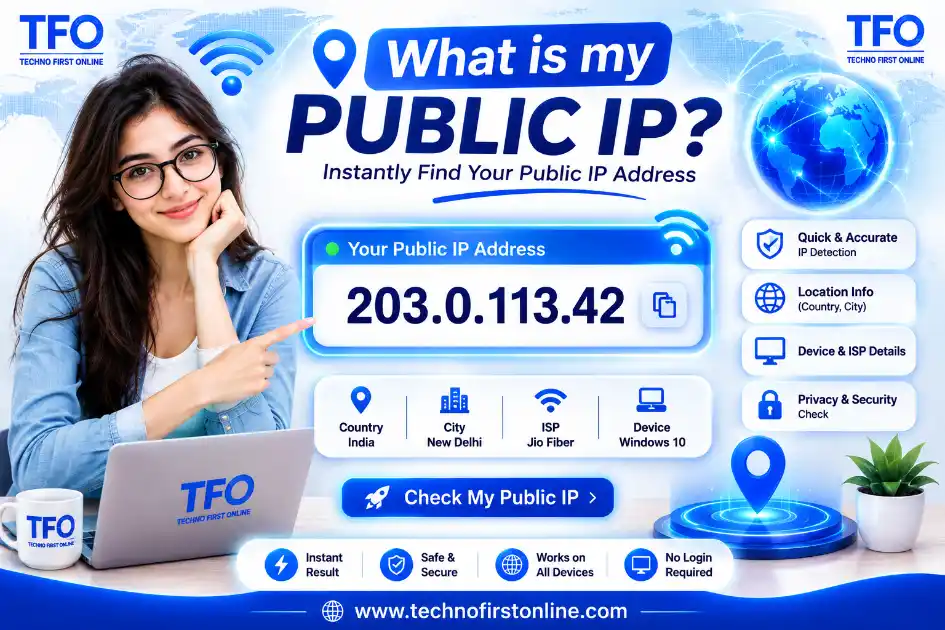
Your IP address is a unique network address used to identify your internet connection online. Use our free My IP Address tool to instantly check your public IP address and understand basic details about your connection.
My IP Address
Every device connected to the internet uses an IP address (Internet Protocol address) to communicate with websites, servers, and other devices. If you are wondering “what is my IP address?” or “what is my IP?”, the tool above can help you check your public IP address instantly.
Your public IP address is generally assigned by your internet service provider (ISP). Websites and online services can use it to identify your internet connection and estimate your general geographic location. An IP address does not normally reveal your exact home address by itself.
Use our free My IP Address checker whenever you want to quickly find your current public IP without installing software or going through complicated network settings.
How to Check My IP Address
Checking your IP address is simple. Open the My IP Address tool on this page and your public IP can be displayed directly in your browser.
You may want to check your IP address when troubleshooting an internet connection, configuring a network, checking whether your VPN is working, or verifying whether your public IP has changed.
You don’t need to install an application just to find your public IP. A browser-based IP checker can make the process quick and convenient.
What Is a Public IP Address?
A public IP address is an address associated with your internet connection that can be visible to websites and internet services when you access them.
For example, when you visit a website, your connection needs an address that allows data to travel between your device and the website’s server. Your ISP generally provides the public IP used for this communication.
Your public IP can change over time. Some internet connections use dynamic IP addresses, while certain business or specialized connections may use a static IP address.
If you search for “my public IP”, the address shown by an online IP checker is generally the public IP associated with your current internet connection.
Public IP vs Private IP Address
A common source of confusion is the difference between a public IP address and a private IP address.
Your public IP identifies your internet connection to the outside internet. A private IP, on the other hand, is normally assigned to a device within your local network by your router.
For example, your computer, smartphone, smart TV, and other devices can each have their own private IP address while sharing the same public IP when accessing the internet through one router.
Private IP addresses commonly use ranges such as 192.168.x.x, 10.x.x.x, and certain other reserved ranges.
If you are specifically searching for “what is my private IP”, you usually need to check your device’s network settings rather than relying on a public IP checker.
What Information Can an IP Address Show?
An IP address can provide useful information about an internet connection, but it should not be treated as a precise personal identifier.
Depending on the IP and the available databases, an IP lookup may provide information such as:
- IP address
- IP version
- Approximate country
- Approximate region or city
- Internet service provider
- Network or organization information
Geolocation based on an IP address is generally approximate. It may identify a nearby city or ISP location rather than your actual physical location.
Can an IP Address Reveal My Exact Location?
Usually, an IP address alone does not reveal your exact physical location to an ordinary website visitor.
IP geolocation databases estimate location based on information associated with IP address ranges. The result can sometimes be accurate at the country or regional level, but city-level results may vary.
Your ISP may have more detailed information about the customer using a particular IP address, but that information is not normally available to everyone on the internet.
This is why an IP location result should be considered an approximation rather than a precise GPS location.
What Is IPv4?
IPv4 (Internet Protocol version 4) is the older and still widely used IP addressing system. IPv4 addresses consist of four numerical sections separated by dots.
An example format is:
203.0.113.25
IPv4 provides a limited number of unique addresses. Because the internet has grown dramatically, the available IPv4 address space has become increasingly limited.
What Is IPv6?
IPv6 (Internet Protocol version 6) was developed to provide a much larger address space than IPv4.
IPv6 addresses use hexadecimal characters and are considerably longer than IPv4 addresses.
An IPv6 address may look like:
2001:db8:85a3::8a2e:370:7334
Modern networks and devices can support IPv6 alongside IPv4. The IP version detected for your connection depends on your network, ISP, device, and configuration.
IP addresses are commonly discussed alongside other concepts used in networking
and cybersecurity. If you want to learn more about how data is transformed into
fixed-length values, try our
online Hash Generator
It supports popular hashing algorithms and can be useful for developers and
security learners.
Why Would I Need to Check My IP Address?
There are several practical reasons to check your IP address.
You may want to verify your IP when:
- Troubleshooting an internet connection
- Checking whether your VPN is working
- Confirming your current public IP
- Setting up network access
- Checking an IP before contacting technical support
- Testing network configurations
- Comparing your IP before and after reconnecting to the internet
- Understanding basic information about your internet connection
For developers, network administrators, and security-conscious users, knowing the current public IP can also be useful during certain configuration and troubleshooting tasks.
Does My IP Address Change?
It can.
Many home internet connections use dynamic IP addresses, which means your public IP may change when your ISP renews your connection, your router reconnects, or your network configuration changes.
Some users and businesses have static IP addresses, which are designed to remain consistent.
If you notice that your IP address changes from time to time, that does not necessarily indicate a problem with your internet connection.
Does a VPN Change My IP Address?
When you connect to a VPN, websites generally see the VPN server’s public IP address instead of the public IP associated directly with your normal internet connection.
This is one reason people use an IP checker after connecting to a VPN. By checking “my IP address” before and after connecting, you can verify which public IP is visible to websites.
However, a VPN is not a guarantee of complete online anonymity. Your privacy also depends on your browser, accounts, cookies, device settings, VPN provider, and other factors.
Is It Safe to Share My IP Address?
An IP address is not usually considered equivalent to sensitive information such as a password or credit-card number, but you should still avoid sharing network information unnecessarily.
A public IP can reveal information about your internet connection and may provide an approximate geographic location. Avoid assuming that an IP address is completely anonymous or that it can never be used as part of broader tracking or security analysis.
If you are troubleshooting a technical issue, share your IP only with a trusted person or service when it is genuinely necessary.
If you are checking your IP address because you are concerned about online
security, using strong and unique passwords is another important step. You can
create a secure password with our
free Password Generator
and use it for your online accounts without manually creating complex
combinations.
People Also Read








stylish text generator

How to change to sentence case online
How to Automatically Change Capital Letters to Lowercase
Grammarly Word Count vs Free Word Counter
word counter google docs — How to Check Word Count
Word Count Checker — Check Word Count in PDFs & Documents
Free Character Counter Online — Count Letters & Spaces
How to Word Counter Online Free
Other Useful Tools










Frequently Asked Questions
Your IP address is a network address used to communicate over the internet. Use the checker above to see the public IP associated with your current internet connection.
Open the My IP Address tool on this page. It can identify your public IP directly through your browser.
Your public IP is the IP address visible to websites and internet services when you connect to them. The tool above can help you identify it.
A private IP is an address assigned to a device within a local network. You can normally find it in your computer, smartphone, or router network settings.
An IP address can often provide an approximate location, such as a country, region, or city, but it generally cannot provide your exact physical location by itself.
Yes. Many internet connections use dynamic IP addresses, so your public IP can change when your network reconnects or your ISP assigns a different address.
IPv4 uses a 32-bit addressing system and typically appears as four numbers separated by dots. IPv6 uses a much larger 128-bit address space and uses hexadecimal notation.
A VPN generally makes websites see the VPN server’s IP address instead of your normal public IP. You can use an IP checker to verify the IP visible after connecting to a VPN.
Generally, an IP address does not directly reveal your exact street address. IP geolocation is normally approximate, while ISPs may have additional customer information that is not publicly available.
No. An IP address is used for network communication and routing, while a MAC address is a hardware/network-interface identifier used primarily within local network communication. They serve different purposes.
IP addresses are an important part of how devices communicate across the Internet. To learn more about Internet Protocol addressing, IP address allocation, and the standards behind IPv4 and IPv6, you can refer to the official resources provided by the Internet Assigned Numbers Authority (IANA). IANA coordinates globally unique Internet identifiers, including IP address resources, and provides authoritative information about Internet number resources and related standards.
If you are working on a website and checking your IP address as part of your website or SEO workflow, you may also want to analyze the content of your pages. Our Keyword Density Checker can help you identify how frequently specific words and phrases appear in your content and maintain a natural keyword balance.
My IP Address – Check Your Public IP Address & Location Free
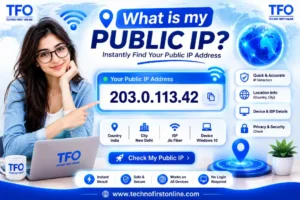
Check your IP address instantly. Find your public IP Address, IP version, location, ISP and other network details with free My IP Address checker.
Price Currency: $
Operating System: All
Application Category: Application utilities