Smart IT tools
Do You Need a Keyword Density Checker Chrome Extension?
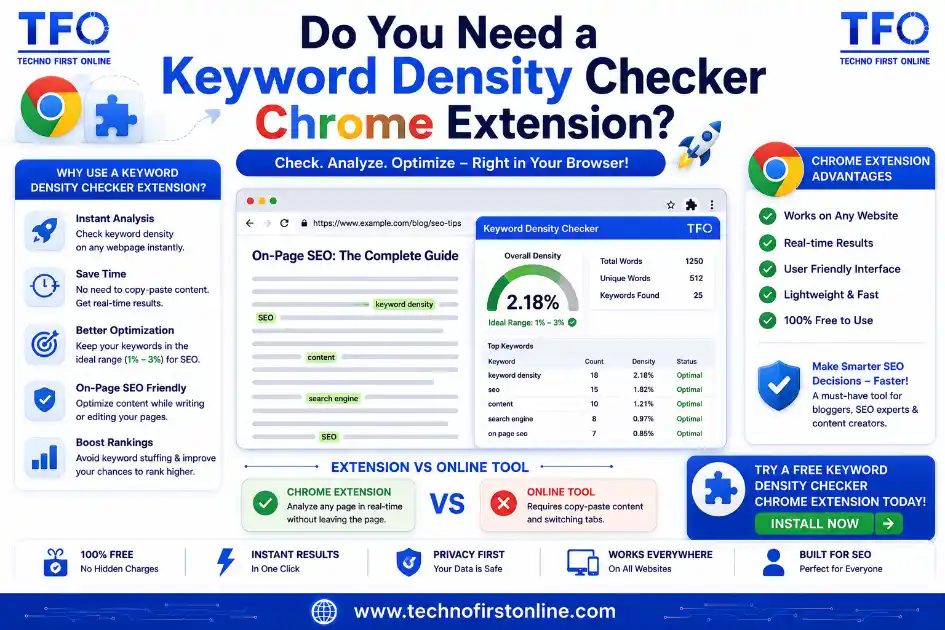
A keyword density checker Chrome extension can be convenient for checking live web pages without copying content elsewhere, but it comes with tradeoffs around privacy, browser permissions, and reliability that a browser-based web tool typically avoids. For most writers, a standalone density checker you visit directly, without installing anything, offers a simpler and often safer alternative.
Why People Search for a Browser Extension in the First Place
The appeal of a keyword density checker Chrome extension is easy to understand. Instead of copying content from a live page, switching tabs, pasting it into a separate tool, and switching back, an extension promises to run the check with a single click while you’re already looking at the page. For anyone doing frequent competitor research or reviewing multiple live URLs in a short session, that convenience genuinely saves a few seconds per check.
The question worth asking, though, is whether those saved seconds are worth the tradeoffs that typically come bundled with any browser extension, particularly one that needs to read the content of every page you visit in order to function.
What a Keyword Density Checker Extension Actually Needs Access To
To calculate density on a live webpage, a keyword density checker extension needs permission to read the content of pages you visit. This is a broad permission by nature, since the extension can’t selectively read only the pages you intend to check, it typically requests access to read and analyze data on every site you visit, or at minimum, a wide category of sites.
This isn’t inherently malicious, plenty of legitimate extensions request similarly broad permissions to function. But it does mean you’re trusting the extension’s developer with a meaningful amount of access to your browsing activity, which is a different risk profile than pasting content into a standalone web tool only when you actively choose to run a check.
The Real Tradeoffs of Using a Browser Extension
Privacy exposure. Any keyword density checker extension with page-reading permissions can technically see everything you browse, not just the pages you intentionally check. Whether the developer actually collects or misuses that access is a separate question you have limited ability to verify.
Maintenance risk. Browser extensions require ongoing updates to stay compatible with browser changes. A free extension built by a small developer or side project sometimes gets abandoned, leaving you with a tool that silently breaks or, worse, keeps running with outdated code and unpatched permissions.
Limited functionality compared to dedicated tools. Many extensions prioritize speed and simplicity over depth, meaning they might miss multi-word phrase support, stop-word filtering, or the kind of paragraph-level clustering detection covered in our guide on detecting keyword stuffing.
Browser clutter. Every installed extension adds slightly to browser startup time and background resource usage, which compounds if you’re already running several other extensions for different tasks.
When an Extension Genuinely Makes Sense
To be fair, there are scenarios where a keyword density checker extension earns its place. If you’re doing heavy, repeated competitor analysis across dozens of live pages in a single session, the one-click convenience adds up meaningfully compared to manually copying and pasting each page’s content elsewhere. Agencies running frequent competitive audits sometimes find this workflow genuinely faster at scale.
Even in this scenario, it’s worth choosing an extension from a developer with a track record and clear privacy documentation, rather than installing whichever free option appears first in a marketplace search, given the broad permissions involved.
The Simpler Alternative: A Browser-Based Web Tool
For most writers, bloggers, and even many SEO professionals, a standalone keyword density calculator accessed directly through a web browser accomplishes the same core task without requiring any installation or ongoing permission grant. You visit the page when you need it, paste your content, get your result, and close the tab. No background access to your browsing activity, no maintenance risk from an abandoned extension, and no added browser clutter.
The extra step of copying and pasting content, rather than clicking an extension icon on a live page, adds only a few seconds in most cases, a tradeoff that many writers find entirely worth it once they weigh it against the privacy and reliability concerns that come with granting an extension broad page-reading access.
Why Choose the TechnoFirstOnline Browser-Based Tool?
For most bloggers, content writers, and SEO professionals, a browser-based tool offers a practical balance between convenience, privacy, and performance. Our “Free Keyword Density Checker” works entirely inside your web browser, so there’s nothing to install and no browser permissions to manage. Simply paste your content, run the analysis, and review keyword density, keyword frequency, word count, and multi-word phrase insights in seconds. Because all processing happens locally in your browser, your content stays on your device, making it a reliable option for reviewing unpublished articles, client projects, and other confidential documents without adding extra extensions to your browser.
Comparing the Two Approaches
| Factor | Chrome Extension | Browser-Based Web Tool |
|---|---|---|
| Installation required | Yes | No |
| Ongoing permissions granted | Broad page access | None beyond the current tab |
| Convenience for live-page checks | Higher | Slightly lower (copy/paste needed) |
| Maintenance risk | Depends on developer | None, since there’s nothing installed |
| Best suited for | Frequent competitor audits at scale | Occasional or one-off checks |
Keyword analysis is only one part of optimizing a page for search engines. Once you’ve reviewed your content, creating well-structured title tags and meta descriptions can further improve visibility. Our “Meta Tag Generator” helps you build SEO-friendly metadata that complements your overall content optimization strategy.
Beyond Chrome: What About Other Browsers?
The same logic largely applies regardless of which browser you use daily. A keyword density checker extension built for Firefox, Edge, or Safari carries the same fundamental tradeoff, broad page-reading permissions in exchange for one-click convenience on live pages. Cross-browser availability also varies significantly; a well-maintained Chrome extension doesn’t guarantee an equally reliable version exists for every other browser, which is another practical reason many writers default to a browser-agnostic web tool that works identically regardless of which browser happens to be open at the time.
A Middle-Ground Option: Bookmarklets
Between a full browser extension and manually copying content into a separate tab, a lesser-known middle option exists: bookmarklets, small pieces of JavaScript saved as a browser bookmark that run only when clicked, without requiring installation or ongoing permissions. A well-built bookmarklet can extract visible page content and open a density check with a single click, offering some of the convenience of an extension without the persistent background access.
The tradeoff here is that bookmarklets are less common, sometimes break on pages with complex layouts, and require slightly more technical setup than installing something directly from an extension marketplace. For most casual users, this makes bookmarklets a niche solution rather than a mainstream recommendation, though it’s worth knowing the option exists for anyone specifically trying to avoid installing a full keyword density checker extension while still wanting some one-click convenience.
What Most Professional Writers Actually Do
Talking to writers and SEO professionals who check density regularly, a pattern emerges: most settle on a standalone web-based tool bookmarked in their browser’s toolbar, rather than an installed extension. The workflow becomes routine quickly, finish writing, open the bookmarked tool in a new tab, paste, check, close the tab. This habit avoids the ongoing permission tradeoff entirely while still keeping the tool one click away, which for most people closes much of the convenience gap that initially makes an extension appealing.
Many writers also check the overall structure of their content before reviewing keyword usage. Our “Free Word Counter Tool” instantly measures total words, characters, sentences, paragraphs, and estimated reading time, making it easier to understand the context behind keyword density calculations.
How to Evaluate Any Extension Before Installing
If you decide a keyword density checker extension genuinely fits your workflow despite the tradeoffs, a few checks help reduce risk before installing:
- Check the developer’s reputation. Look for an established company or a developer with other well-reviewed extensions, rather than an anonymous single-purpose listing with no history.
- Read the permissions request carefully. If an extension asks for far more access than density checking would reasonably require, treat that as a red flag.
- Check the last update date. An extension that hasn’t been updated in over a year carries higher risk of compatibility issues or unpatched vulnerabilities.
- Look for a clear privacy policy. Legitimate extensions typically explain exactly what data they access and whether any of it is transmitted off your device.
According to Google’s own Chrome Web Store developer policies, extensions are required to disclose their data collection practices and limit permissions to what’s actually necessary for their stated functionality, though enforcement and actual compliance can vary in practice, which is exactly why manually reviewing an extension’s specific permissions before installing remains worthwhile.
Whether you’re reviewing your own content or analyzing competitors, writing quality still matters as much as keyword usage. If your content includes AI-assisted writing, our “AI Content Detector” can help identify repetitive or machine-generated patterns before you publish.

TechnoFirstOnline provides powerful free online tools, expert tutorials, and smart digital resources to simplify everyday tasks. Explore SEO, image, AI, PDF, and productivity tools designed for everyone.
Other Useful Tools










Password Generator
Open
People Also Read

website keyword density

Best free keyword density checker tools
Ideal Keyword Density
keyword density analyzer

Keyword Stuffing Checker

Keyword Density Calculator

How to Check Keyword Density
Word Density Checker vs Keyword Density Checker

What Is a Password Hash Generator

SHA-1 vs SHA-256 vs SHA-512 comparison

what is bcrypt beginners guide

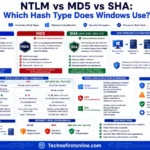
md5 vs sha256 vs bcrypt

Is MD5 Still Secure Hash Collisions Explained

How Generate Hash Online

MD5 Hash Generator Online guide

How to Create a Custom QR Code for Free



stylish text generator

How to change to sentence case online
How to Automatically Change Capital Letters to Lowercase
Grammarly Word Count vs Free Word Counter
word counter google docs — How to Check Word Count
Word Count Checker — Check Word Count in PDFs & Documents
Free Character Counter Online — Count Letters & Spaces
How to Word Counter Online Free


While you're optimizing content across different browsers and devices, don't overlook your page URL. A clean and descriptive URL improves usability and helps search engines understand your content. Our Slug Generator makes it easy to create short, readable, and SEO-friendly slugs for every new page or article.
If you prefer avoiding browser extensions altogether, our Keyword Density Checker provides a simple browser-based alternative. It analyzes keyword density, keyword frequency, repeated phrases, and overall content statistics directly within your browser, so you can review your content without installing additional software or granting ongoing browser permissions.
Frequently Asked Questions
It depends entirely on the specific extension and developer. Since these tools require broad page-reading permissions to function, checking the developer’s reputation, update history, and privacy policy before installing matters more than it does for most other browser tools.
The primary benefit is convenience for checking live pages without copying and pasting content elsewhere, which matters most for frequent competitor research across many pages in a single session.
No. A browser-based density checker accessed directly through a normal web page requires no installation and no ongoing permissions, making it a simpler option for most occasional or one-off checks.
Extensions that request permission to read page content on sites you visit technically have that capability, regardless of whether the specific extension actually collects or misuses it, which is why reviewing permissions carefully matters.
Availability and reputation of specific extensions change frequently, so it’s worth checking current reviews, permissions, and update history directly in the Chrome Web Store rather than relying on a fixed recommendation that may be outdated by the time you’re reading this.
A standalone web-based tool is generally the better fit for occasional use, since it avoids the ongoing privacy tradeoff and maintenance risk of an installed extension for a task you’re not performing frequently enough to justify it.