Smart IT tools
Why You Should Use a Different Password for Every Website
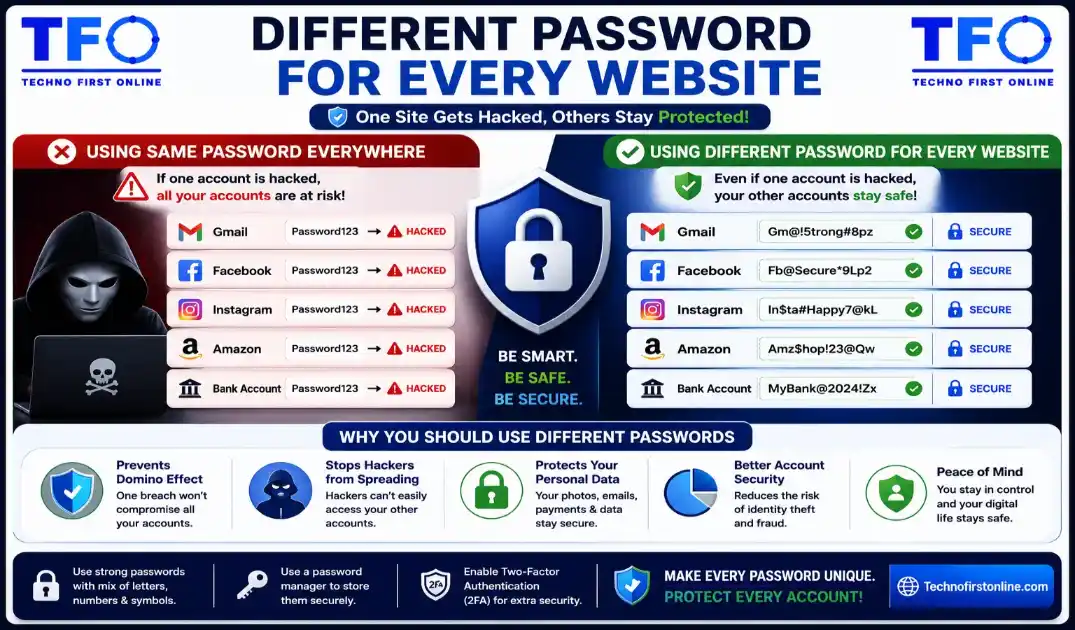
The most common password mistakes include using the same password across multiple accounts, creating short passwords, using personal information such as names or birthdays, avoiding special characters, and ignoring multi-factor authentication (MFA). These mistakes can make accounts vulnerable to hacking, credential stuffing, and brute-force attacks. Using a Password Generator and creating unique passwords for every account significantly improves online security.
One Password for Multiple Accounts? Here's Why You Should Stop
Imagine this situation.
You create a password for an online shopping website. The password is simple to remember, so you decide to use the same password for your email account, Facebook profile, Instagram account, and even your online banking portal.
A few months later, the shopping website suffers a data breach.
Suddenly, hackers don’t just have access to one account—they potentially have access to every account that uses the same password.
This scenario happens every day across the world on the internet.
Most people understand that strong passwords are important, but many still underestimate the danger of password reuse. Using the same password across multiple websites is one of the biggest Dangers cybersecurity mistakes users make.
In this guide, you’ll learn why password reuse is risky, how hackers take advantage of it, what security experts recommend, and how using a Password Generator can help you create unique passwords for every account.
The Hidden Problem Most Internet Users Ignore
Ask yourself a simple question:
How many online accounts do you currently have?
For most people, the answer includes:
- Gmail
- Outlook
- Amazon
- Netflix
- PayPal
- Banking apps
- Shopping websites
- Food delivery apps
- Cloud storage services
Many users have over 100 online accounts.
Now ask yourself another question:
How many different passwords do you use?
For many people, the answer is surprisingly small.
Some users rely on:
One password for everythingOthers use:
Three or four passwords for dozens of websitesWhile this approach seems convenient, it creates serious security risks.
What Is Password Reuse?
Password reuse occurs when the same password is used across multiple websites or applications.
For example:
Email:
MySecurePass123!Facebook:
MySecurePass123!Netflix:
MySecurePass123!Amazon:
MySecurePass123!Banking:
MySecurePass123!At first glance, this seems harmless.
However, cybersecurity experts consider password reuse one of the most dangerous online habits.
Why Password Reuse Is So Dangerous
The internet isn’t a single system.
Every website stores user data separately.
Some organizations invest heavily in cybersecurity.
Others do not.
Even if your favorite banking app is extremely secure, a small forum or shopping website may not be.
If a less secure website experiences a breach, your password may become exposed.
Once attackers obtain your password, they begin testing it elsewhere.
This is where the real problem begins.
Understanding Credential Stuffing
One of the most common cyberattacks today is called Credential Stuffing.
Here’s how it works:
Step 1
A website experiences a data breach.
Step 2
Hackers obtain:
- Email addresses
- Usernames
- Passwords
Step 3
Automated software tests those credentials on:
- Gmail
- Amazon
- PayPal
- Banking websites
Step 4
Accounts using the same password become compromised.
The attacker doesn’t need to guess anything.
The password already works.
Real-World Example
Imagine you create an account on:
bestdeals-shop.comThe website suffers a breach.
Your credentials are leaked.
Your password is:
Tiger@2026You also use the same password for:
- Gmail
Attackers automatically test the leaked credentials on those services.
Within minutes they gain access to multiple accounts.
The breach started on a shopping website but spread across your digital life.
Why Hackers Love Password Reuse
Password reuse makes cybercrime easier.
Instead of spending time cracking passwords, attackers simply recycle stolen credentials.
This approach is:
- Fast
- Automated
- Effective
- Low cost
Cybercriminals know many users repeat passwords.
That is why credential stuffing attacks continue to increase every year.
One Compromised Account Can Trigger a Domino Effect
Many people think:
It's only one account.Unfortunately, modern accounts are connected.
For example:
Your email account may be linked to:
- Social media
- Banking alerts
- Shopping websites
- Cloud storage
- Government portals
If attackers gain access to your email account, they may use password recovery features to take control of other accounts.
What started as one compromised password can quickly become multiple compromised accounts.
Why Email Accounts Require Unique Passwords
Your email account is often the most important account you own.
Think about how many password reset links arrive in your inbox.
If someone accesses your email, they may be able to:
- Reset account passwords
- Read sensitive messages
- Access personal documents
- View financial information
For this reason, your email password should always be unique.
Never reuse it elsewhere.
The Psychology Behind Password Reuse
Most users don’t reuse passwords because they don’t care about security.
They do it because it’s convenient.
People often think:
- I won’t remember multiple passwords.
- My accounts aren’t important.
- Nothing bad has happened before.
These assumptions create risk.
Cybersecurity is not about reacting after a breach.
It’s about preventing problems before they occur.
Common Password Reuse Habits
Many users create slight variations of the same password.
Examples:
Password@1
Password@2
Password@3
Password@4
or
Rahul2026!
RahulFacebook!
RahulAmazon!
While this may seem safer, attackers understand these patterns.
If one variation is exposed, related variations become easier to guess.
Why Strong Passwords Alone Are Not Enough
Many people assume:
My password is strong, so I'm safe.Not necessarily.
Even a strong password becomes dangerous if it is reused.
For example:
Q#8mT@4xP!7nL2is a strong password.
But if it is used across 20 websites, a breach on one site can expose all 20 accounts.
Uniqueness matters just as much as strength.
The Best Solution: Unique Passwords Everywhere
Cybersecurity professionals consistently recommend:
One Account = One PasswordThis strategy dramatically reduces risk.
If one account becomes compromised:
- Other accounts remain secure.
- Attackers cannot move easily between services.
- Damage remains limited.
How Password Generators Make This Easy
Many people avoid unique passwords because creating them manually is difficult.
This is where a Password Generator becomes useful.
Instead of inventing passwords yourself, you can generate secure passwords instantly.
Benefits include:
Unique Passwords
Every account gets a different password.
Better Randomness
Generated passwords avoid predictable patterns.
Strong Security
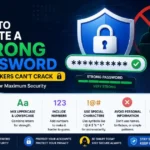
Passwords include:
- Uppercase letters
- Lowercase letters
- Numbers
- Symbols
Faster Setup
Generate secure passwords within seconds.
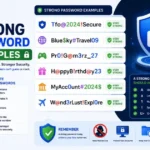
Examples of Unique Passwords
Email:
X#7mP@4vL!2kQ9Facebook:
T@8qN#3xR!5mW2Instagram:
K!9vL@2pQ#7xM4Amazon:
P#6mR@8xT!3qN2Each password is completely different.
This significantly improves security.
What About Remembering So Many Passwords?
This is the biggest concern most users have.
Fortunately, you don’t need to memorize dozens of passwords.
Options include:
Password Managers
Password managers can:
- Store passwords securely
- Autofill login forms
- Synchronize across devices
- Generate new passwords
Secure Storage Methods
Some users maintain encrypted password vaults.
The goal is to avoid memorizing every password manually.
Additional Security Tips
Using unique passwords is only part of a complete security strategy.
You should also:
Enable Multi-Factor Authentication
MFA adds an extra layer of protection.
Monitor Breach Notifications
Pay attention to breach alerts from websites and browsers.
Update Compromised Passwords Immediately
Don’t wait after learning about a breach.
Review Older Accounts
Many forgotten accounts still contain personal information.
Update or delete unused accounts when possible.
Who Needs Unique Passwords?
The simple answer:
Everyone.
Especially:
Students
Protect educational platforms and cloud storage.
Professionals
Protect work accounts and business systems.
Online Shoppers
Protect payment information.
Content Creators
Protect social media accounts.
Business Owners
Protect customer data and company resources.
The Cost of Ignoring Password Reuse
The consequences can include:
- Identity theft
- Financial losses
- Account takeovers
- Data breaches
- Reputation damage
- Business disruption
Most of these problems are preventable.
Building Better Password Habits
Good security doesn’t require technical expertise.
Start with simple improvements:
✔ Use a different password for every account.
✔ Generate strong passwords.
✔ Enable MFA.
✔ Update compromised passwords.
✔ Avoid predictable patterns.
These small changes can dramatically improve online security.

TechnoFirstOnline provides powerful free online tools, expert tutorials, and smart digital resources to simplify everyday tasks. Explore SEO, image, AI, PDF, and productivity tools designed for everyone.
Other Useful Tools





Password Generator
Open
People Also Read
NTLM Hsah vs MD5 vs SHA
decrypt md5 hash
password salting explained
php password hash guide
What Is a Password Hash Generator
SHA-1 vs SHA-256 vs SHA-512 comparison
what is bcrypt beginners guide
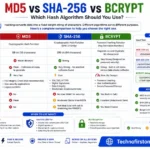
md5 vs sha256 vs bcrypt
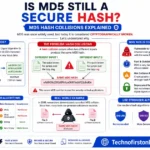
Is MD5 Still Secure Hash Collisions Explained
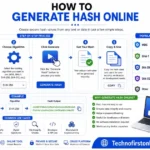
How Generate Hash Online
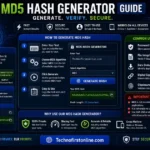
MD5 Hash Generator Online guide

WiFi QR Code Generator
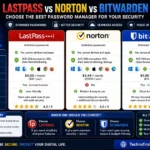
LastPass vs Norton vs Bitwarden
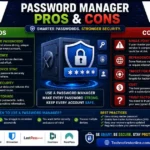
Password Manager Pros & Cons

16 Character Password Generator

What Makes a Password Strong
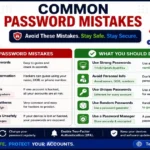
Common Password Mistakes
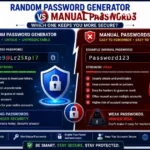
Random Password Generator vs Manual Passwords
Strong Password Examples
How to Create a Strong Password
The Cybersecurity & Infrastructure Security Agency (CISA) recommends using unique passwords for every account to reduce the impact of data breaches and credential stuffing attacks. Similarly, the National Cyber Security Centre (NCSC) advises users to avoid password reuse and consider using password managers to generate and store secure passwords.
Frequently Asked Questions
Using unique passwords prevents hackers from accessing multiple accounts if one password is exposed in a data breach.
Password reuse occurs when the same password is used across multiple websites, applications, or online accounts.
Credential stuffing is a cyberattack where attackers use stolen usernames and passwords from one website to attempt logins on other websites.
No. If one account is compromised, attackers may gain access to both accounts and use email recovery options to take over additional accounts.
A Password Generator creates strong, random, and unique passwords for every account, reducing the risk of password reuse.
Yes. Unique passwords significantly reduce security risks and limit damage if one account becomes compromised.
If you reuse passwords, attackers may use the leaked credentials to access your other accounts. Unique passwords help prevent this.
Ideally, every online account should have its own unique password.
Yes. Password managers help securely store and manage multiple unique passwords.
No. A strong password should also be unique. Even strong passwords become risky when reused across multiple accounts.