
Extract Pages from PDF
Extract specific pages into a separate PDF — fast, free, and 100% in your browser
0
Total Pages
0
Selected
0
Output Files
📄
Drop your PDF here
or click to browse
Max 200MB • PDF only
📗
—
—
⚙️ Extract Settings
Click pages on the right to select them, then extract.
Page Ranges
1-3 = pages 1 to 35 = only page 51-3, 7, 10-12 = multiple rangesHow many pages per output file?
1 = each page as a separate file2 = every 2 pages as one file5 = every 5 pages as one fileOUTPUT TYPE
Processing...
📑 Pages Preview
0 selected✅ Extracted Files Ready!

Extract Pages from PDF Online Free
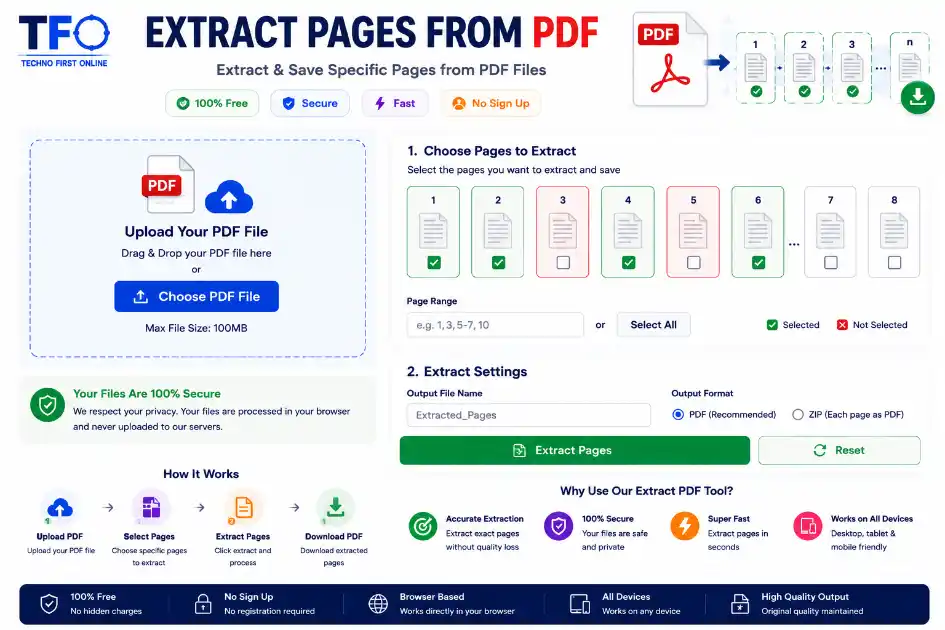
Quick Answer: To extract pages from a PDF online free, visit technofirstonline.com/extract-pages-from-pdf/, upload your source file, click on the preview thumbnails to select the specific pages you want to keep, hit the “Extract Pages” button, and download your newly compiled document instantly.
PDF Page Extractor
Managing document workflows smoothly is a big deal for digital businesses, web developers, content creators, academic researchers, and remote professionals. A lot of the time, when you’re dealing with massive e-books, corporate manuals, multi-page financial statements, or raw government records, you don’t actually need the whole file. Storing or handling heavy documents with hundreds of pages you don’t need just slows down your device and makes sharing files a pain.
With the Technofirstonline PDF Page Extractor, you can easily pull out the pages you need from a PDF right in your browser — completely free. No need to go through the hassle of installing desktop software, tweaking configurations, or filling out tedious signup forms. It’s built to make your file handling fast, safe, and totally stress-free.
Why Do You Need an Online PDF Page Extractor?
Isolating certain informational parts from a larger file is incredibly useful across various professional and personal documentation instances. Instead of dealing with heavy, bloated files, creating targeted micro-documents makes sorting information much simpler.
Isolating Crucial Business Data: Corporate slide decks and contracts contain confidential terms or unrelated department summaries. Extracting just the relevant invoice or statement sheets lets you share data precisely with clients.
Saving Academic Chapters: University students often download massive reference books spanning thousands of pages. Extracting the required reading chapters saves valuable smartphone or laptop local storage space.
Streamlining Web Uploads: Many government portals, recruitment dashboards, and legal applications enforce strict maximum upload file size boundaries. Extracting the required sheets keeps your file lightweight and ready for submission.
Creating Custom Project Reports: Freelancers and digital creators can easily combine distinct pages from separate source receipts to build neat, custom-tailored project files.
High-Performance Features of Our Page Extractor
Our premium online extraction platform is engineered from the ground up to offer enterprise-grade capabilities with a smooth, responsive, and minimalist user interface.
1. 100% Free with No Hidden Limits
Unlike popular commercial software alternatives that lock extraction features behind rigid premium paywalls, our extract page from a pdf tool is completely free. You can process your documentation files without dealing with watermarks, daily limits, or forced software upgrades.
2. Instant Visual Selection Matrix
As soon as your document drops into our cloud interface, it converts into a highly intuitive graphical thumbnail grid matrix. This lets you visually inspect the text structures or heading markers of every page, guaranteeing you select the exact contents you need.
3. Comprehensive Cross-Device Accessibility
The platform architecture relies purely on modern browser execution scripts. Whether you are running an open-source system on a workstation desktop, using an enterprise laptop, or handling documentation on a mobile smartphone, the tool adapts cleanly to your screen space.
4. Zero Footprint Secure Framework
We enforce a strict privacy policy regarding your private financial summaries, legal forms, and creative drafts. All server communication loops are hardened with secure data encryption layers. Our platform executes a total server wipe script every hour, purging all raw uploads completely.
How to Extract Pages from PDF Online for Free (Step-by-Step)
Extracting precise sections out of a document takes less than a minute using our tool. Follow these simple manual steps:
Select Document: Click the upload console element or drag your source file directly onto Technofirstonline.
Inspect Page Thumbnails: Allow our cloud engine a quick moment to securely map the document data and render the visual grid.
Choose Target Range: Click on the page thumbnails you wish to pull out. You can choose independent pages scattered across different parts of the file.
Trigger Extraction: Click the prominent “Extract Pages” action element to let the cloud scripts separate and rebuild your new document layout.
Save Your File: Hit the download button to pull the new, clean document directly into your local storage archive instantly.
Advanced Editing Scenarios: Handling Complex Layout Tree Operations
A common issue when dealing with document compilation is maintaining formatting integrity across multi-layered data trees. Our engine solves these anomalies through advanced processing techniques.
Extract Page From PDF Document Without Font Degradation
When traditional basic web tools extract page of pdf elements, they often rasterize text matrices into pixelated image layouts. This breaks internal hyperlinks, de-synchronizes tabular data sheets, and leaves text unselectable. Our infrastructure retains original vector properties perfectly, keeping text fully searchable.
High-Volume Extraction and File Splitting Actions
If you are wondering how to extract pages from pdf online systematically while working with complex multi-range patterns, our layout selection engine provides seamless fluidity. You can toggle diverse sections simultaneously without triggering processing crashes or memory leaks in your browser.
System Extensions vs. Technofirstonline Extract Pages from PDF Tool
Many modern power users rely on the native “Print to PDF” tricks available inside Microsoft Edge or Google Chrome to isolate page layouts. While this works for simple text layers, a head-to-head comparison reveals severe technical limitations:
| Extraction Attribute | Browser “Print to PDF” Method | Technofirstonline Online Tool |
| Hyperlink Security | Destroys all embedded clickable links | Retains 100% active internal/external hyperlinks |
| Interactive Previews | Tiny, non-selectable print dialog window | Fully interactive layout thumbnail preview grid |
| File Optimization | Often results in massive, unoptimized file sizes | Naturally compresses and trims unnecessary file bloat |
| Form Fields Maintenance | Flattens interactive elements completely | Preserves fillable form field parameters safely |
| Mobile System Performance | Extremely hard to execute on mobile browsers | Fully responsive design for seamless mobile usage |
Understanding the Core Architecture of PDF Objects Manipulation
Our platform uses smart extraction libraries that gently duplicate the specific content nodes you select while preserving the core document catalog hierarchy. This structural safety ensures that the final compact document is fully compatible with all premium corporate readers, enterprise printing devices, and automated search engine optimization crawlers.
People Also Read
No posts found in this category.

decrypt md5 hash
password salting explained
php password hash guide
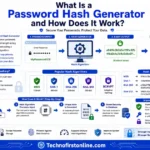
What Is a Password Hash Generator

SHA-1 vs SHA-256 vs SHA-512 comparison

what is bcrypt beginners guide

md5 vs sha256 vs bcrypt
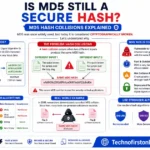
Is MD5 Still Secure Hash Collisions Explained
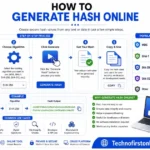
How Generate Hash Online
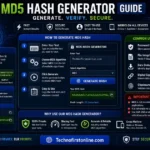
MD5 Hash Generator Online guide

WiFi QR Code Generator

LastPass vs Norton vs Bitwarden

Password Manager Pros & Cons

16 Character Password Generator

What Makes a Password Strong

Different Password for Every Website
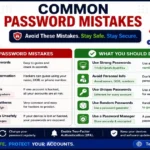
Common Password Mistakes

Random Password Generator vs Manual Passwords

Strong Password Examples

How to Create a Strong Password
Other Useful Tools







Frequently Asked Questions
You can use the Technofirstonline PDF Page Extractor to upload your source document, visually click on the page previews you want to separate, and save the extracted pages as a new file instantly without paying any subscription fees.
Yes, file protection is a fundamental component of our system design. All document transmission channels are fully guarded by end-to-end SSL encryption layers. Our hosting servers automatically delete all user files within an hour of processing to guarantee privacy.
Absolutely. Our advanced grid selection system allows you to select non-sequential pages from different parts of a large document and combine them smoothly into one newly extracted PDF file with a single click.
Yes. Our cloud tool does not re-encode your text layouts or compress your file data destructively. Every single hyperlink, custom font file, tabular property, and vector graphics shape remains identical to your original source asset.
Yes, the web application features a fully responsive layout framework. It runs smoothly on all mobile platforms, including iOS and Android devices, using any standard mobile browser without needing external app downloads.
According to the open source parameters documented within the ISO Standard for PDF Development, a PDF is essentially a sophisticated database structure of interconnected content nodes, vector stream values, and font metrics. Primitive extraction tools try to force-split this binary block, causing character corruption and visual displacement errors.
Extract Pages from PDF Online Free – PDF Page Extractor #1
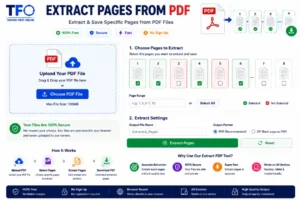
Extract pages from PDF online free using Technofirstonline PDF Page Extractor. Separate specific PDF pages, extract layout ranges instantly
Price Currency: $
Operating System: All
Application Category: Utilities Application