
Password Generator
Strength: Medium

Free Password Generator Online
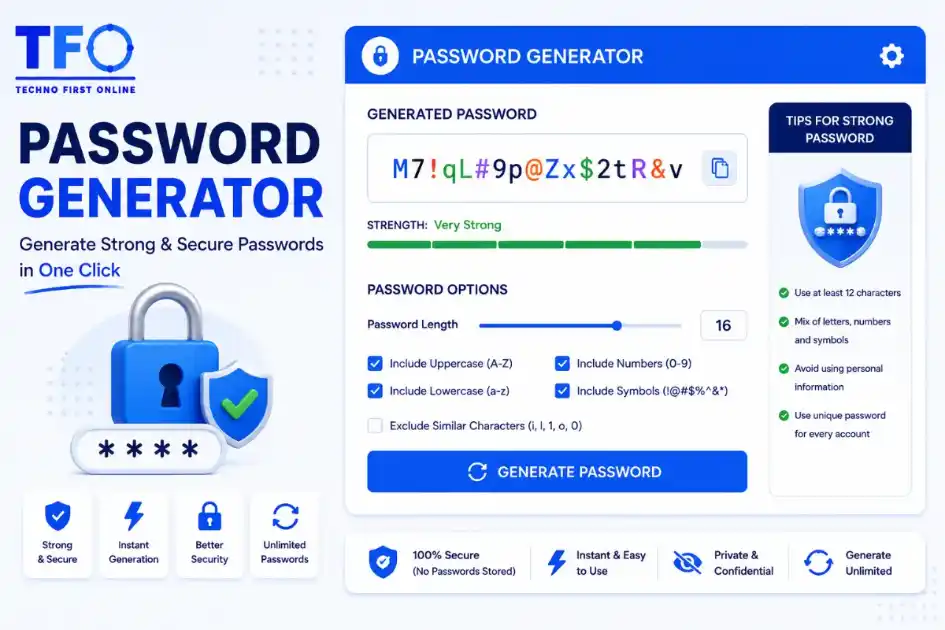
A Password Generator is a free online tool that creates strong, secure, and random passwords instantly. It combines uppercase letters, lowercase letters, numbers, and special characters to generate passwords that are difficult to guess or crack. Using a Secure Password Generator helps protect your online accounts from hacking attempts, data breaches, and unauthorized access.
Create Strong & Secure Passwords Instantly
In today’s digital world, passwords are the first line of defense for your online accounts. Whether you’re signing up for social media, online banking, email services, cloud storage, or business platforms, using a weak password can put your personal and professional information at risk. That’s why a Password Generator has become an essential tool for every internet user.
Our Free Password Generator Online helps you create strong, secure, and random passwords within seconds. Instead of using predictable passwords such as your name, date of birth, or simple number combinations, this tool generates highly secure passwords that are difficult to guess or crack. Whether you’re looking for a Random Password Generator, Secure Password Generator, or Strong Password Generator, this tool provides everything you need to improve your online security.
Why Strong Passwords Matter More Than Ever
Cyber threats are increasing every year. Hackers use advanced techniques such as:
- Brute-force attacks
- Dictionary attacks
- Credential stuffing
- Phishing scams
- Password leaks and data breaches
If your password is weak, cybercriminals can gain unauthorized access to your accounts within minutes.
A strong password significantly reduces the risk of:
- Identity theft
- Financial fraud
- Account hacking
- Data loss
- Unauthorized access
Using a Strong Password Generator ensures that your passwords contain a complex mix of letters, numbers, and special characters that are difficult to predict.
What Is a Password Generator?
A Password Generator is an online tool that automatically creates random and secure passwords based on selected criteria.
Instead of manually creating passwords, users can generate passwords with:
- Uppercase letters (A-Z)
- Lowercase letters (a-z)
- Numbers (0-9)
- Special characters (!@#$%^&*)
The result is a highly secure password that offers much better protection than common passwords chosen by users.
Our tool acts as a reliable Password Creator that generates unique passwords instantly without storing or sharing your information.
Benefits of Using a Random Password Generator
1. Enhanced Security
A Random Password Generator creates passwords that are difficult for hackers to predict.
For example:
Weak Password:
john123Strong Password:
G#7mP!2xQ@9LzThe second password is significantly more secure because it contains random combinations of letters, numbers, and symbols.
2. Faster Password Creation
Creating unique passwords manually can be time-consuming.
With our Password Generator Online, you can generate secure passwords instantly without any effort.
3. Reduced Risk of Password Reuse
Many people use the same password across multiple websites.
If one website experiences a data breach, all accounts using the same password become vulnerable.
A Random Password Creator helps generate unique passwords for every account.
4. Protection Against Automated Attacks
Modern hacking tools can test millions of password combinations per second.
Using a Secure Password Generator makes brute-force attacks far less effective.
5. Improved Privacy
Strong passwords help protect:
- Email accounts
- Social media profiles
- Banking accounts
- Shopping websites
- Business systems
- Cloud storage
Features of Our Secure Password Generator
Our tool is designed to provide maximum security while remaining easy to use.
Custom Password Length
Choose your preferred password length based on your security requirements.
Popular options include:
- 8-character passwords
- 12-character passwords
- 16-character passwords
- 20+ character passwords
Many security experts recommend using a 16 Character Password Generator for enhanced protection.
Uppercase and Lowercase Letters
Include a combination of:
ABCDEFGHIJKLMNOPQRSTUVWXYZ
abcdefghijklmnopqrstuvwxyz
This increases password complexity and improves security.
Numbers
Adding numbers makes passwords harder to crack.
Example:
Abc123XyzSymbols and Special Characters
Special characters significantly increase password strength.
Examples:
! @ # $ % ^ & * ( )A strong password often combines letters, numbers, and symbols.
One-Click Copy
After generating a password, simply click the copy button to use it anywhere.
Browser-Based Security
Unlike some online services, our tool works directly in your browser.
Benefits include:
- No server processing
- No password storage
- Faster performance
- Better privacy
Your generated passwords never leave your device.
How to Use the Password Generator
Using our Password Generator Online is simple.
Just Open Password Generator Tool
Step 1
Select your desired password length.
Step 2
Choose which character types to include:
- Uppercase letters
- Lowercase letters
- Numbers
- Symbols
Step 3
Click the Generate Password button.
Step 4
Copy the generated password and use it for your account.
The entire process takes only a few seconds.
What Makes a Strong Password?
A strong password should have the following characteristics:
Length
Longer passwords are generally more secure.
Recommended:
12-16 characters minimumComplexity
Use a mixture of:
- Uppercase letters
- Lowercase letters
- Numbers
- Symbols
Unpredictability
Avoid using:
- Your name
- Birthdate
- Phone number
- Family member names
- Common words
Uniqueness
Use a different password for every website and application.
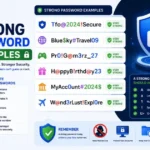
Examples of Strong Passwords
Here are some examples generated by a Strong Password Generator:
X#8nL@3pW!7kQ9T$zQ2!vL8@rPM@5xJ#2qR!9sYK!7aP@4mZ#9xLThese passwords are much more secure than commonly used passwords like:
password123or
12345678Why 16 Character Passwords Are Recommended
Many cybersecurity experts recommend using at least 16 characters.
Benefits of a 16 Character Password Generator include:
- Higher entropy
- Greater resistance to brute-force attacks
- Better compliance with security standards
- Stronger protection for sensitive accounts
A 16-character password is significantly more secure than an 8-character password.
Password Security Best Practices
Generating a strong password is only the first step.
Follow these best practices:
Use a Password Manager
Password managers help store complex passwords securely.
Enable Two-Factor Authentication (2FA)
2FA adds an extra layer of protection.
Even if someone obtains your password, they cannot access your account without verification.
Update Passwords Regularly
Change passwords periodically for important accounts.
Especially:
- Banking accounts
- Business accounts
- Email accounts
Never Share Passwords
Avoid sending passwords through:
- SMS
- Social media messages
Avoid Public Computers
Do not save passwords on public or shared devices.
Common Password Mistakes to Avoid
Many users unknowingly create weak passwords.
Avoid:
❌ password123
❌ qwerty
❌ admin123
❌ abc123
❌ iloveyou
❌ 123456789
These passwords are among the first combinations hackers attempt.
Who Should Use a Password Generator?
A Password Creator Tool is useful for everyone, including:
Students
Protect educational accounts and cloud storage.
Professionals
Secure work emails and business platforms.
Business Owners
Protect customer data and company systems.
Online Shoppers
Secure eCommerce accounts and payment information.
Content Creators
Protect social media and monetization accounts.
Why Use Our Password Generator Tool?
Our Free Password Generator Online offers several advantages:
✔ Completely free
✔ No registration required
✔ Browser-based operation
✔ Fast password generation
✔ Mobile-friendly design
✔ Strong password creation
✔ Privacy-focused approach
✔ Easy copy functionality
✔ Custom password length
✔ Secure random generation
Whether you need a Random Password Generator, Password Creator, or Secure Password Generator, our tool delivers a fast and reliable solution.
People Also Read
No posts found in this category.
decrypt md5 hash
password salting explained
php password hash guide
What Is a Password Hash Generator
SHA-1 vs SHA-256 vs SHA-512 comparison
what is bcrypt beginners guide
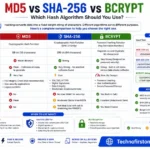
md5 vs sha256 vs bcrypt
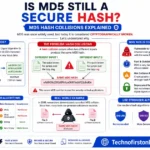
Is MD5 Still Secure Hash Collisions Explained
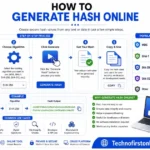
How Generate Hash Online
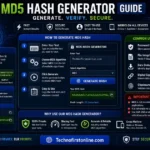
MD5 Hash Generator Online guide

WiFi QR Code Generator
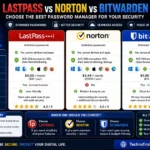
LastPass vs Norton vs Bitwarden
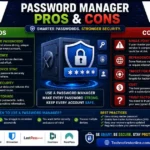
Password Manager Pros & Cons

16 Character Password Generator

What Makes a Password Strong
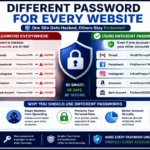
Different Password for Every Website
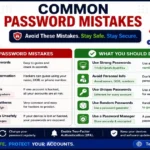
Common Password Mistakes
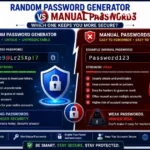
Random Password Generator vs Manual Passwords
Strong Password Examples
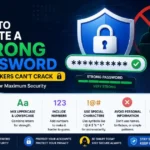
How to Create a Strong Password
Other Useful Tools





Frequently Asked Questions
A Password Generator is an online tool that creates random, secure, and strong passwords using a combination of letters, numbers, and special characters. It helps users improve account security and reduce the risk of hacking.
Yes, our Password Generator is completely free to use. You can generate unlimited secure passwords without registration or subscription fees.
A Random Password Generator automatically combines uppercase letters, lowercase letters, numbers, and symbols to create unique and unpredictable passwords that are difficult to guess.
A strong password typically contains at least 12–16 characters and includes a mix of uppercase letters, lowercase letters, numbers, and special characters. It should avoid common words and personal information.
Yes, a 16-character password is highly secure and significantly more resistant to brute-force attacks than shorter passwords. Cybersecurity experts often recommend using passwords with 16 or more characters.
No. This tool works entirely in your browser and does not store, save, or transmit your generated passwords to any server.
Yes. You can select your preferred password length and choose whether to include uppercase letters, lowercase letters, numbers, and special characters.
Using unique passwords for each account prevents hackers from accessing multiple accounts if one password becomes compromised during a data breach.
Yes. Passwords created by this Strong Password Generator are suitable for email accounts, banking services, business platforms, social media, cloud storage, and other sensitive accounts.
Yes. Since the password generation process happens locally in your browser, your passwords remain private and are never stored on external servers.
According to cybersecurity recommendations from CISA (Cybersecurity & Infrastructure Security Agency) and the Federal Trade Commission (FTC), using long, unique, and complex passwords is one of the most effective ways to protect online accounts from cyber threats. Security experts recommend creating passwords with a combination of uppercase letters, lowercase letters, numbers, and special characters while avoiding common words, names, or predictable patterns. A reliable Password Generator can help users create secure passwords that significantly reduce the risk of unauthorized access and data breaches.
Free Password Generator Online – Create Secure Passwords #1
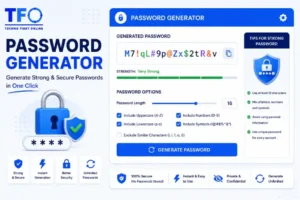
Generate strong, secure and random passwords instantly with our free Password Generator Tool. Create custom passwords No signup required.
Price Currency: $
Operating System: All
Application Category: Utilities Application