Smart IT tools
Random Password Generator vs Manual Passwords
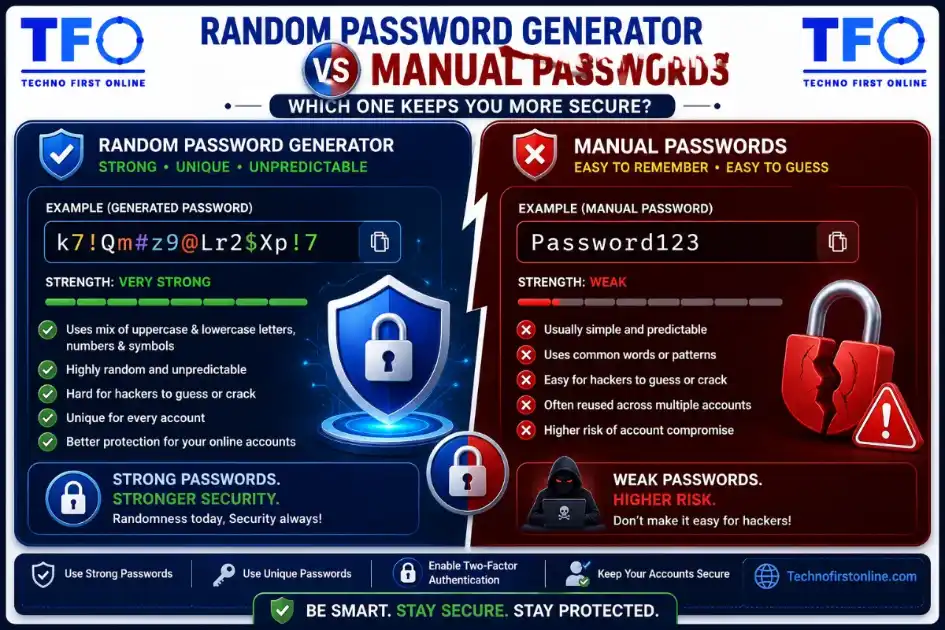
Yes, a Random Password Generator is generally safer than manually created passwords because it generates unique, unpredictable combinations of letters, numbers, and special characters. Most manually created passwords contain patterns, personal information, or common words that hackers can easily guess. Using a Secure Password Generator helps create stronger passwords that are more resistant to brute-force attacks, credential stuffing, and password-cracking tools.
Should you create passwords manually
Passwords are one of the most important components of online security. Whether you’re logging into your email, accessing online banking, managing social media accounts, or using cloud storage, your password acts as the first line of defense against unauthorized access.
Despite increasing awareness about cybersecurity, millions of users still rely on manually created passwords such as “Password1234,” “Welcome2027,” or personal information like birthdays and names. While these passwords may be easy to remember, they are often easy for hackers to crack.
This raises an important question: Should you create passwords manually, or should you use a Random Password Generator?
In this comprehensive guide, we’ll compare Random Password Generators vs Manual Passwords, examine their strengths and weaknesses, and determine which option offers better protection in today’s cyber threat landscape.
If you’re serious about online security, this article will help you make smarter decisions about password creation and management.
Understanding Password Security
Before comparing password generation methods, it’s important to understand why passwords matter.
Every online account contains valuable information.
Examples include:
- Email accounts
- Social media profiles
- Banking accounts
- Shopping websites
- Cloud storage
- Business applications
- Government portals
When passwords are weak, attackers can gain unauthorized access to these accounts and misuse personal information.
Strong passwords significantly reduce this risk.
What Is a Manual Password?
A manual password is a password created by a person without using any automated password-generation tool.
Examples include:
Rahul123MyDog2026Welcome@123DelhiIndia1Most users prefer manual passwords because they are easier to remember.
However, convenience often comes at the expense of security.
What Is a Random Password Generator?
A Random Password Generator is a tool that automatically creates passwords using random combinations of:
- Uppercase letters
- Lowercase letters
- Numbers
- Special characters
Example generated passwords:
T#7mQ@9xL!2vR8P@4zN#8mK!6xW2Y!5qL@7tR#2xP9Because these passwords are randomly generated, they are far less predictable than manually created passwords.
A Strong Password Generator helps eliminate common password weaknesses and improves overall security.
Why Most Manual Passwords Are Weak
People naturally create passwords they can remember.
The problem is that memorable passwords often contain predictable patterns.
Examples include:
Personal Names
Amit123Birth Years
Rahul1995Pet Names
Tommy2026Common Words
Password123Keyboard Patterns
Qwerty123Hackers know these habits and actively exploit them.
How Hackers Guess Manual Passwords
Cybercriminals don’t randomly guess passwords.
Instead, they use sophisticated techniques based on human behavior.
Dictionary Attacks
Hackers maintain databases containing millions of common words and passwords.
Examples include:
- password
- admin
- welcome
- football
- sunshine
Passwords based on dictionary words are extremely vulnerable.
Brute-Force Attacks
Brute-force tools automatically test millions of password combinations.
Short and predictable passwords can often be cracked quickly.
Social Engineering
Hackers collect publicly available information from:
- Public records
This information helps them guess manually created passwords.
Credential Stuffing
When one website experiences a breach, hackers use stolen credentials on other platforms.
If you reuse passwords, multiple accounts become vulnerable.
Why Random Password Generators Are More Secure
Unlike humans, password generators don’t create predictable patterns.
Every generated password is designed to maximize complexity and randomness.
This creates several advantages.
Advantage 1: True Randomness
Humans tend to think in patterns.
Password generators do not.
Generated passwords contain combinations that would rarely be chosen manually.
Example:
G#8vT@4xP!7mQ2There is no meaningful pattern to exploit.
Advantage 2: Higher Complexity
A Secure Password Generator automatically combines:
- Uppercase letters
- Lowercase letters
- Numbers
- Symbols
Manual passwords often lack this level of complexity.
Advantage 3: Better Protection Against Brute Force
Long random passwords dramatically increase the number of possible combinations.
For example:
Password123is much easier to crack than:
X#9mQ@7vL!3kR8Advantage 4: Unique Passwords for Every Account
One of the biggest security mistakes is password reuse.
A Random Password Generator makes it easy to create unique passwords for:
- Gmail
- Amazon
- Banking apps
This limits damage if one account becomes compromised.
Comparing Random Password Generators and Manual Passwords
Security
Manual Passwords
Pros:
- Easy to remember
Cons:
- Predictable
- Often based on personal information
- Vulnerable to attacks
Winner:
✅ Random Password Generator
Complexity
Manual Passwords
Most users create passwords that are simpler than recommended.
Generated Passwords
Automatically include multiple character types.
Winner:
✅ Random Password Generator
Uniqueness
Manual Passwords
Users frequently reuse passwords.
Generated Passwords
Each password can be completely unique.
Winner:
✅ Random Password Generator
Resistance to Hacking
Manual Passwords
Often vulnerable to guessing and dictionary attacks.
Generated Passwords
Far more resistant to automated attacks.
Winner:
✅ Random Password Generator
Convenience
Manual Passwords
Easier to memorize.
Generated Passwords
May require a password manager.
Winner:
✅ Manual Passwords
Are Manual Passwords Always Bad?
Not necessarily.
A manually created password can still be secure if it follows best practices.
For example:
Blue!Tiger#River7CloudThis password is:
- Long
- Unique
- Complex
However, most users do not naturally create passwords this strong.
This is why password generators are generally recommended.
What Makes a Password Truly Strong?
Whether generated manually or automatically, a strong password should have:
Length
At least:
12–16 charactersComplexity
Include:
- Uppercase letters
- Lowercase letters
- Numbers
- Symbols
Randomness
Avoid predictable patterns.
Uniqueness
Use a different password for every account.
The Role of a Password Generator in Modern Security
Cybersecurity experts increasingly recommend password generators because they eliminate human weaknesses.
Benefits include:
Faster Password Creation
Generate secure passwords instantly.
Better Security
Automatically follows password best practices.
Reduced Human Error
No reliance on memory-based patterns.
Unlimited Unique Passwords
Generate a different password for every website.
Why Password Managers Work Well with Password Generators
Some users worry that generated passwords are difficult to remember.
This is where password managers become useful.
Password managers can:
- Store passwords securely
- Autofill login forms
- Synchronize across devices
- Generate new passwords
This combination provides both convenience and security.
Common Myths About Random Password Generators
Myth 1: Generated Passwords Are Too Complicated
Complexity is actually what makes them secure.
Password managers solve memorization challenges.
Myth 2: Manual Passwords Are Always Safer
In reality, most manually created passwords are predictable.
Myth 3: Short Passwords Are Good Enough
Longer passwords provide significantly better protection.
Myth 4: Password Generators Store My Passwords
Many browser-based password generators work locally and never save generated passwords.
Best Practices for Password Security
Regardless of how passwords are created, follow these recommendations:
Use Long Passwords
Aim for at least 16 characters whenever possible.
Enable Two-Factor Authentication
2FA adds an additional layer of protection.
Never Reuse Passwords
Use unique credentials for every account.
Change Compromised Passwords Immediately
Update passwords whenever breaches occur.
Use a Reliable Password Generator
Generate strong passwords instead of relying on guesswork.
How Our Password Generator Helps
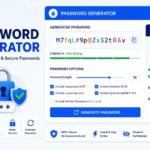
Our free Password Generator Online allows users to create highly secure passwords instantly.
Features include:
✔ Random password generation
✔ Custom password length
✔ Numbers and symbols
✔ Uppercase and lowercase letters
✔ Browser-based processing
✔ No registration required
✔ Mobile-friendly design
✔ One-click copy functionality
Because the tool operates directly within your browser, generated passwords remain private and are never stored on external servers.
Which Is Safer: Random Password Generator or Manual Passwords?
After comparing both approaches, the answer is clear.
While manually created passwords can be secure when properly designed, most people unintentionally create predictable passwords that hackers can exploit.
A Random Password Generator removes these weaknesses by creating passwords that are:
- Longer
- More random
- More complex
- More unique
For most users, generated passwords provide significantly stronger protection than manually created alternatives.

TechnoFirstOnline provides powerful free online tools, expert tutorials, and smart digital resources to simplify everyday tasks. Explore SEO, image, AI, PDF, and productivity tools designed for everyone.
Other Useful Tools





Password Generator
Open
People Also Read

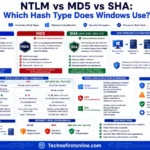
NTLM Hsah vs MD5 vs SHA
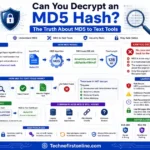
decrypt md5 hash
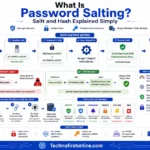
password salting explained
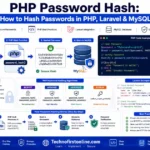
php password hash guide
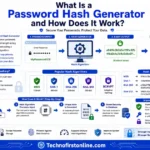
What Is a Password Hash Generator
SHA-1 vs SHA-256 vs SHA-512 comparison
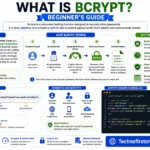
what is bcrypt beginners guide
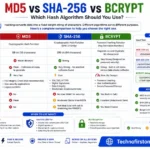
md5 vs sha256 vs bcrypt
Is MD5 Still Secure Hash Collisions Explained
How Generate Hash Online
MD5 Hash Generator Online guide

WiFi QR Code Generator
LastPass vs Norton vs Bitwarden
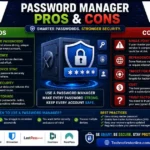
Password Manager Pros & Cons

16 Character Password Generator

What Makes a Password Strong
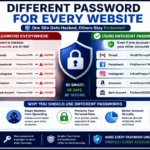
Different Password for Every Website
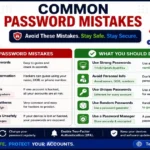
Common Password Mistakes
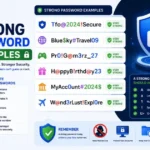
Strong Password Examples
How to Create a Strong Password
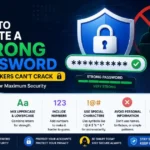
According to the Cybersecurity & Infrastructure Security Agency (CISA), users should create long, unique passwords for every account and avoid password reuse. The UK National Cyber Security Centre (NCSC) recommends using password managers and randomly generated passwords because they are significantly harder for attackers to guess or crack. Following these best practices can greatly reduce the risk of account compromise and identity theft.
Frequently Asked Questions
A Random Password Generator is a tool that automatically creates secure and unpredictable passwords using a combination of uppercase letters, lowercase letters, numbers, and special characters.
Yes. Randomly generated passwords are generally more secure because they avoid predictable patterns, personal information, and common words that hackers often target.
Many manually created passwords contain names, birthdays, common phrases, or keyboard patterns that can be guessed through dictionary attacks, brute-force attacks, or social engineering techniques.
A strong generated password typically includes a mix of uppercase letters, lowercase letters, numbers, special characters, and sufficient length, usually 12–16 characters or more.
While no password is completely impossible to crack, long and complex randomly generated passwords are significantly harder and more time-consuming for hackers to break.
Yes. Using unique passwords for each account helps prevent attackers from gaining access to multiple accounts if one password becomes compromised.
Yes. A 16-character password is considered highly secure and provides much stronger protection against brute-force attacks than shorter passwords.
Most browser-based Password Generators create passwords locally on your device and do not save or transmit your passwords to external servers.
Random passwords can be difficult to remember, which is why many security experts recommend using a password manager to store them securely.
Should I use two-factor authentication with strong passwords?