
Fancy Text Generator
Type your text below and get 30+ stylish fonts for Instagram, WhatsApp, Facebook, and gaming names. Tap Copy to use.







Fancy Text Generator
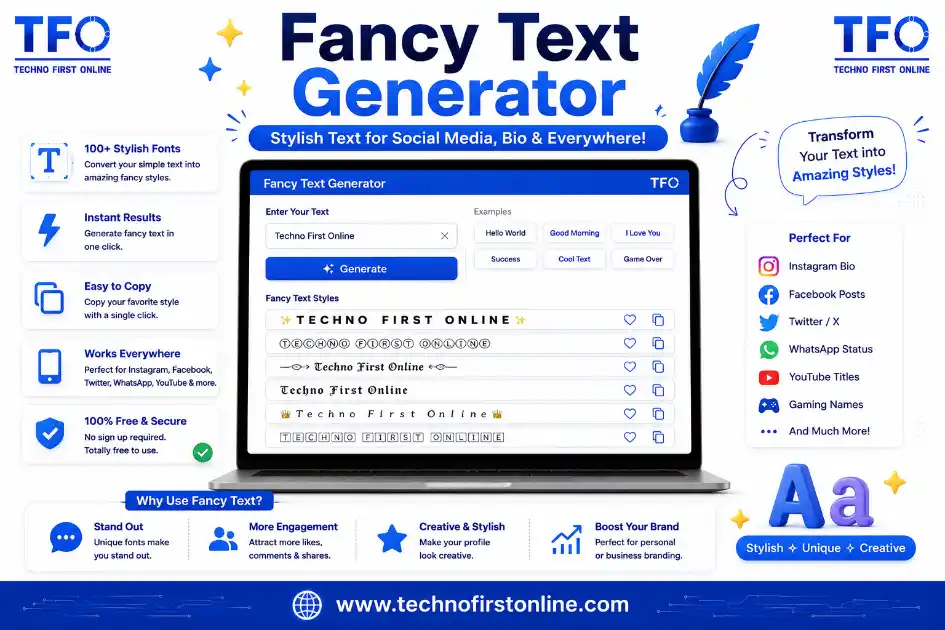
A Fancy Text Generator is a free online tool that converts normal text into stylish Unicode fonts. Simply enter your text, choose from dozens of fancy font styles, and copy your favorite design with one click. The generated text works on Instagram, Facebook, WhatsApp, Discord, X (Twitter), TikTok, YouTube, gaming usernames, and many other platforms without requiring any software installation.
Free Online Tool to Create Stylish Fonts Instantly
If you have ever come across a beautiful, eye-catching bio on Instagram or a stylish nickname in a mobile game and wondered how people create that text, the answer is simple — they used a Fancy Text Generator. This free online tool lets you turn plain, boring text into stunning stylish fonts that you can copy and paste anywhere, without installing any app or software.
Whether you want to make your Instagram bio stand out, create a unique WhatsApp status, design a catchy Facebook post, or pick a cool gaming username, a Fancy Text Generator gives you dozens of font styles in seconds. In this guide, we will explain what this tool actually does, how it works, where you can use it, and why it has become one of the most searched tools among social media users, content creators, and gamers.
What Is a Fancy Text Generator?
A Fancy Text Generator is an online utility that converts your normal text into decorative Unicode text styles. It does not use images or custom fonts that only work on one platform. Instead, it relies on special Unicode characters that are already built into almost every device, browser, and app. This means the stylish text you generate will display correctly on Instagram, Facebook, WhatsApp, Twitter (X), Telegram, Discord, YouTube, TikTok, and even in your phone’s contact list or file names.
In simple words, you type your normal text once, and the tool instantly shows that same text rewritten in dozens of different styles — bold, italic, cursive, gothic, bubble letters, circled letters, upside down, strikethrough, and many more. You just pick the style you like and copy it with a single click.
If you often work with online text tools, you may also find our Case Converter Tool useful. It lets you quickly change text into uppercase, lowercase, sentence case, or title case before converting it into stylish Unicode fonts.
Why Do People Search for a Fancy Text Generator?
Social media has become extremely visual, and everyone wants their profile, bio, captions, and usernames to look different from the crowd. A plain username like “Rahul123” does not grab attention, but a stylish version like 𝓡𝓪𝓱𝓾𝓵 or ᏒᎯᏂᏬᏝ instantly stands out in a comment section or a leaderboard. This is exactly why so many people search for a Fancy Text Generator every single day — they want their online identity to feel personal, creative, and memorable.
Content creators, influencers, small business owners, students, and gamers are the biggest users of this tool. It helps them save time because manually finding and typing special Unicode characters is nearly impossible without a converter.
Key Features of This Fancy Text Generator
Our Fancy Text Generator has been built keeping real user needs in mind, and it comes packed with practical features that make text styling fast and easy.
1. 25+ unique font styles From bold, italic, and bold italic to script, gothic, double-struck, monospace, circled letters, squared letters, small caps, and more — you get a huge variety of styles generated from a single input.
2. Real-time live preview As soon as you start typing, every style updates instantly on the screen. There is no need to click a “generate” button and wait — the results appear as you type.
3. One-click copy Every style comes with its own copy button. Tap it once, and the styled text is copied to your clipboard, ready to paste anywhere.
4. Built-in search filter If you already know the style you want, such as “bold” or “circled,” you can simply search for it and the tool will filter the list instantly instead of making you scroll through everything.
5. Works on mobile and desktop The tool is fully responsive, which means it works smoothly whether you are using a mobile phone, tablet, or desktop computer.
6. No sign-up, no downloads There is no need to create an account, install a font, or download any app. Everything runs directly inside your browser.
7. 100% free to use You can generate unlimited stylish text as many times as you want, completely free of cost.
8. Safe and private Since the entire process happens on the client side inside your browser, your text is never sent to or stored on any server.
Need to check the length of your content before posting it online? Try our Word Counter Tool to instantly count words, characters, sentences, and paragraphs. It’s especially helpful for social media captions, blog writing, and SEO content.
How to Use the Fancy Text Generator
Using this tool is extremely simple, even if you have never used a text styling tool before. Here is a quick step-by-step process:
- Open the Fancy Text Generator tool on this page.
- Type or paste the text you want to style into the input box — this could be your name, a bio, a caption, or a username.
- Scroll down and instantly see your text transformed into 25+ different fancy styles.
- Use the search box if you are looking for a specific style, such as “italic” or “fullwidth.”
- Click the “Copy” button next to the style you like the most.
- Paste the copied text into Instagram, Facebook, WhatsApp, a game, or anywhere else you want.
That’s it. No technical knowledge is required, and the entire process takes just a few seconds.
If you’re creating a website, blog, or social profile, you may also want to generate SEO-friendly URLs. Our Slug Generator helps you convert titles into clean, search-engine-friendly slugs within seconds.
Where Can You Use Fancy Text?
One of the biggest reasons this tool has become so popular is because stylish text can be used almost everywhere online. Here are some of the most common places people use a Fancy Text Generator.
Instagram bio and captions — A stylish bio helps your profile look more polished and personal, and it can make your captions stand out in a crowded feed.
Facebook posts and profile names — Many users style their Facebook name or use decorative text in posts to grab more attention and engagement.
WhatsApp status and about section — A creative WhatsApp status written in fancy fonts feels more personal than plain text.
Twitter (X) bio and tweets — Since character space is limited, a unique font style can help a bio or tweet feel more distinctive.
YouTube channel names and video titles — Content creators often use styled text in their channel name or titles to make their brand more recognizable.
Gaming usernames — PUBG, Free Fire, Call of Duty, Minecraft, and Roblox players commonly use fancy fonts to create unique in-game names that stand out on leaderboards.
Discord and Telegram — Community admins and members use styled text for channel names, roles, and pinned messages.
Business cards, resumes, and posters (digital) — Small business owners sometimes use subtle styled text for digital designs when a graphic design tool is not handy.
Planning to share your stylish text through links or printed materials? Our QR Code Generator lets you convert URLs, text, or contact details into QR codes that can be scanned on any modern smartphone.
Popular Font Styles Explained
While the tool offers a long list of styles, a few of them are especially popular among users, and it helps to understand what makes each one unique.
Bold text gives your words extra weight and visual strength, perfect for emphasizing a name or a keyword in a bio.
Italic and bold italic text adds a slanted, elegant look that works well for quotes or captions.
Script and cursive-style text mimics handwriting and gives a soft, personal, artistic feel — commonly used for names and signatures.
Gothic or fraktur-style text has a bold, medieval look that is popular among gamers who want a strong, dramatic username.
Double-struck text, which looks like hollow or outlined letters, is often used for a clean, minimal aesthetic.
Circled and squared letters wrap each character inside a circle or square shape, giving a badge-like or stamped appearance.
Small caps keeps the text readable while giving it a slightly formal, refined look — great for professional-sounding bios.
Upside down text flips your entire sentence, which is a fun novelty style often used just to surprise or amuse followers.
Strikethrough and underline text are useful for social captions when you want to show a “crossed out” joke or emphasize a specific word.
Trying out a few different styles for the same word or name usually helps you quickly figure out which one matches your personality or brand the best.
When creating online accounts, it’s important to use secure passwords along with unique usernames. Our Password Generator helps you create strong, random passwords to keep your accounts safe.
Why Use Our Fancy Text Generator?
Our Fancy Text Generator is designed to make creating stylish text quick, simple, and accessible for everyone. Whether you want to enhance your social media profile, create a unique gaming nickname, or add a creative touch to your messages, this tool delivers instant results without any technical knowledge. Everything works directly in your browser, ensuring a fast, secure, and hassle-free experience.
Benefits of Using Our Fancy Text Generator
✔ 100% Free Forever
Generate unlimited stylish text without paying any subscription fees or creating an account.
✔ Works Directly in Your Browser
No software installation or app download is required. Simply type your text and generate fancy fonts instantly.
✔ Privacy First
Your text never leaves your device. All conversions happen locally in your browser, keeping your information private and secure.
✔ Instant Live Preview
See your text transform into multiple stylish Unicode fonts as you type, without waiting for the page to reload.
✔ One-Click Copy
Every generated style includes a convenient copy button, making it easy to paste your favorite text into Instagram, Facebook, WhatsApp, Discord, X (Twitter), TikTok, YouTube, and more.
✔ Wide Range of Stylish Fonts
Choose from dozens of Unicode font styles, including bold, italic, cursive, gothic, bubble, circled, squared, small caps, and many more.
✔ Works on Mobile & Desktop
The responsive design ensures a smooth experience across smartphones, tablets, laptops, and desktop computers.
✔ Fast & Lightweight
Since the tool is completely browser-based, it loads quickly and provides instant results without putting any load on our servers.
✔ No Registration Required
Start generating stylish text immediately—there’s no need to sign up, verify your email, or share personal information.
✔ Regularly Updated
We continuously improve the tool by adding new Unicode font styles, enhancing compatibility, and optimizing performance for a better user experience.
Developers and website owners may also find our Hash Generator useful for creating MD5, SHA-1, SHA-256, and SHA-512 hashes for testing, verification, and security-related tasks.
People Also Read

keyword density myths

keyword density checker chrome extension

website keyword density

Best free keyword density checker tools

Ideal Keyword Density
keyword density analyzer

Keyword Stuffing Checker

Keyword Density Calculator

How to Check Keyword Density
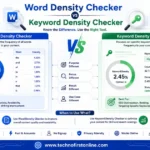
Word Density Checker vs Keyword Density Checker
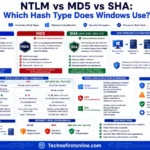
NTLM Hsah vs MD5 vs SHA

decrypt md5 hash

password salting explained

php password hash guide
keyword density myths
keyword density checker chrome extension
website keyword density
Best free keyword density checker tools
Ideal Keyword Density
keyword density analyzer
Keyword Stuffing Checker
Keyword Density Calculator
How to Check Keyword Density
Word Density Checker vs Keyword Density Checker

What Is a Password Hash Generator

SHA-1 vs SHA-256 vs SHA-512 comparison

what is bcrypt beginners guide

md5 vs sha256 vs bcrypt

Is MD5 Still Secure Hash Collisions Explained

How Generate Hash Online

MD5 Hash Generator Online guide

How to Create a Custom QR Code for Free
stylish text generator

How to change to sentence case online
How to Automatically Change Capital Letters to Lowercase
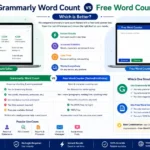
Grammarly Word Count vs Free Word Counter

word counter google docs — How to Check Word Count

Word Count Checker — Check Word Count in PDFs & Documents
Free Character Counter Online — Count Letters & Spaces

How to Word Counter Online Free
Other Useful Tools
















Frequently Asked Questions
A Fancy Text Generator is a free online tool that converts normal text into stylish Unicode fonts such as bold, italic, cursive, gothic, and circled letters, which you can copy and paste on social media, games, and messaging apps.
Yes, this tool is completely free. You can generate unlimited stylish text without any sign-up, subscription, or hidden charges.
Yes, the fonts generated by this tool are based on standard Unicode characters, which means they display correctly on Instagram, Facebook, WhatsApp, Twitter, Telegram, YouTube, and most other apps and websites.
No, this Fancy Text Generator works directly in your web browser on both mobile and desktop. There is nothing to download or install.
This can happen if the app, browser, or device you are pasting the text into does not support certain Unicode characters. Most modern platforms support these fonts, but very old devices or apps may not display every style correctly.
Yes, fancy text is very popular for gaming usernames in games like PUBG, Free Fire, and Call of Duty. However, some games may have character or symbol restrictions, so it is a good idea to check the game’s naming rules before finalizing your style.
Fancy Unicode text is best used for bios, captions, usernames, and social posts. It is not recommended for large blocks of website content meant for SEO, since search engines and screen readers are optimized for standard text.
No, this tool processes your text entirely within your browser. Your text is not uploaded, stored, or shared with any server.
This Fancy Text Generator offers more than 25 different styles, including bold, italic, script, gothic, double-struck, circled, squared, small caps, upside down, and several more creative options.
Yes, you can click the copy button on as many styles as you like, one at a time. Each click copies that specific style to your clipboard so you can paste it wherever you need.
Fancy Text vs Custom Fonts
Fancy Unicode text works almost everywhere without installing fonts, whereas custom fonts require installation and may not display correctly on all devices.
Fancy text is created using Unicode, the international standard for encoding and displaying text consistently across different devices and platforms. Instead of using custom fonts or images, a Fancy Text Generator converts regular letters into Unicode characters that are supported by most modern operating systems, web browsers, and social media platforms. This is why the stylish text you generate can usually be copied and pasted into Instagram, Facebook, WhatsApp, Discord, X (Twitter), and many other apps without installing any additional fonts. You can learn more about the Unicode Standard on the official Unicode Consortium website
Fancy Text Generator – Free Stylish Font Copy & Paste Tool
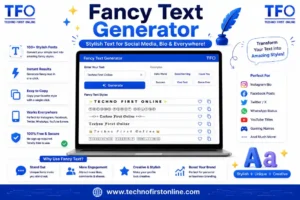
Convert normal text into stylish Unicode fonts instantly with our free Fancy Text Generator. Copy and paste fancy text for Instagram, WhatsApp
Price Currency: $
Operating System: All
Application Category: Application utilities